Brands & Departments
The Brands & Departments configuration is the UAAGI brand catalog used by dealer applications (the Brand dropdown on the dealership form) plus brand-level integration details into the ONe System — the UAAGI platform running uaagi_dealership_app and/or ONe-HR.
MSD Administrators and Dealer Dev Managers.
Opening the list
Dealer Dev ▸ Configuration ▸ Brands & Departments
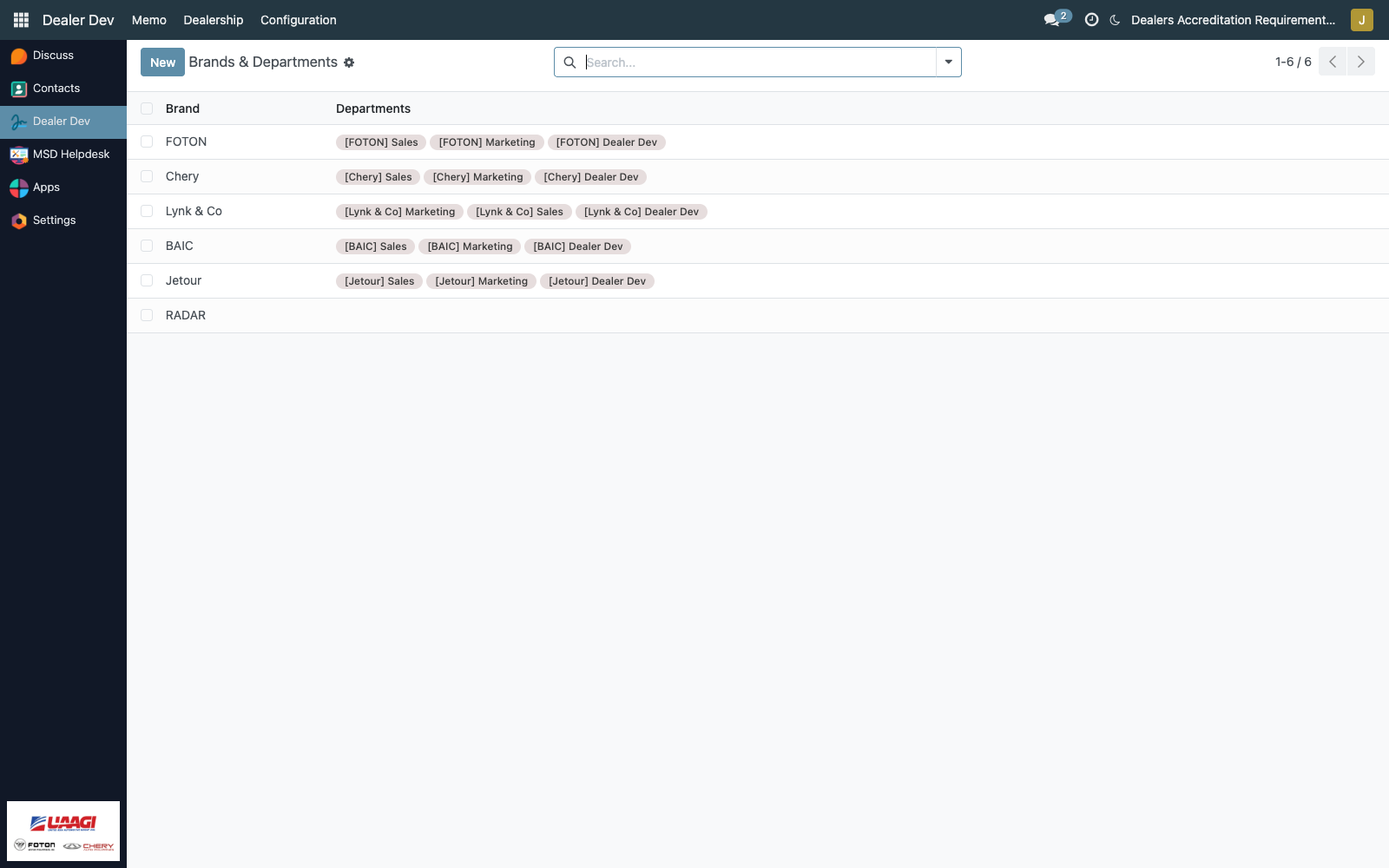
The list shows the brand name and a compact tag list of its departments.
Brand fields
Open any brand (or click New):
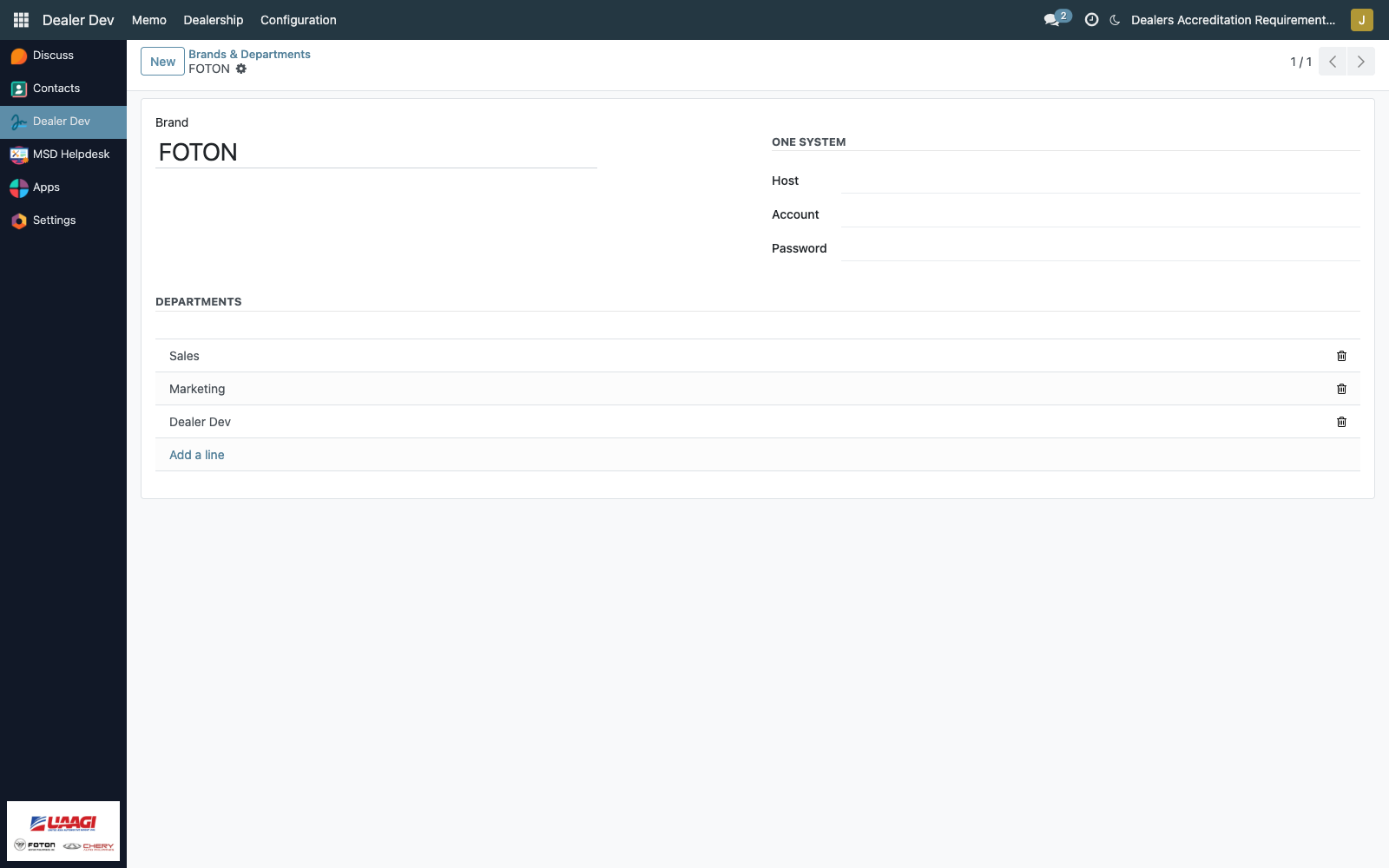
Identity
| Field | Purpose |
|---|---|
| Brand | The brand name. Placeholder suggests eXtreme Automobile. This is what appears in the Brand dropdown on every dealership application. |
ONe System
These three fields indicate that the brand's dealers are on the UAAGI Uno platform — specifically, that they have uaagi_dealership_app and/or ONe-HR provisioned. They are brand-level integration credentials UAAGI uses to reach that system.
| Field | Purpose |
|---|---|
Host (one_system_host) | Base URL of the ONe System instance for this brand (e.g. https://foton.one.uaagi-uno.com). |
Account (one_system_account) | Service account login used when UAAGI needs to query the brand's ONe System. |
Password (one_system_password) | Password for the service account. Rendered with the password widget — masked in the form. |
Leave all three blank for brands whose dealers are not yet on the ONe platform. The presence of these values is the signal — there is no boolean "uses ONe" flag.
Departments
A one-to-many list of brand.department rows. Each row is a free-text department name.
The display convention is [BRAND] Department — e.g. [FOTON] Sales, [FOTON] Service, [FOTON] Parts — computed on brand.department from the brand and name. This composed display is what shows up anywhere a department is referenced across UAAGI Uno (e.g. dealer employee records, approval chains).
Adding a brand
- Click New on the brand list.
- Enter the brand name.
- If the brand's dealers are on ONe System, fill in host/account/password.
- Add departments as inline rows in the Departments section.
- Save.
The brand is immediately available in the dealership application form's Brand dropdown.
Removing or retiring a brand
The brand model has no active flag — deleting a brand record fails if any dealership application references it (foreign-key protection). In practice, don't delete. Instead:
- Rename the brand to signal it's retired (e.g. prefix with
[RETIRED]). - Stop selecting it on new dealership applications.
- Existing dealership partners continue to reference it safely.
If a rename isn't enough — e.g. legal reasons requiring the brand to disappear — reassign every affected dealership to a successor brand first, then delete.