OAuth Provider
The Portal ships an extension of Odoo's stock auth_oauth.provider form so the extra fields Keycloak needs — token endpoint, logout endpoint, flow type, JWKS URI — become first-class configuration instead of something to be set via database scripts.
This page covers what those fields are and how they're used. The procedural step-by-step for wiring the Portal to Keycloak lives in Keycloak ▸ Odoo Configuration — that's the page to follow during setup. This page is the field reference.
System administrators configuring or troubleshooting OAuth on the Portal instance.
Opening the provider list
The OAuth Providers list is not under the UAAGI Portal menu — it's in Odoo's standard settings:
Settings ▸ Users & Companies ▸ OAuth Providers
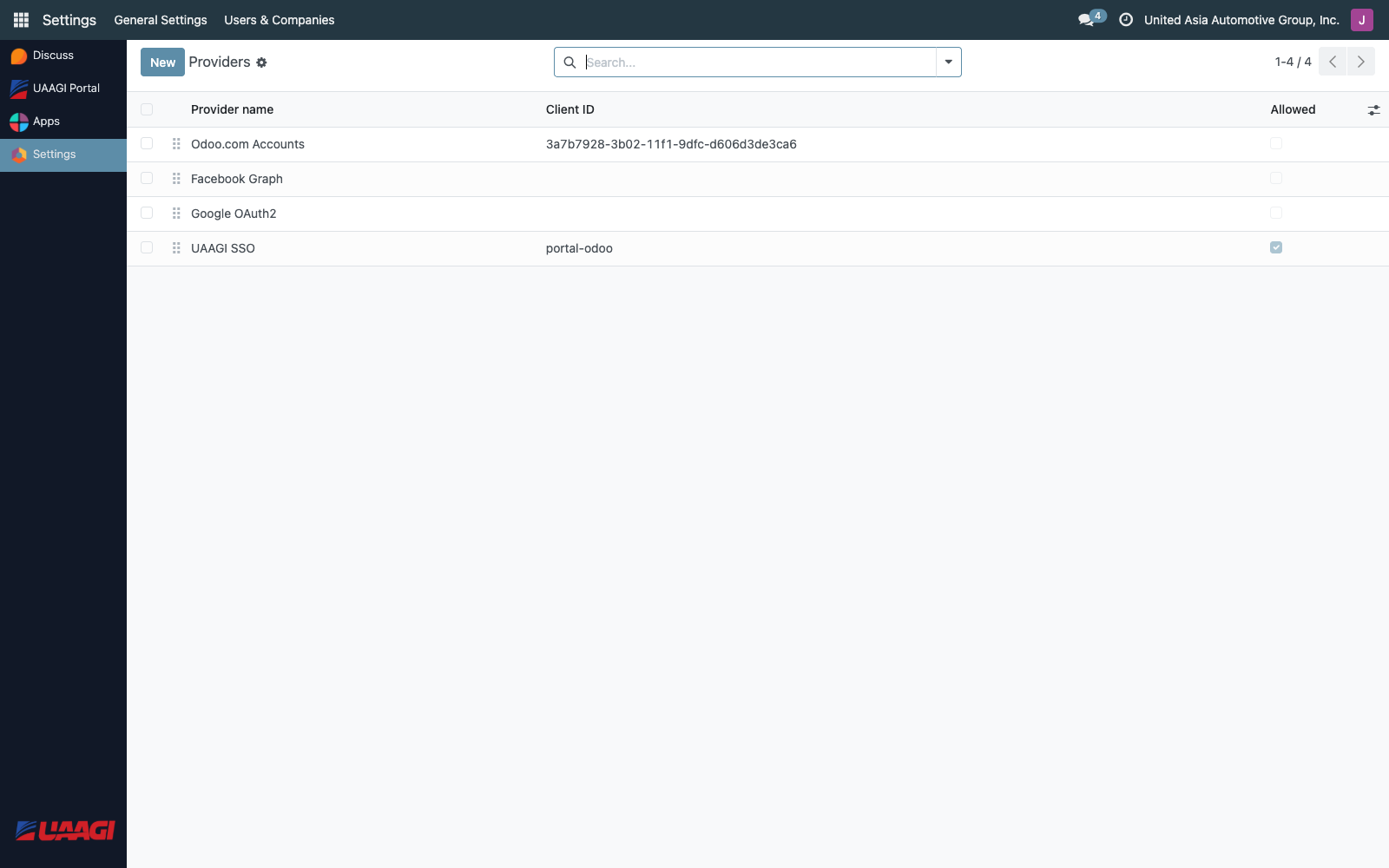
The Portal adds a Flow column to the list so you can tell at a glance whether each provider is configured as Authorization Code or Implicit.
The provider form
Open the Keycloak provider to see the extended form:
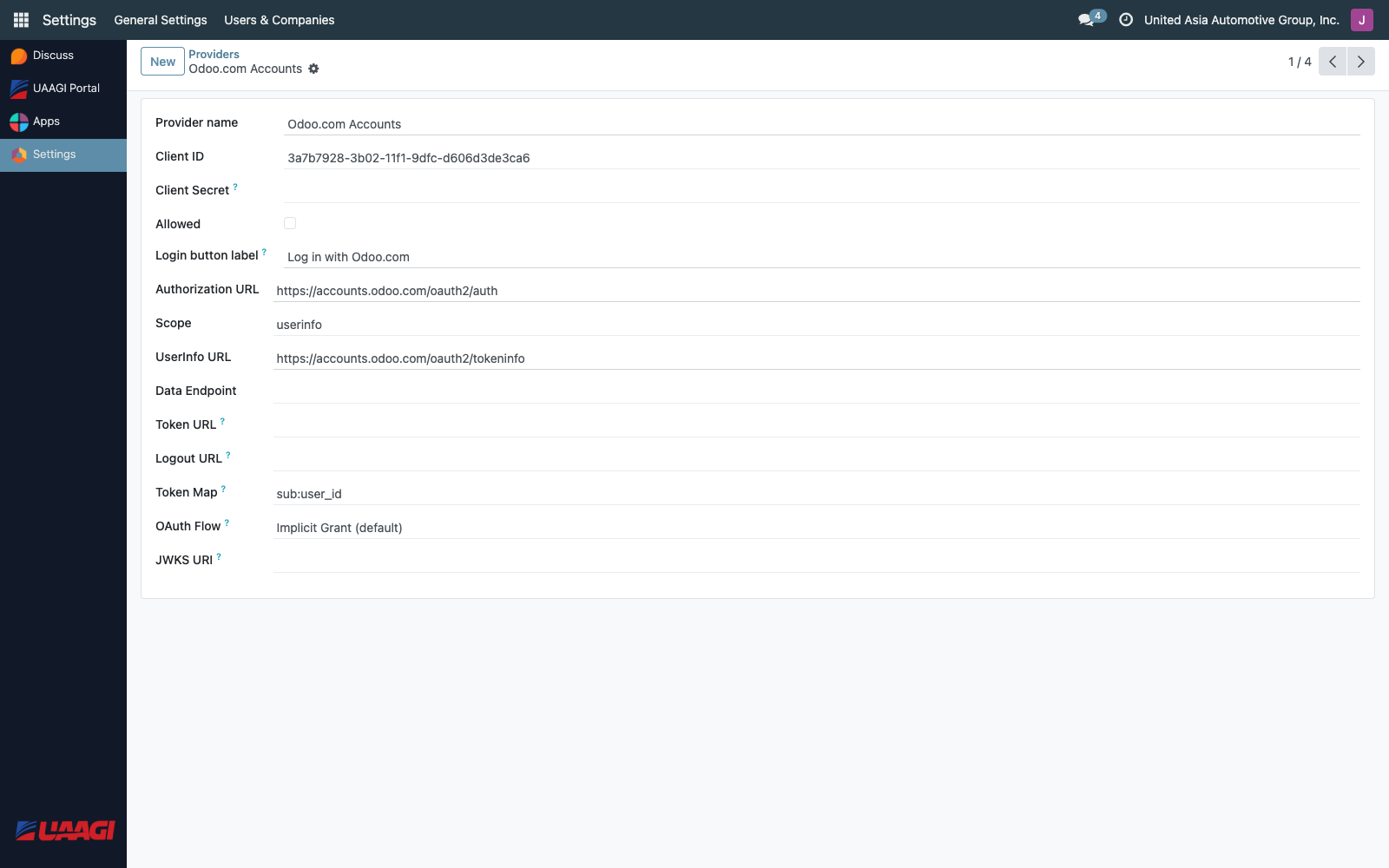
Standard fields (unchanged)
| Field | Example |
|---|---|
| Provider Name | Keycloak |
| Login button label | Sign in with UAAGI SSO |
| Client ID | portal-odoo |
| Authorization URL | https://sso.uaagi-uno.com/realms/uaagi-dealerships/protocol/openid-connect/auth |
| Scope | openid email profile |
| UserInfo URL | https://sso.uaagi-uno.com/realms/uaagi-dealerships/protocol/openid-connect/userinfo |
| Enabled | ✓ |
Fields added by this module
| Field | Purpose |
|---|---|
| Client Secret | The confidential client secret from Keycloak. Stored as a password field. Only used when the Flow is authorization_code. |
| Token Endpoint | https://sso.uaagi-uno.com/realms/uaagi-dealerships/protocol/openid-connect/token — where the Portal exchanges the authorization code for an access token. Required for authorization_code flow. |
| Logout Endpoint | https://sso.uaagi-uno.com/realms/uaagi-dealerships/protocol/openid-connect/logout — where the Portal redirects on logout so the Keycloak session is actually terminated. If left blank, the controller tries to derive it from the Authorization URL by swapping /auth for /logout. |
| Token Map | Mapping of non-standard token claims to Odoo fields (Odoo core field — used for edge cases). |
| Flow | Either authorization_code or implicit. Keycloak with PKCE requires authorization_code. |
| JWKS URI | https://sso.uaagi-uno.com/realms/uaagi-dealerships/protocol/openid-connect/certs — used for local JWT signature verification. |
Authorization Code vs Implicit flow
The Portal supports both flows, selectable via the Flow field:
| Flow | When to use | How it works |
|---|---|---|
| Authorization Code (with PKCE) | Keycloak, Auth0, any modern OpenID provider | Portal redirects to Keycloak with a code_challenge. Keycloak redirects back with a code. Portal exchanges the code + code_verifier for tokens at the token endpoint. |
| Implicit | Legacy OAuth 2.0 providers | Provider returns the access token directly in the URL fragment. No token exchange round-trip. Insecure by modern standards. |
The Portal is set to authorization_code in production. The Implicit flow support exists for backward compatibility.
PKCE
When Flow is authorization_code, the Portal automatically:
- Generates a 32-byte random
code_verifier. - Derives a
code_challenge = base64url(sha256(code_verifier)). - Stores the verifier in the Odoo session.
- Sends
code_challenge+code_challenge_method=S256on the authorization request. - Sends
code_verifierduring the token exchange.
The Keycloak client must have PKCE S256 enabled for this to succeed — see Portal Client for the Keycloak side.
The Bearer userinfo override
Odoo's stock OAuth client sends the access token as a query parameter when calling the userinfo endpoint (GET /userinfo?access_token=...). Keycloak rejects this as invalid_request — it requires the token in the Authorization: Bearer header.
The Portal module overrides _auth_oauth_rpc on res.users to send the token as a Bearer header. No configuration is required to enable this — it applies to every OAuth provider on a Portal instance.
Fast checks when OAuth breaks
A handful of classic failure modes and where to look:
| Symptom | Likely cause |
|---|---|
oauth_error=2 after sign-in | Token exchange failed. Check Client Secret, Token Endpoint URL, PKCE configuration. |
| User can log in but has no dealerships | allowed_dealerships claim is empty or references unknown client IDs. Check User Management. |
invalid_request from userinfo | Shouldn't happen on Portal (Bearer override), but does on stock Odoo instances — install this module there too. |
| Logout doesn't actually log out of Keycloak | Logout Endpoint is blank and the Authorization URL doesn't contain /protocol/openid-connect/auth. Set Logout Endpoint explicitly. |
For a full troubleshooting flow see Keycloak ▸ Testing & Troubleshooting.