Brands
A Brand represents a vehicle marque (FOTON, Chery, Jetour, BAIC, Lynk&Co, RADAR, …). Every brand holds the connection details for its upstream distributor (an Odoo 12 instance) so the BPO CRM can:
- Pull the vehicle catalog (
crm.vehicle.model). - Pull dealer records (
crm.dealership). - Pull incoming web leads (quotations + test-drive requests).
- Write back a
'synced'status to the distributor so the same lead is not re-imported.
:::info Who can edit this? Creating and editing brands, including distributor credentials, requires the BPO Manager group. BPO Agents and Supervisors can view brands but cannot trigger sync or modify credentials. :::
Open the Brands list
Navigate to BPO CRM → Data → Brands.
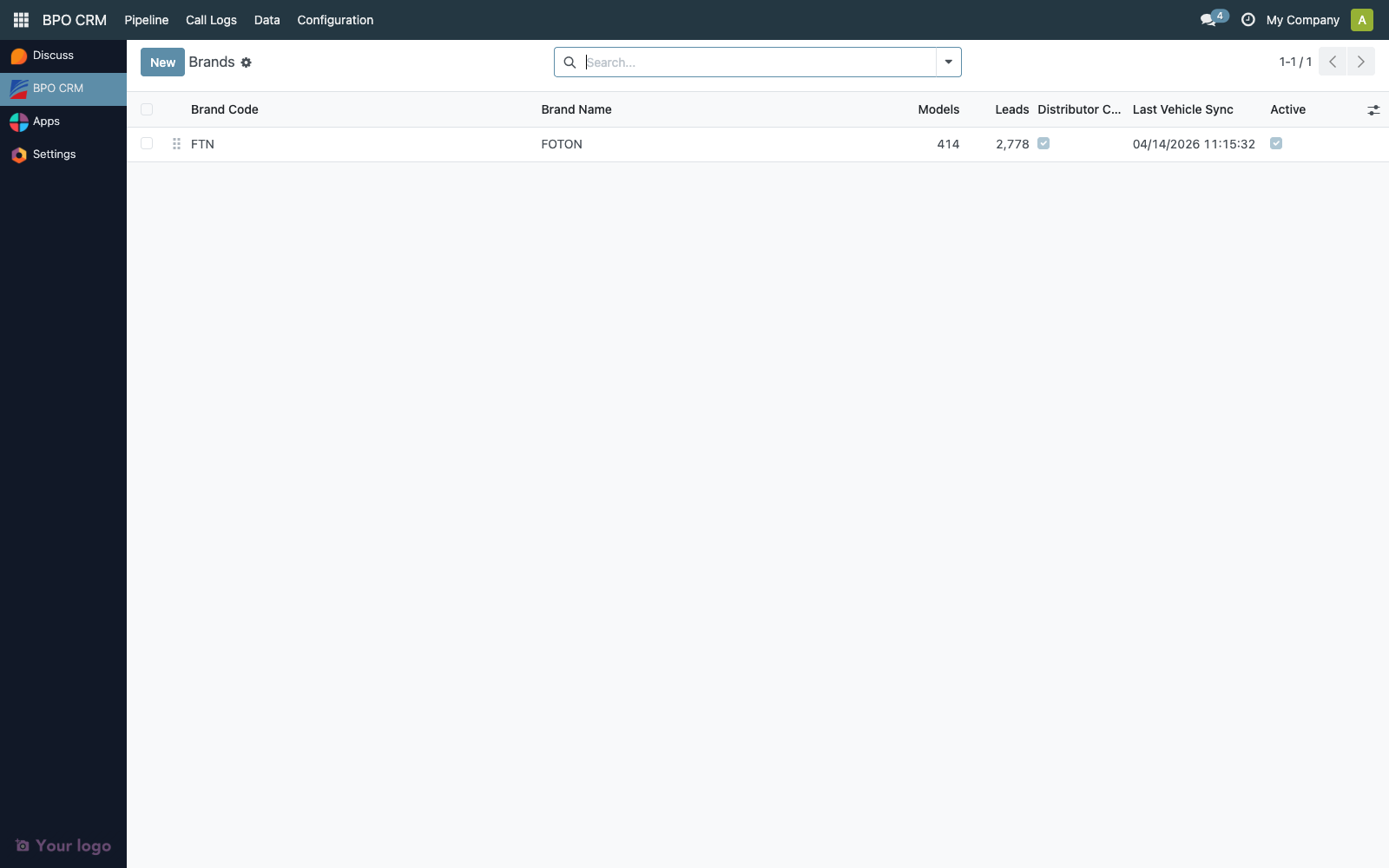
The list shows:
| Column | Description |
|---|---|
| Code | Short brand code, max 10 chars (e.g. FOTON). Used as a stable key. |
| Name | Display name. |
| Models | Number of vehicle models currently synced. |
| Leads | Number of leads in the pipeline for this brand. |
| Distributor Connected | Last Test Connection result. |
| Last Vehicle Sync | Timestamp of the most recent successful model sync. |
| Active | Archive toggle. |
Create a brand
Click New. A blank brand form opens.
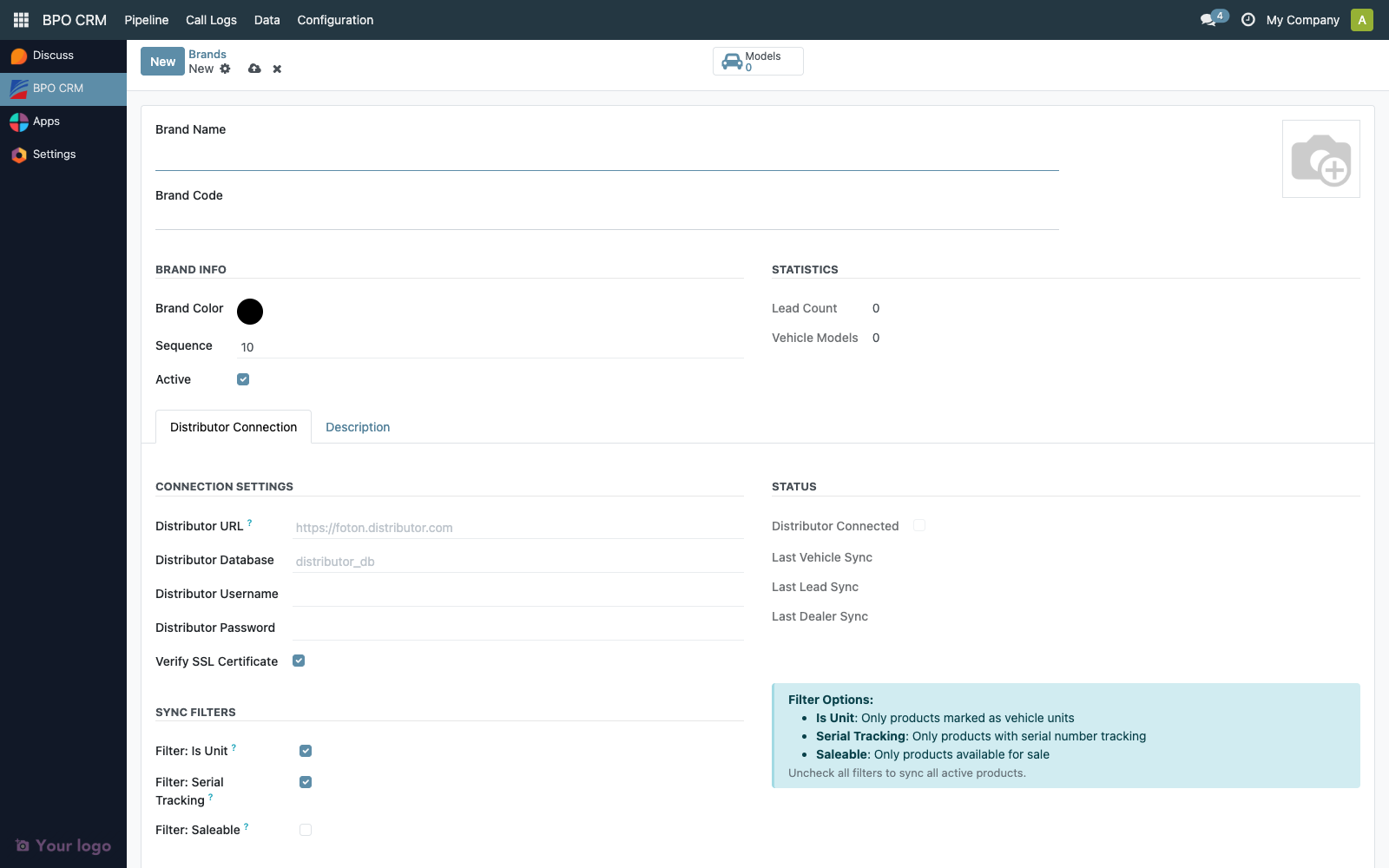
Fill in the header:
| Field | Notes |
|---|---|
| Logo | Optional image, displayed in lead forms and kanban cards. |
| Brand Name | Required, e.g. Foton Philippines. |
| Brand Code | Required, unique, max 10 chars, e.g. FOTON. Used by sync code — do not rename casually. |
| Brand Color | Picker. Used for kanban color coding. |
| Sequence | Drag-handle order in lists. |
| Active | Uncheck to archive (leads are preserved). |
Save the brand before configuring the distributor connection.
Configure the Distributor Connection
Open the Distributor Connection tab.
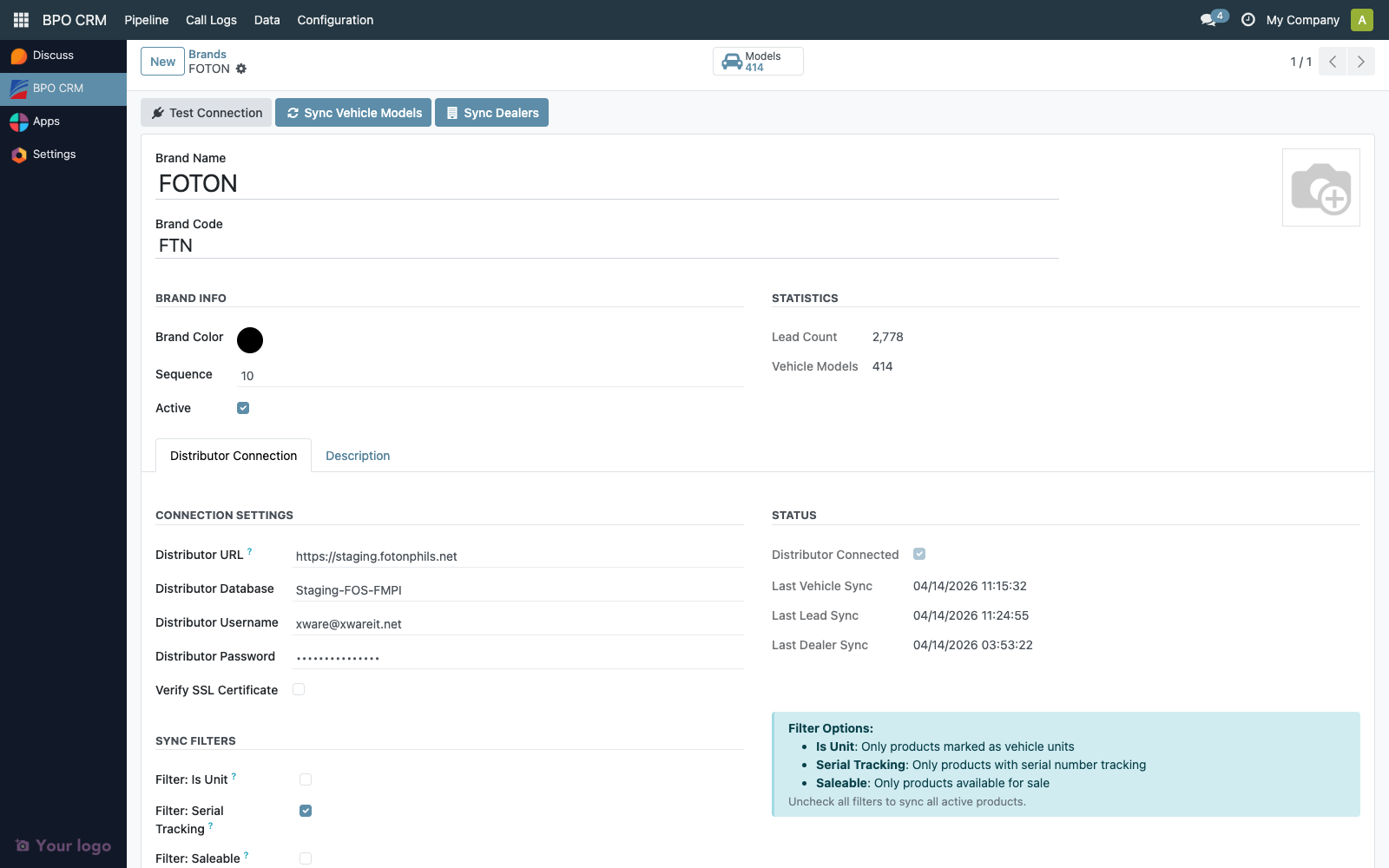
Connection Settings
| Field | Example | Notes |
|---|---|---|
| Distributor URL | https://foton.uaagi-uno.com | Odoo 12 instance URL. No trailing slash. |
| Distributor Database | foton_prod | Odoo DB name. |
| Distributor Username | bpo_sync@uaagi-uno.com | Must be a service account on the distributor side with read access to product.template, res.partner, and the web-lead models. |
| Distributor Password | (masked) | Stored encrypted in Odoo's filestore. |
| Verify SSL Certificate | On | Turn off only for self-signed development environments. |
:::tip Service account setup
On the distributor (Odoo 12), create a dedicated user (e.g. bpo_sync) with:
- Read on
product.template,res.partner,cheryweb.quotation,cherywebsite.test.drive - Write on
cheryweb.quotation.statusandcherywebsite.test.drive.status(for the'synced'write-back)
Do not reuse a human user account — rotating their password will break the sync silently. :::
Test the connection
Click Test Connection in the top toolbar.
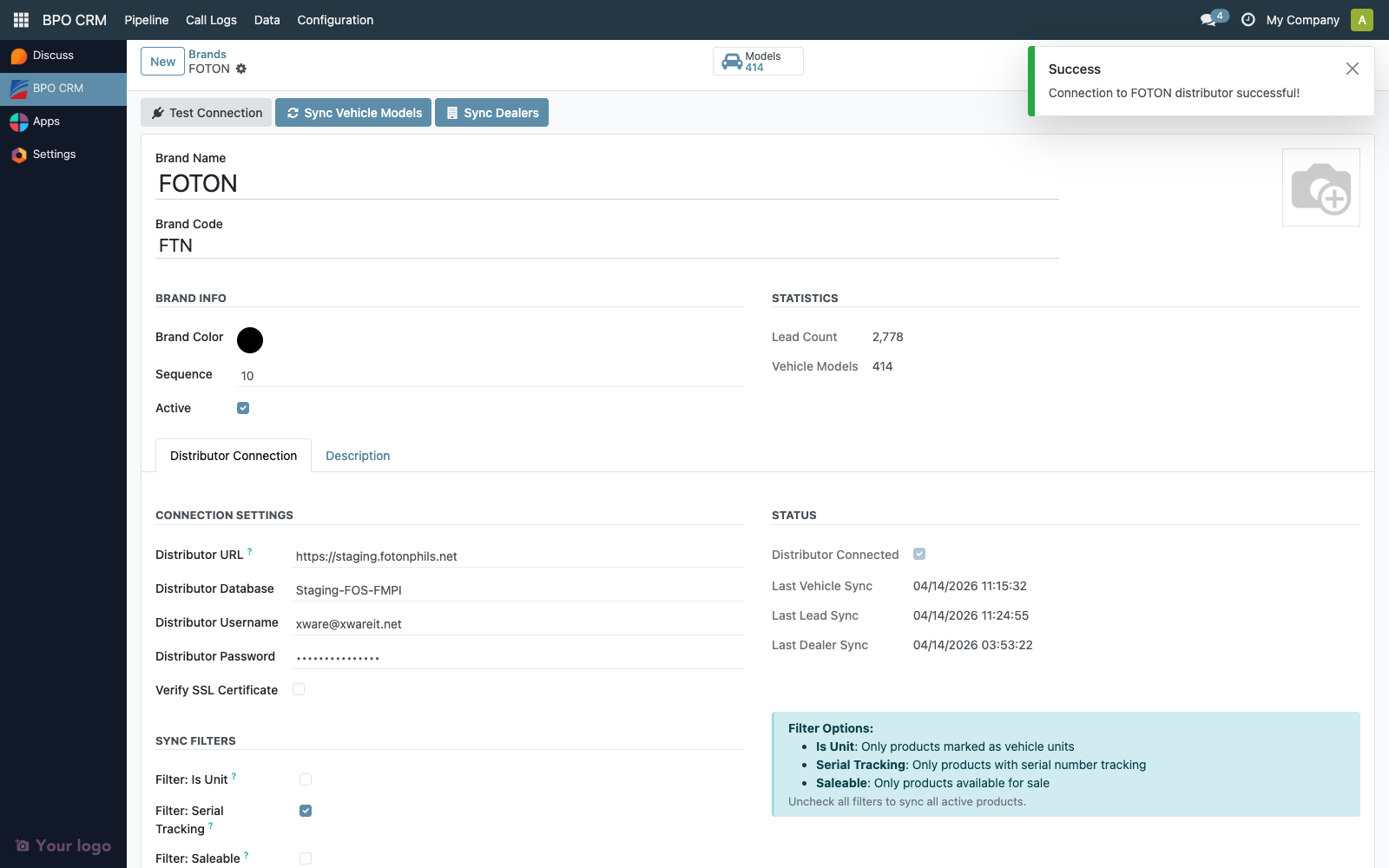
On success, the Status group flips to Distributor Connected = ✓. On failure, read the toast message — the two most common causes are wrong database name and an expired service-account password.
Sync Filters
Under the Distributor Connection tab, configure which products to pull as vehicle models.

| Filter | Meaning on the distributor side |
|---|---|
| Is Unit | product.template.is_unit = True. Distinguishes vehicle units from parts/accessories. On in most setups. |
| Serial Tracking | tracking = 'serial'. Only products tracked by serial number. On in most setups. |
| Saleable | sale_ok = True. Off by default because not every sellable product is a unit. |
Uncheck all three to sync the full active-product catalog.
Run the syncs
The header exposes three sync buttons — see their dedicated docs:
- Sync Vehicle Models → covered in Vehicle Models.
- Sync Dealers → covered in Dealerships.
- Lead ingestion is scheduled (cron) and writes to
crm.lead; the Brand form surfaces its last-run timestamps only.
Field reference
Last-run timestamps on each brand:
| Field | Set by |
|---|---|
distributor_last_sync | Sync Vehicle Models |
distributor_last_lead_sync | Cron-driven lead import |
distributor_last_dealer_sync | Sync Dealers |
Troubleshooting
| Symptom | Likely cause |
|---|---|
Test Connection fails with Access Denied | Wrong username/password, or service account lacks model access on distributor. |
Test Connection fails with Database not found | Wrong distributor_db. Check the distributor's DB selector page. |
ValueError: Wrong value for cheryweb.quotation.status: 'synced' | Distributor is on the wrong branch — it needs the 'synced' Selection value. See the chery-distributor branch note in the ops runbook. |
| No models pulled after Sync | All three sync filters are too strict. Temporarily turn them off and retry. |