Lead Sources
A Lead Source (crm.lead.source) records where a lead originated — an inbound call, a website quotation form, a walk-in, a referral, a marketing campaign. Every lead in the pipeline carries a source_id, which is used for:
- Kanban grouping and dashboards.
- Marketing attribution reports.
- Distinguishing automated inbound leads (e.g.
web_quotation) from manually created ones. - Driving cron-based ingestion: the distributor-sync code uses the source code as an external key to tell web quotations apart from test-drive requests.
:::info Who can edit this? BPO Managers only. Agents see the field on the lead form but cannot add new sources. :::
Default lead sources
The module seeds these on install:
| Code | Name | Type | Used by |
|---|---|---|---|
inbound_call | Inbound Call | Inbound Call | Manual agent creation |
outbound_call | Outbound Call | Outbound Call | Manual agent creation |
walkin | Walk-In | Walk-In | Manual agent creation |
referral | Referral | Referral | Manual agent creation |
source_web_quotation | Web Quotation | Website | Cron import from distributor cheryweb.quotation |
source_web_test_drive | Web Test Drive | Website | Cron import from distributor cherywebsite.test.drive |
campaign | Campaign | Campaign | Marketing pushes |
social | Social Media | Social Media | Marketing pushes |
event | Event / Exhibition | Event/Exhibition | Marketing pushes |
:::danger Do not rename or delete the source_web_* codes
crm_brand.py looks up those sources by exact code to tag imported leads:
SOURCE_CODE_MAP = [
    ('cheryweb.quotation',      'uaagi_crm.source_web_quotation', 'quotation'),
    ('cherywebsite.test.drive', 'uaagi_crm.source_web_test_drive', 'test_drive'),
]
Renaming code breaks the next lead import silently. You can freely change the display name.
:::
Open the Lead Sources list
Navigate to BPO CRM → Configuration → Lead Sources.
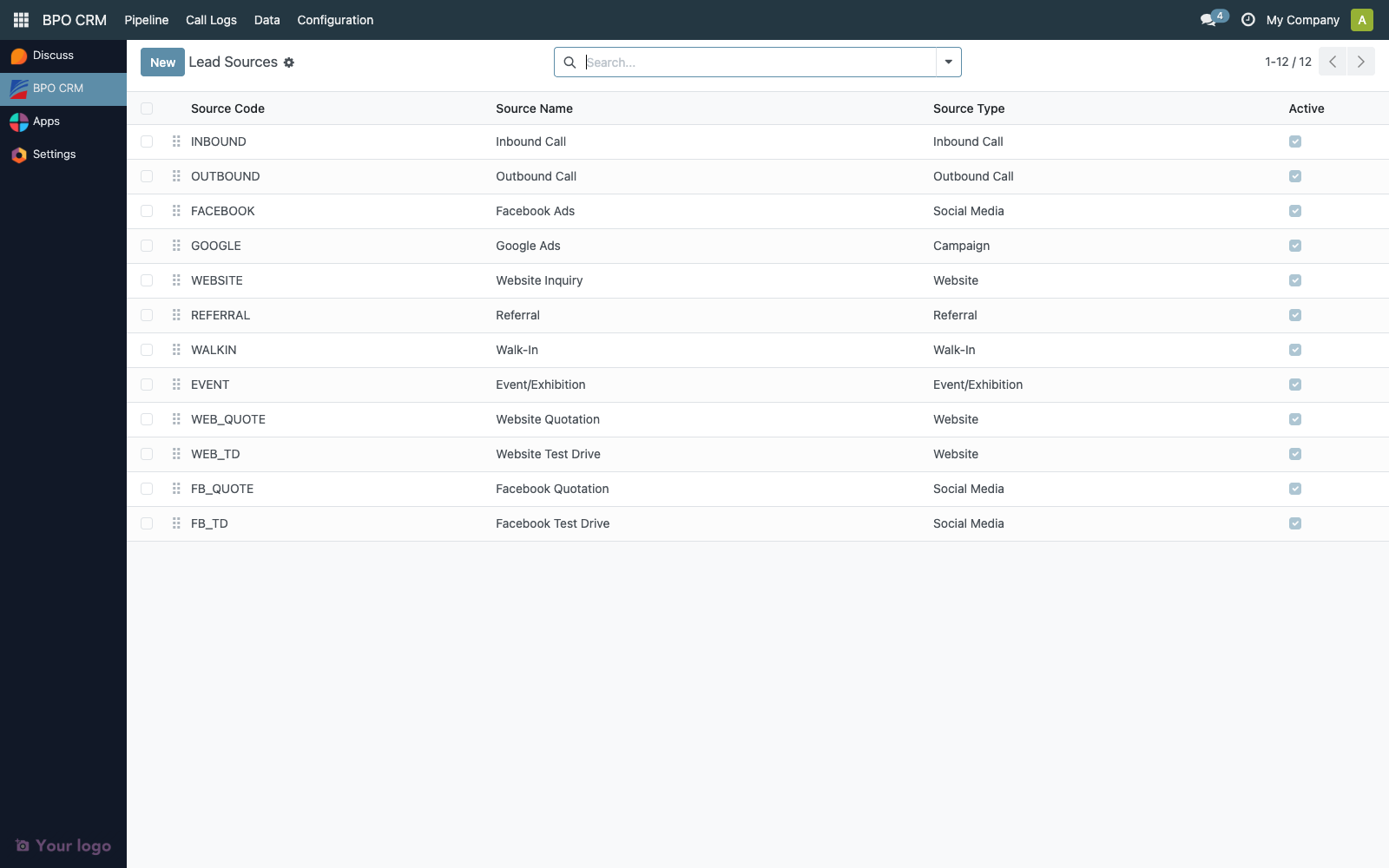
The list is editable inline — click any cell to edit without opening a form.
| Column | Description |
|---|---|
| Sequence | Drag-handle. Order in dropdowns and kanban grouping. |
| Code | Unique, max 20 chars. Stable key used by integrations. |
| Name | Display name. Translatable. |
| Source Type | Category used for reporting and grouping. |
| Active | Archive toggle. |
Create or edit a source
Click New or double-click a row.
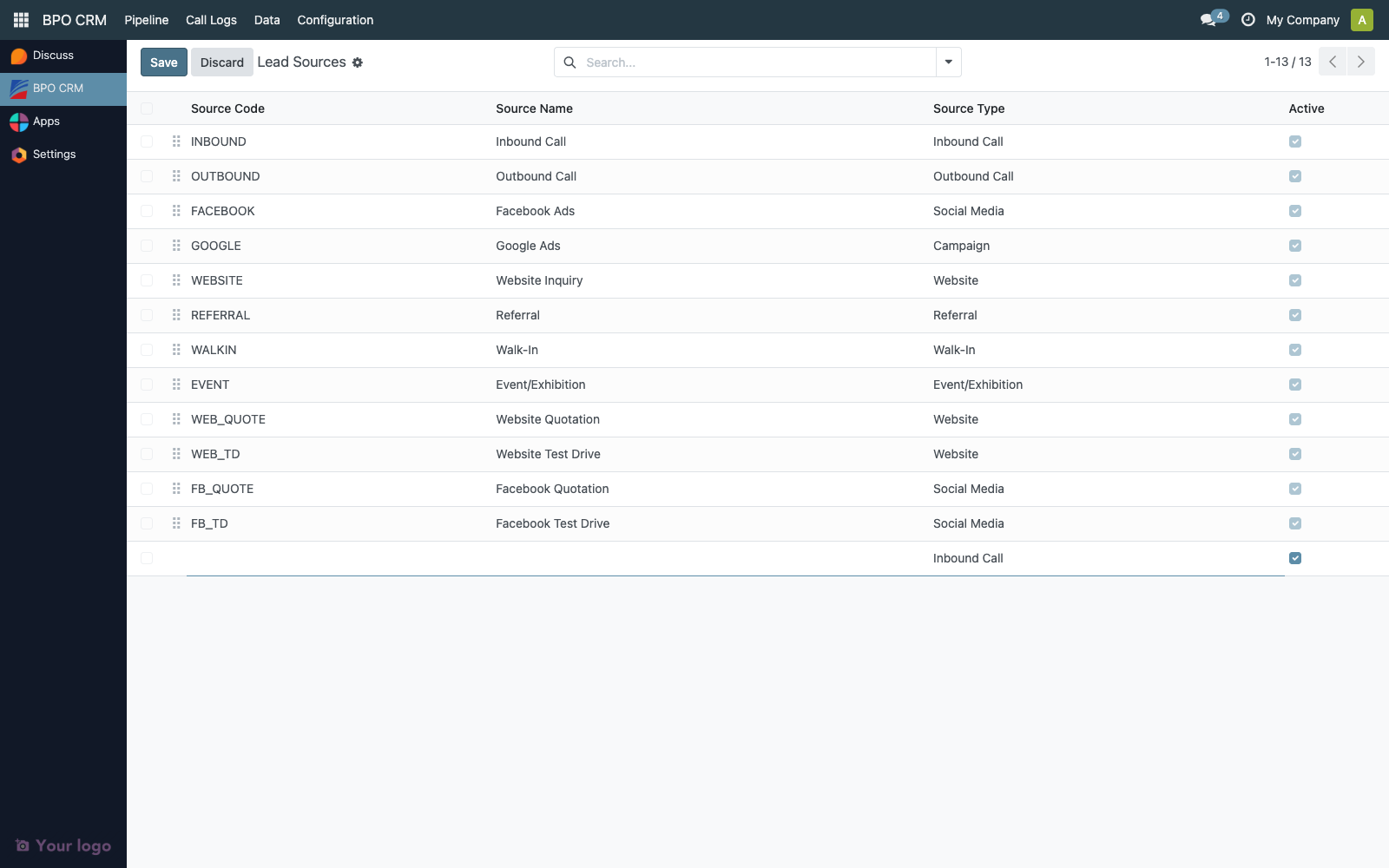
| Field | Notes |
|---|---|
| Source Name | Required. Translatable. |
| Source Code | Required, unique, max 20 chars, lowercase + underscores by convention. Never reuse a deleted code. |
| Source Type | One of: Inbound Call, Outbound Call, Campaign, Referral, Walk-In, Website, Social Media, Event/Exhibition. Used by dashboards. |
| Sequence | Lower = appears first. |
| Active | Uncheck to archive. Past leads keep the reference. |
How agents see it
On the lead form, the Source field is a dropdown that searches by code or name.
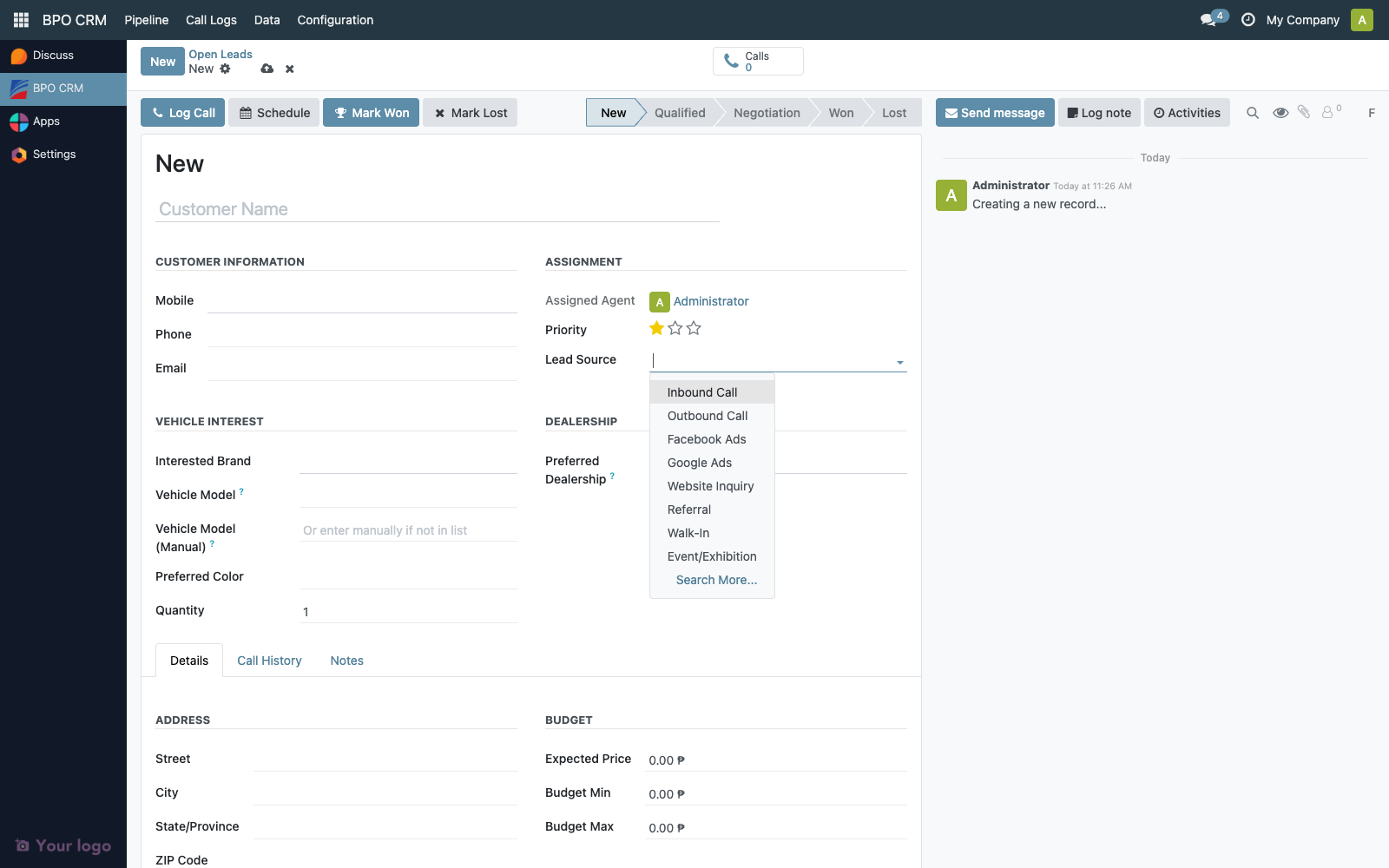
The source is required on every lead. Inbound leads pulled from a distributor are auto-stamped with source_web_quotation or source_web_test_drive — agents should not change those values.
Renaming vs archiving
| Operation | Effect | When to use |
|---|---|---|
| Rename (name only) | Updates the label everywhere. Reports stay consistent. | Marketing refresh, translation tweak |
| Change code | Breaks any external integration referencing that code. | Almost never — you usually create a new source instead |
Archive (active = False) | Removes from dropdowns; historical leads keep the link. | Retiring an old campaign |
| Delete | Blocked if any lead references it. | Only for sources created by mistake and never used |
Troubleshooting
| Symptom | Likely cause |
|---|---|
| Imported web quotations show "Undefined" source | source_web_quotation code was renamed or archived. Restore it. |
| Duplicate sources after import | Two sources share a similar name but different codes. Consolidate: move leads, then archive the redundant one. |
| Report attribution looks wrong | Source Type mismatch — e.g. a "Facebook Ad" source set to inbound instead of social. Fix the type. |