Stages
A Stage (crm.stage) is a column in the BPO CRM kanban pipeline. Stages define how a lead moves from first contact to a closed outcome.
:::info Who can edit this? Only BPO Managers can create, reorder, rename, or delete stages. Changes take effect immediately for all users — coordinate before renaming, since agents memorize the column layout. :::
Default stages
A fresh install ships with:
| Sequence | Name | Flags | Purpose |
|---|---|---|---|
| 10 | New | — | Fresh lead, initial contact pending |
| 20 | Qualified | — | Customer interest confirmed |
| 30 | Negotiation | — | Discussing price, unit, financing |
| 40 | Won | is_won = True | Deal closed — triggers SO push to dealership |
| 50 | Lost | is_lost = True, fold = True | Deal lost (with reason) |
Open the Stages list
Navigate to BPO CRM → Configuration → Stages.
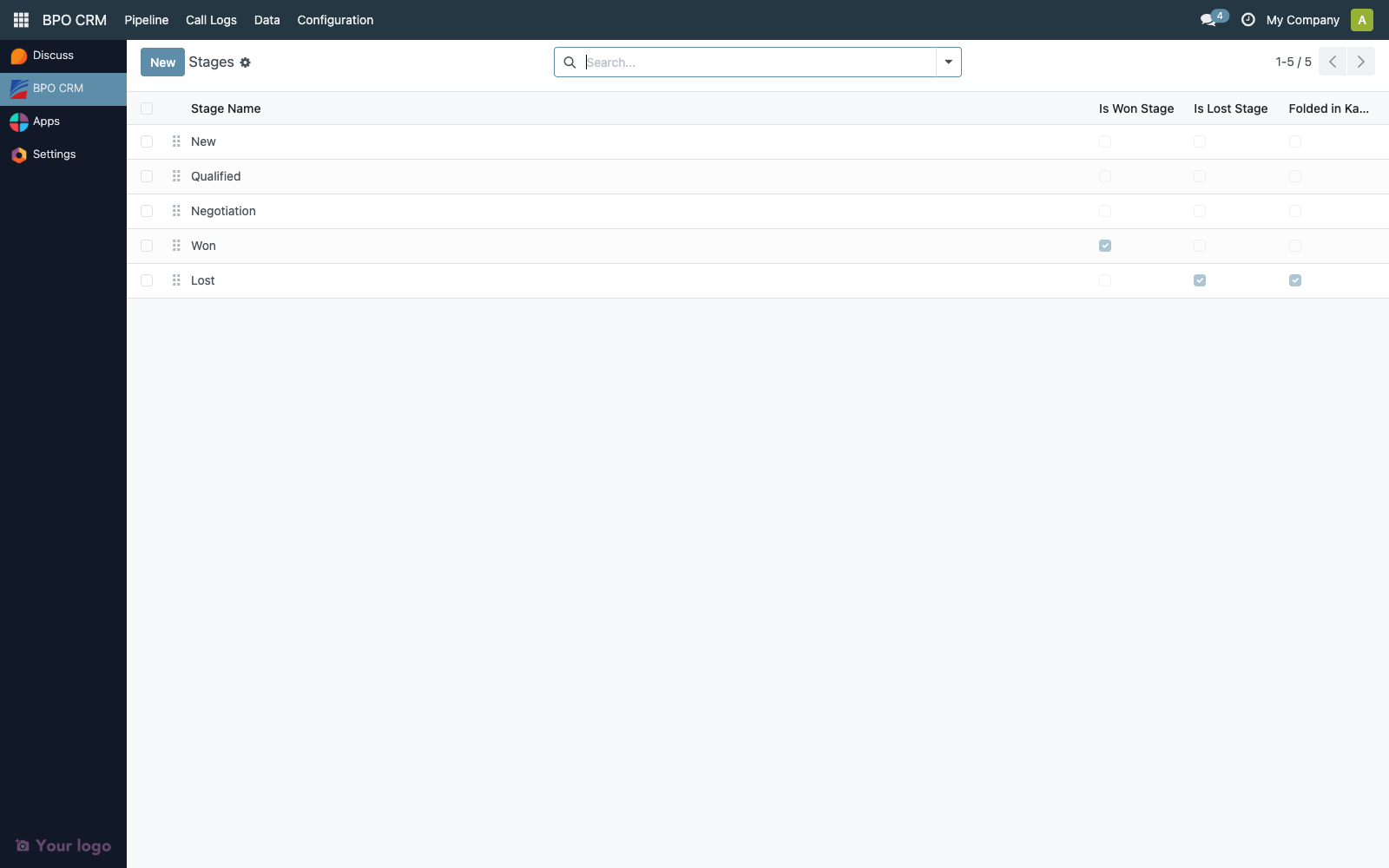
The list is editable inline — click any cell to rename, reorder, or flip flags without opening a separate form.
| Column | Description |
|---|---|
| Sequence | Drag-handle. Controls left-to-right order in the kanban view. |
| Name | Stage label shown to users. |
| Is Won Stage | At most one stage should be marked Won. Triggers the dealer Sales Order push. |
| Is Lost Stage | At most one stage should be marked Lost. Opens the Lost reason wizard. |
| Folded in Kanban | When on, the stage is collapsed by default in the kanban view. |
Create or edit a stage
Click New or double-click an existing row.
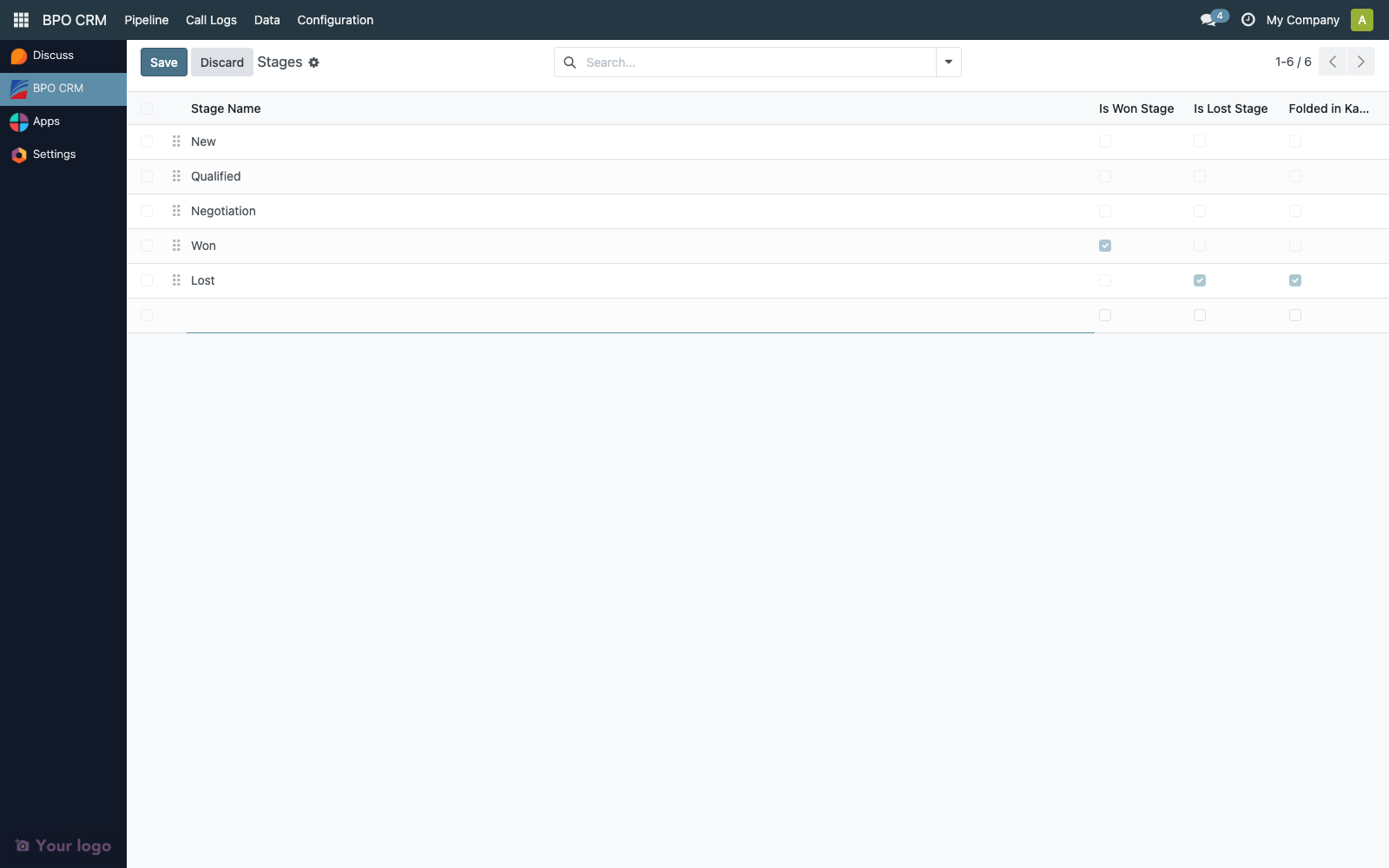
| Field | Notes |
|---|---|
| Stage Name | Required, unique across the CRM. Translatable. |
| Sequence | Lower numbers appear first. Leave gaps (10, 20, 30…) to allow future inserts. |
| Is Won Stage | See Semantics below. |
| Is Lost Stage | See Semantics below. |
| Folded in Kanban | Use for terminal states (Won, Lost) so the board stays focused on in-flight leads. |
Semantics of is_won / is_lost
These two flags are load-bearing — they are not cosmetic.
is_won— when a lead moves into a stage withis_won = True, the Won flow runs:- Validate
dealership_id.odoo_urlis set. - Look up / create the customer on the dealer instance.
- Create the
sale.order. - Write back
dealer_so_id/dealer_so_nameon the lead. - Email the dealership manager.
- Validate
is_lost— moving into this stage opens the Mark as Lost wizard to capture a reason code and notes.
:::warning Exactly one Won, exactly one Lost
Only one stage may carry is_won = True and one may carry is_lost = True. Having zero breaks the mark-as-won button. Having two causes unpredictable routing.
:::
Reordering stages
Use the handle in the leftmost column to drag rows. The order here is the left-to-right column order on the kanban pipeline. Fold terminal stages (Won, Lost) so they stay tucked away.
Renaming or deleting — cautions
| Operation | Impact |
|---|---|
| Rename | Safe. All existing leads stay attached to the same crm.stage.id. Chatter entries and reports continue to work. |
| Delete | Blocked if any lead is currently in that stage. Move leads out first, then archive instead of hard-deleting when possible. |
Flip is_won off | Past won leads stay won, but new "Won" clicks will fail with "No won stage configured". |
Troubleshooting
| Symptom | Likely cause |
|---|---|
| "Mark as Won" button does nothing / errors | No stage has is_won = True, or more than one does. |
| Lost wizard doesn't open | No stage has is_lost = True. |
| New stages appear at the wrong position | Sequence collision — run through the list and rewrite sequences with gaps of 10. |