Claiming a Lead
Every lead that enters the BPO CRM — whether from the distributor cron or created manually — starts with user_id = False. Before any processing can happen, an agent must claim the lead. Claiming assigns the lead to the claimer and removes it from everyone else's unclaimed pool.
Why claiming matters
- Single owner. One lead, one agent responsible for follow-up.
- No collisions. Two agents can't accidentally call the same customer.
- Pipeline hygiene. The "Open Leads" kanban only shows unclaimed work — so it's always an accurate to-do list for the floor.
- Lost-button guardrail. Actions like Call Customer, Mark as Won, and Mark as Lost are hidden on unclaimed leads. Agents physically cannot skip the claim step.
How to claim
From the Open Leads kanban
Click a card to open the lead form. The header shows a single primary action: Claim Lead.
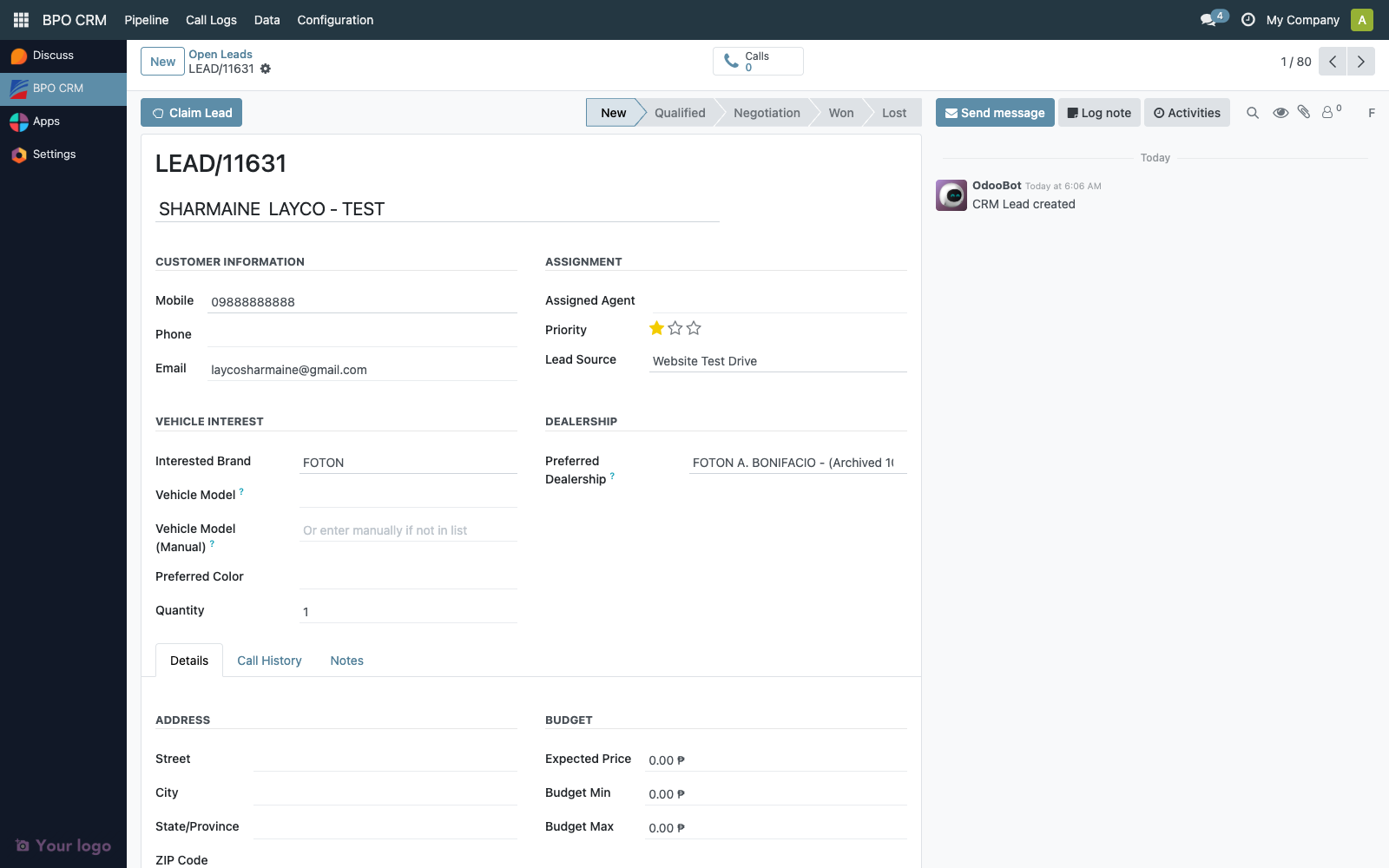
Click it. The lead:
- Gets
user_id = <you>. - Disappears from the Open Leads kanban.
- Appears in My Pipeline.
- Shows a success toast: "You are now assigned to lead LEAD/…".
All the other header actions (Log Call, Schedule Visit, Mark as Won, Mark as Lost) are now visible.
Claiming rules at a glance
| Actor | Can claim? | Notes |
|---|---|---|
| BPO Agent | Yes, unclaimed leads only | Cannot claim someone else's lead |
| BPO Supervisor | Yes, including reassignment | Sees all leads, can edit user_id on any |
| BPO Manager | Yes, including reassignment | Same as Supervisor plus config access |
The Claim Lead button is only rendered when user_id is empty and the lead is not already won/lost. On an already-claimed lead, the button is replaced by the normal work actions.
Visibility after claim
Once claimed, a lead is hidden from other agents. This is enforced by record rules on crm.lead — not just a UI filter. A regular agent querying crm.lead directly via dev tools will also not see another agent's leads.
Supervisors and managers are exempt — they see the full pool including everyone's claimed work.
| View | What each role sees |
|---|---|
| Open Leads (Agent/Supervisor/Manager) | Only user_id = False |
| My Pipeline (Agent) | Only user_id = <self> |
| My Pipeline (Supervisor/Manager) | Only user_id = <self> |
| All Leads (Supervisor/Manager) | Everything — used for reassignment and reporting |
The All Leads menu is hidden from Agents.
Reassigning a claimed lead
Agents cannot reassign. If an agent goes offline, takes leave, or the lead needs to pass to a teammate, a Supervisor or Manager does it:
- Open BPO CRM → Pipeline → All Leads
- Find the lead (search or filter by the absent agent)
- Open it and change the Assigned Agent field
The can_reassign computed field controls whether the user_id field is editable on the form. Agents see it as read-only; supervisors and managers see it as editable.
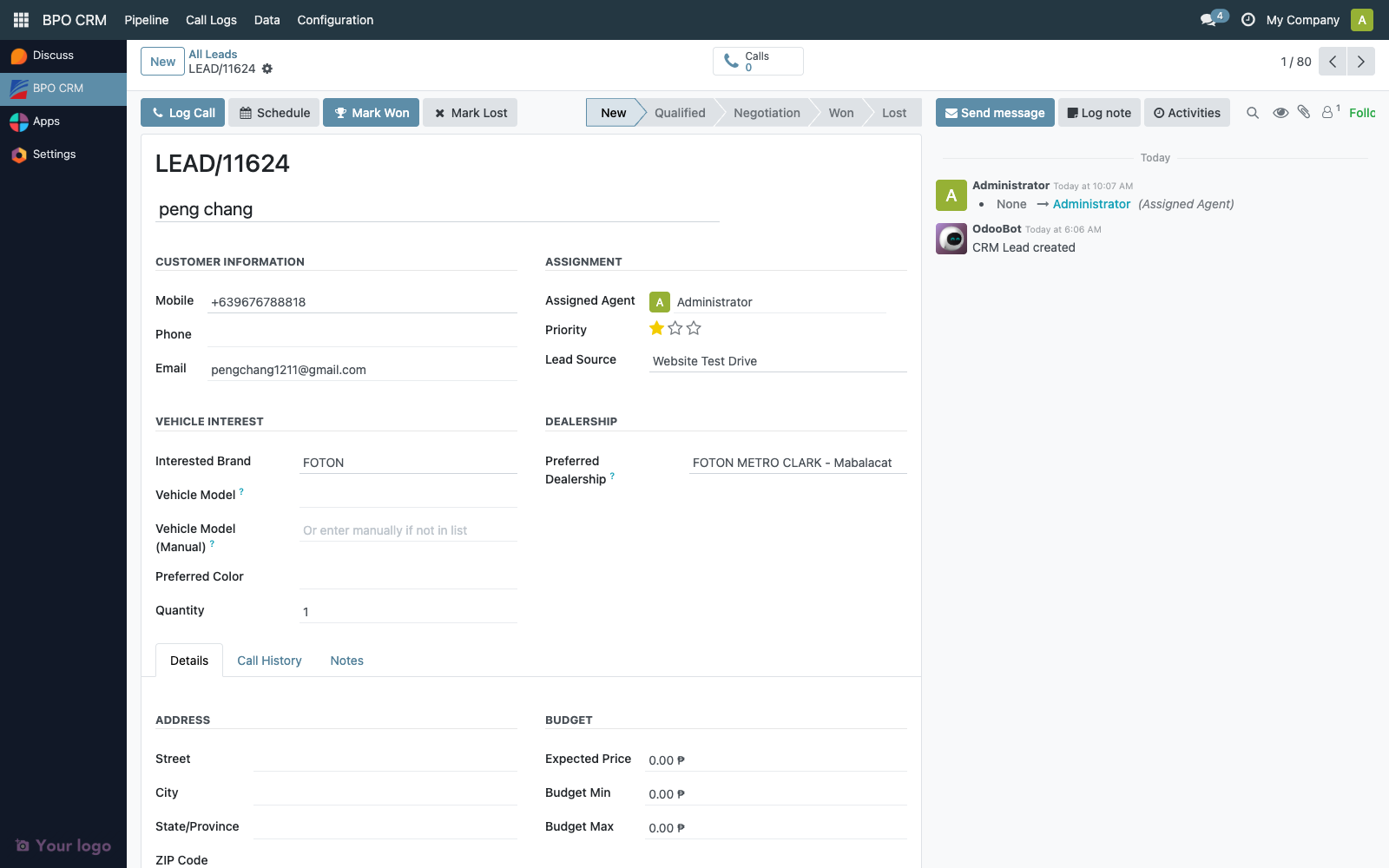
There is no "un-claim" workflow for agents. If an agent mistakenly claims the wrong lead, they ask a supervisor to reassign or to set user_id = False to put it back in the unclaimed pool.
Unclaimed leads and aging
There is no built-in SLA or automatic escalation on unclaimed leads — they simply sit in Open Leads until someone claims them.
Recommended manual practice:
- Supervisors watch the Open Leads kanban during shifts and sort by
create_dateto spot stale entries. - For high-volume brands, split the floor by brand (supervisors filter Open Leads per brand column) so no column gets ignored.
- Track "age in Open Leads" as an operations metric if it becomes a pattern.
Troubleshooting
| Symptom | Likely cause |
|---|---|
| Claim Lead button missing on an open lead | The lead is already won/lost, or user_id is already set. Refresh the view. |
| Agent claims a lead but it's still in Open Leads for them | Browser cache — hard-refresh. The record rule update is immediate. |
| Lead disappears from an agent's pipeline unexpectedly | A supervisor reassigned it. Check the lead's chatter for the user_id change log. |
| Supervisor can't see an agent's leads | Supervisor was created with only the Agent group. Re-add the Supervisor group. |