Quotation Calculator
The Quotation Calculator is a multi-line quote builder on the BPO lead form. Agents add line items, optionally configure bank financing with a per-bank monthly amortization, print a customer-facing PDF, email it as an attachment, and then endorse the lead — at which point the structured quotation flows into the dealer's instance and becomes one sale.order.line per row on the dealer's draft Sales Order.
This page covers the calculator end-to-end: where it lives, how to build a quote, the financing math, the PDF and email actions, and what gets locked once the lead is endorsed.
Where it lives
The calculator is a tab on the lead form, named Quotation. It sits between the Address tab and the Won/Lost details. The tab is editable on any claimed open lead (user_id set, not Won, not Lost, not yet endorsed) and read-only otherwise.
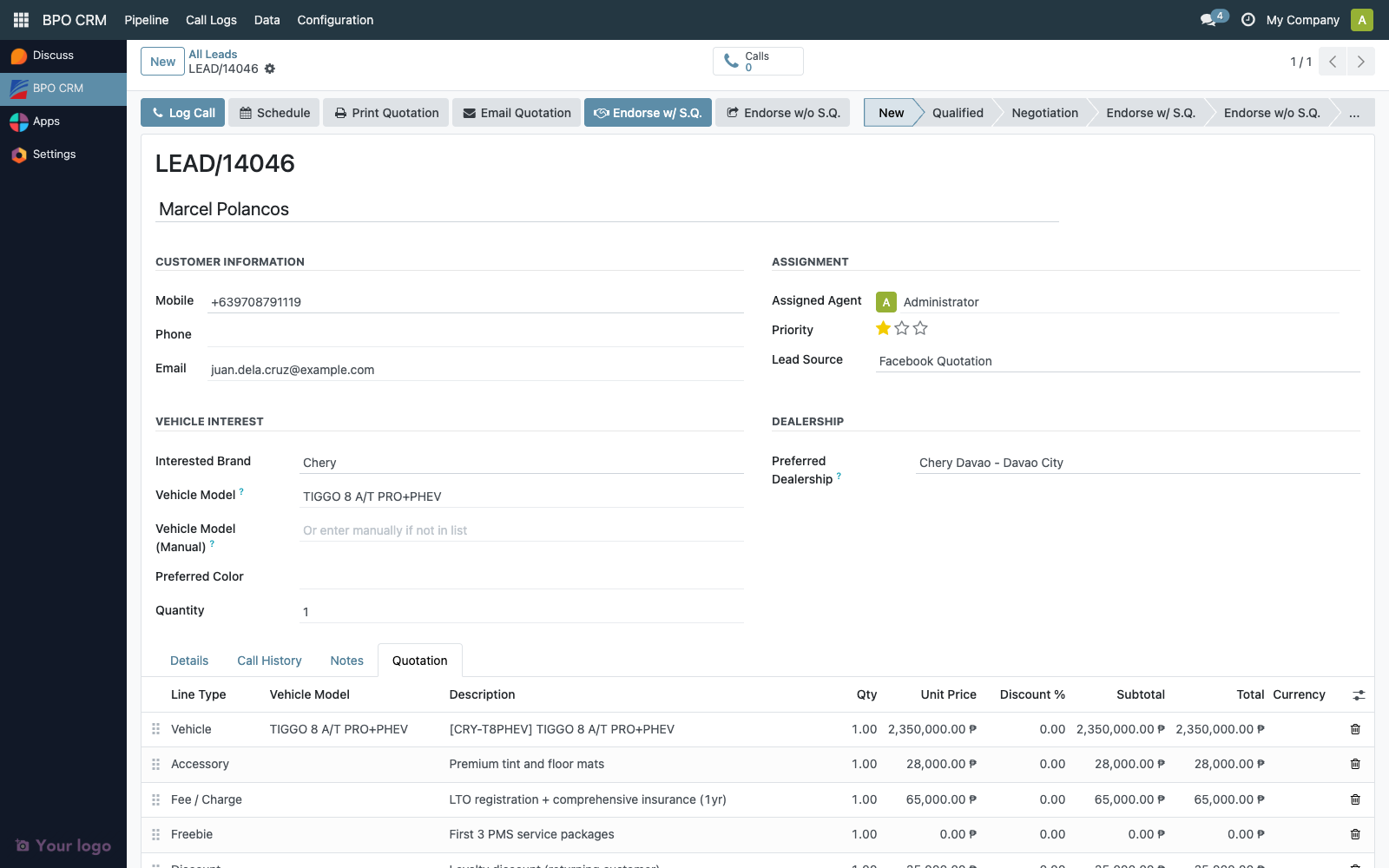
The line list is the top half of the tab. Totals and validity sit in the middle. Financing and the customer-facing notes are below.
Quotation lines
Each row is a crm.lead.quotation.line record. Click Add a line to append one.
| Column | Meaning |
|---|---|
| Sequence (drag handle) | Order on the printed PDF |
| Line Type | Selection — see below |
| Vehicle Model | m2o → crm.vehicle.model, scoped to the lead's brand. Required for vehicle lines. |
| Description | Free text, required. Auto-fills from the picked vehicle's display name. |
| Qty | Float, default 1 |
| Unit Price | Monetary. Defaults from the vehicle's synced SRP (crm.vehicle.model.list_price) for vehicle lines. |
| Discount % | Per-line percentage discount, applied AFTER qty × price |
| Subtotal | Computed: qty × unit_price |
| Discount Amount | Computed: subtotal × (discount_pct / 100) |
| Total | Computed: subtotal − discount_amount |
Line types
| Line Type | When to use | Notes |
|---|---|---|
| Vehicle | The unit being sold | Must pick a Vehicle Model. Auto-fills name and unit price. |
| Accessory | Physical add-on (alarm, mats, tint) | Free description and price |
| Add-On / Service | Service line (PMS package, extended warranty) | Free description and price |
| Freebie | Inclusion at zero price | Auto-sets unit price to 0 |
| Fee / Charge | Delivery fee, registration, doc-stamp, etc. | Free description and price |
| Discount | Flat-amount discount across the whole quote | Use a negative unit price |
For a percentage discount on a single line, use that line's Discount % column. For a flat-amount discount across the whole quote, add a separate Discount line with a negative unit price.
Vehicle line auto-fill
Picking a Vehicle Model on a vehicle line triggers an onchange that:
- Sets the line's Description to the vehicle's display name (
[CODE] Model Name) - Sets Unit Price to the vehicle's
list_price(the SRP synced from the brand's distributor) only if the unit price is currently empty — agents can override - Auto-flips the line type to
vehicleif it was on the defaultaccessory
This makes adding a vehicle to a quote a single click — pick the model, the rest fills in.
Totals panel
Below the line list, the totals panel shows the rolled-up amounts:
| Field | Computed from |
|---|---|
| Subtotal | Sum of all quotation_line_ids.subtotal |
| Discounts | Sum of all quotation_line_ids.discount_amount |
| Total | Sum of all quotation_line_ids.total |
These three are stored fields on crm.lead, so they appear in lead list views, kanban cards, and filters. The quotation_total is also what the financing block uses as the deal's gross amount.
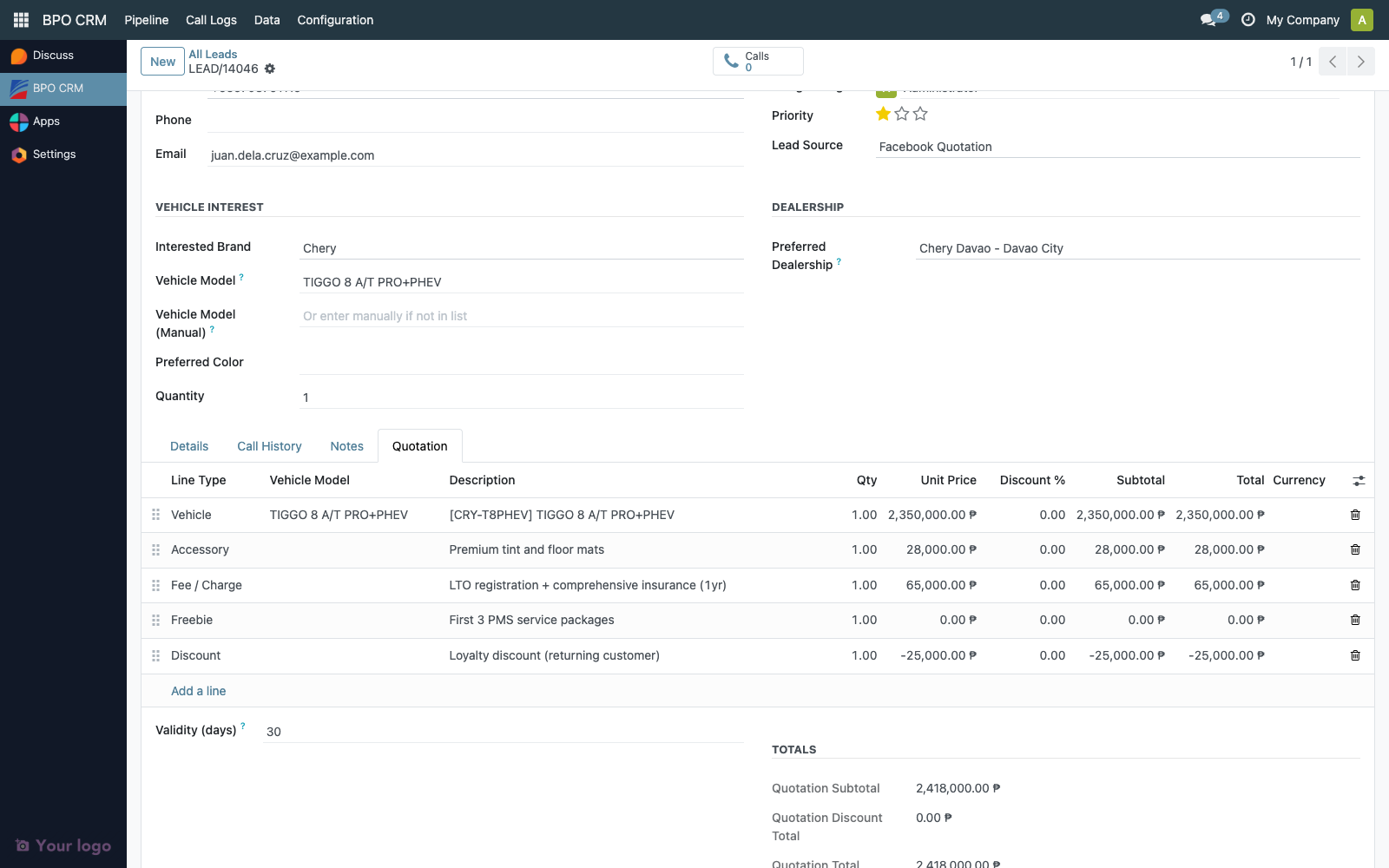
The Validity (days) field defaults to 30 — change it before printing the PDF if the customer asks for a longer or shorter window.
The Notes / Terms field is a free-text customer-facing block printed on the PDF. Use it for delivery terms, validity caveats, exclusions, paint/colour disclaimers — anything you want in writing.
Financing block
When the customer wants to finance through a bank, fill the Financing block.
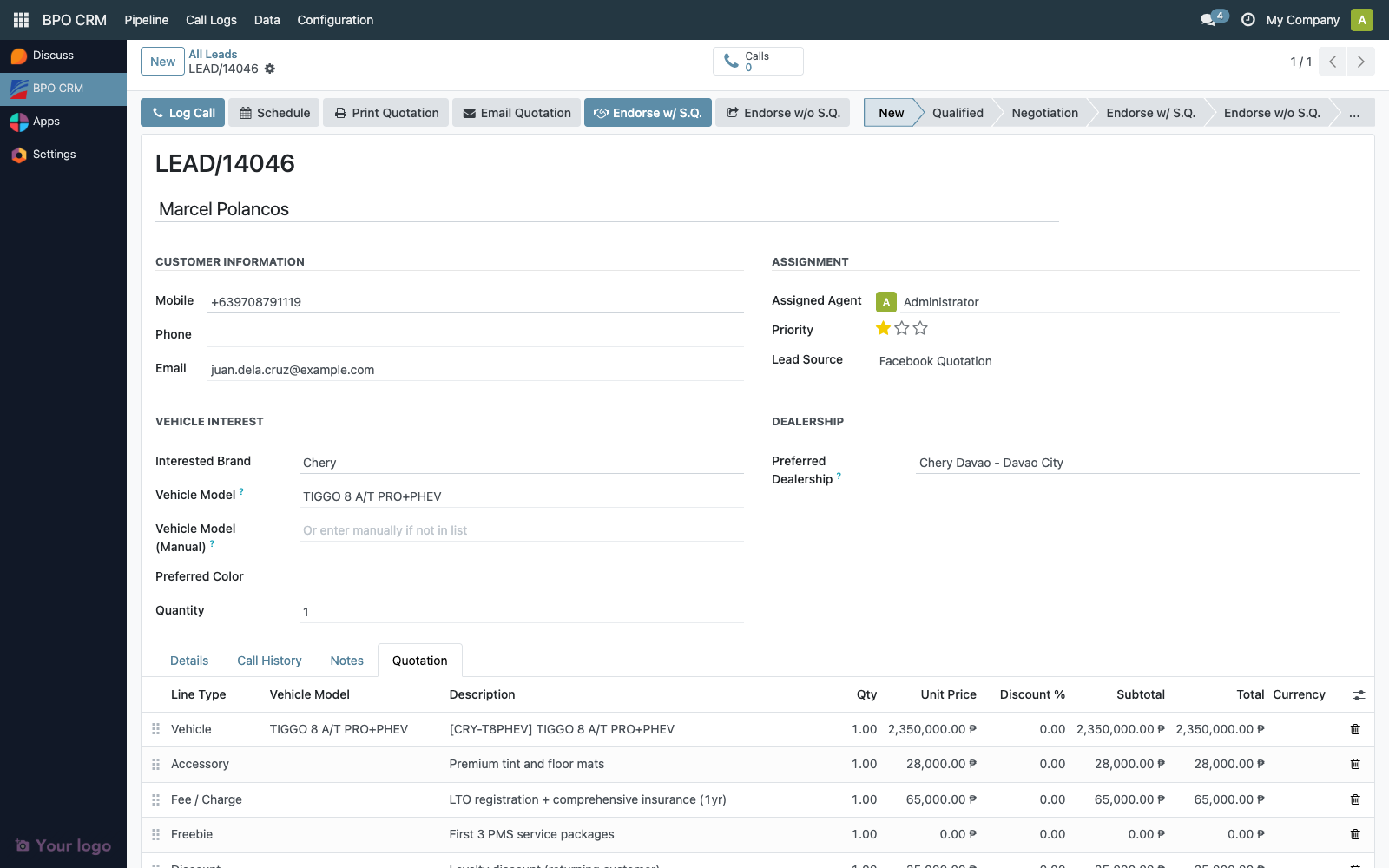
| Field | Notes |
|---|---|
| Payment Method | Cash / Bank Loan / In-House Financing. Defaults to Cash. |
| Update Bank Rates | Manual sync trigger — see below |
| Financing Bank | m2o → crm.bank, scoped to the lead's brand. Visible only when payment method is Bank Loan. |
| Loan Term | m2o → crm.bank.rate, scoped to the chosen bank. |
| Term (months) | Read-only, related from the rate row |
| Annual Interest % | Read-only, related from the rate row |
| Rate Type | Read-only — Add-On or Effective. Defines the math. |
| Min DP % | Read-only minimum down payment percentage published by the bank |
| Down Payment | Monetary, agent-entered |
| Down Payment % | Computed: (down_payment / quotation_total) × 100 |
| Loan Principal | Computed: quotation_total − down_payment |
| Total Interest | Computed (see math below) |
| Monthly Amortization | Computed (see math below) |
| Total Payable | Computed: down_payment + principal + total_interest |
Add-On vs Effective rate math
The math depends on the Rate Type stored on the chosen crm.bank.rate row. Different banks quote differently, so the calculator handles both transparently.
Add-On rate (most Filipino dealer financing):
total_interest = principal × (annual_rate / 100) × years
monthly        = (principal + total_interest) / months
Effective rate (standard amortizing PMT):
r       = (annual_rate / 100) / 12     # monthly rate
factor  = (1 + r) ^ months
monthly = principal × (r × factor) / (factor − 1)
If annual_rate = 0, the effective formula falls back to monthly = principal / months.
Worked example
Customer wants a vehicle priced at ₱1,200,000, with a ₱240,000 down payment (20%), financed over 48 months at a published 6.50% annual rate.
Principal = 1,200,000 − 240,000 = ₱960,000
| Add-On | Effective | |
|---|---|---|
| Years | 4 | 4 |
| Total interest | 960,000 × 0.065 × 4 = ₱249,600 | derived from monthly: monthly × 48 − 960,000 ≈ ₱131,000 |
| Monthly amortization | (960,000 + 249,600) / 48 = ₱25,200 | r = 0.005417, monthly ≈ ₱22,729 |
| Total payable | 240,000 + 960,000 + 249,600 = ₱1,449,600 | ≈ ₱1,331,000 |
Same vehicle, same down payment, same advertised rate — but the customer pays roughly ₱118,000 more under the add-on convention. This is why the rate type matters and why each bank's crm.bank.rate row is tagged with its specific convention.
Down payment warning
If the entered down payment is below the bank's published min_dp_pct, a soft warning appears on the form:
Down payment 12.00% is below this bank's minimum of 20.00%.
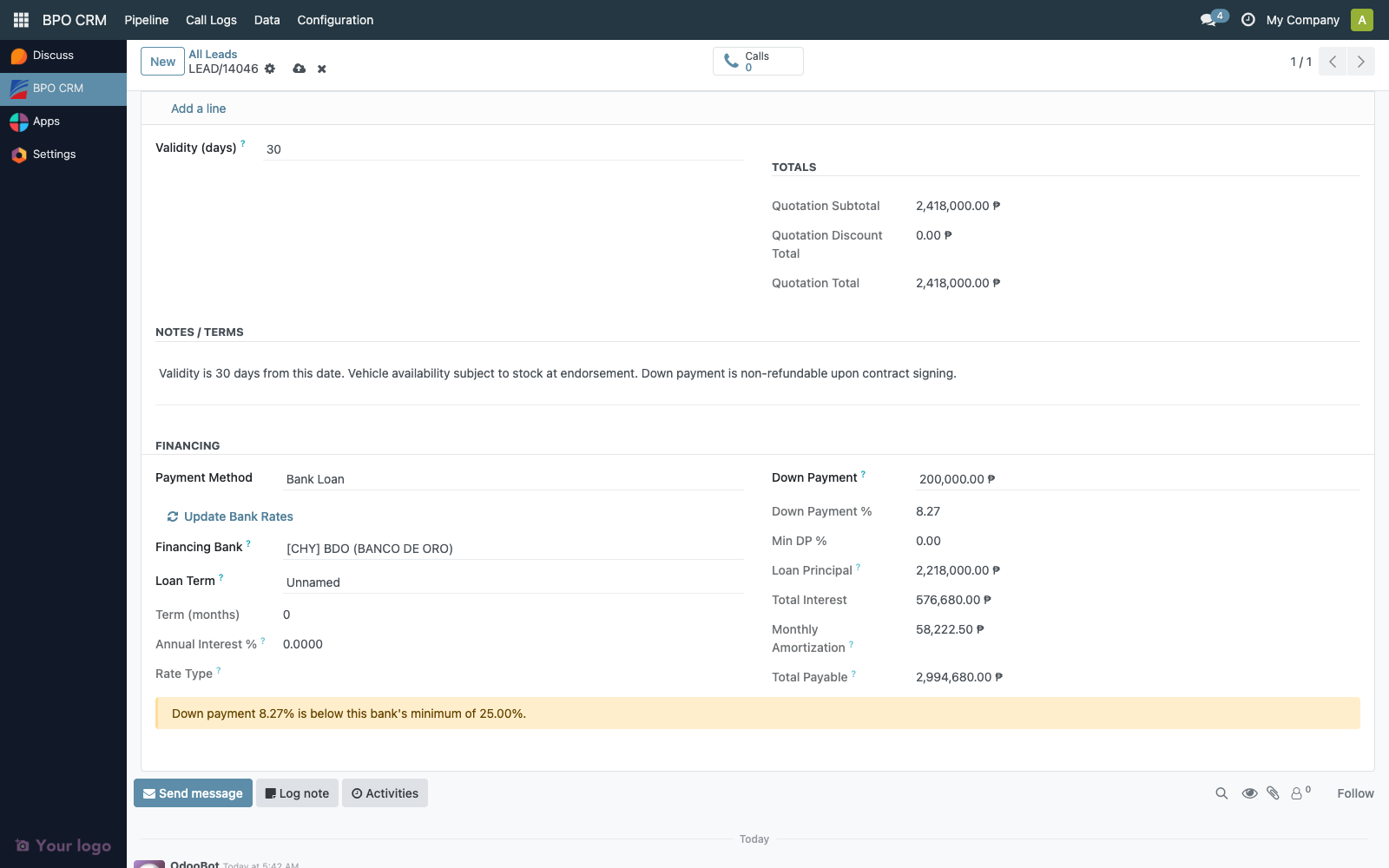
The warning does not block save or endorse — agents can override with manager approval and the warning stays visible to the auditor on the form.
Update Bank Rates button
Banks and their loan terms are synced from the brand's distributor. The cron job CRM: Sync Distributor Banks and Rates runs every 6 hours, but if a bank publishes a new rate sheet between cron runs and the agent needs it now, click Update Bank Rates on the Quotation tab.
The button:
- Calls the same classmethod the cron uses (
crm.brand._cron_sync_distributor_banksviasudo, so any BPO agent can trigger it without distributor credentials) - Pulls banks and rates from every active distributor-connected brand
- Shows a success toast with the bank / rate counts
- Re-opens the lead form so the Financing Bank and Loan Term dropdowns refresh immediately
The button is visible only when Payment Method is set to Bank Loan.
Print Quotation
Click Print Quotation in the lead form header to render the customer-facing PDF.
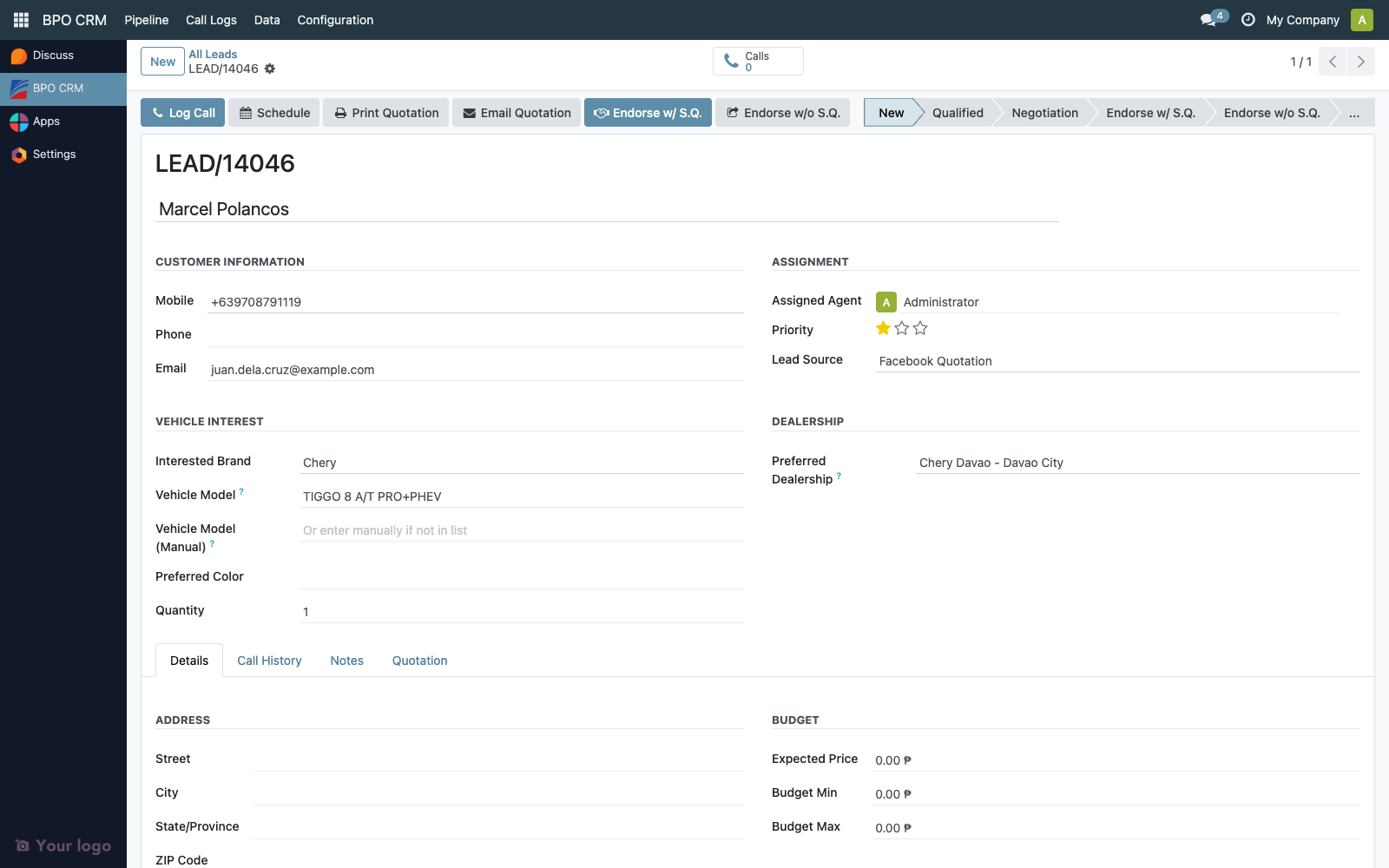
The PDF includes:
- Header — Brand logo, lead reference (
LEAD/00042), date, validity (in days) - Customer block — Name, mobile, phone, email, address
- Vehicle of interest — Display name, preferred colour, quantity
- Line items table — Description, qty, unit price, discount, total
- Totals panel — Subtotal, discounts, grand total
- Financing block (only when Payment Method = Bank Loan) — Bank, term, rate, rate type, down payment + DP%, loan principal, total interest, monthly amortization, total payable
- Terms / notes — Free text from the Quotation tab
- Trade-in summary — If the lead has a trade-in vehicle
The PDF is also registered under the form's Print menu binding, so users who prefer the dropdown menu can find it there.
The action requires at least one quotation line. Clicking Print on an empty quote raises:
No quotation lines on this lead. Add at least one line on the Quotation tab before printing.
Email Quotation
Click Email Quotation in the lead form header to send the PDF directly to the customer.
The action opens the standard Odoo mail composer pre-loaded with the CRM Lead: Customer Quotation template:
- To —
object.email(the customer's email field on the lead) - From — The assigned BPO agent's email (or the company email as fallback)
- Subject —
Vehicle Quotation - {brand} {vehicle} - Body — Greeting, vehicle, total, monthly amortization (when financed), validity, signed by the assigned agent
- Attachment — The quotation PDF, automatically generated and attached via
report_template_ids
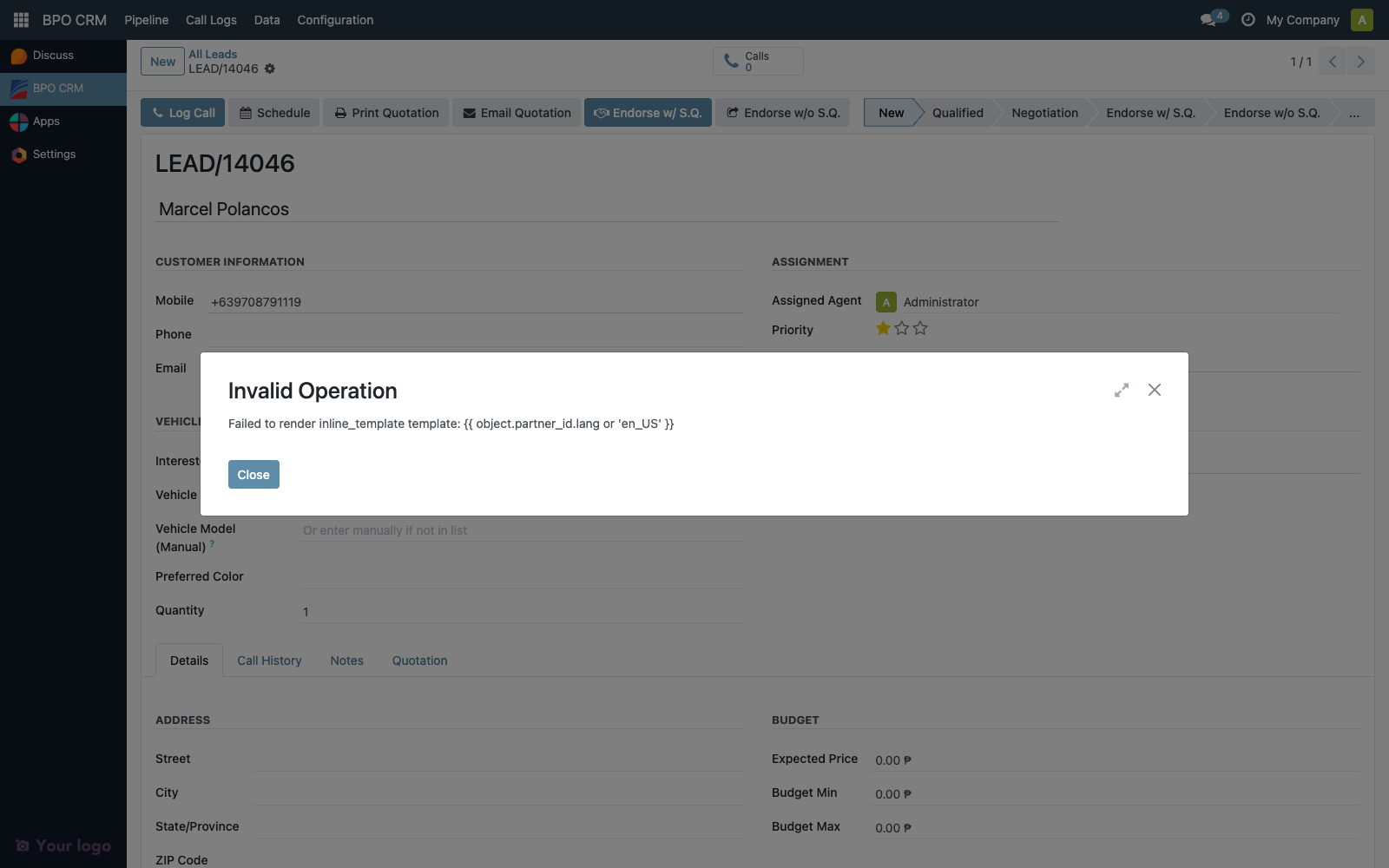
The agent can edit the subject, body, recipients, and add CC/BCC before sending.
The action requires both quotation lines and a customer email field. Missing either raises:
No customer email on this lead. Fill in the Email field before sending the quotation.
Lock on endorse
Once an agent clicks Endorse w/ S.Q. or Endorse w/o S.Q., the entire Quotation tab becomes read-only on the BPO side. The dealer instance is now the source of truth.
Locked fields (enforced server-side):
quotation_validity_daysquotation_notesquotation_payment_methodquotation_bank_idquotation_bank_rate_idquotation_down_paymentquotation_line_ids(the entire line editor)
Attempting to edit any locked field raises:
Cannot edit quotation field(s) ... on lead "LEAD/00042" — the lead has been endorsed to the dealership and the quotation is locked. The dealer is the source of truth from this point.
The lock is enforced in crm.lead.write() — it catches all edit paths including kanban inline edits, bulk updates, and direct ORM writes from server actions. Print and Email Quotation actions still work after endorse (so agents can re-print or re-send the original quote for the customer's records).
What the dealer receives on endorse
When a quotation-bearing lead is endorsed (either variant), the BPO push payload now carries:
Line items:
quotation_lines: [
  {sequence, line_type, name, quantity, unit_price, discount_pct,
   vehicle_default_code, vehicle_external_ref, vehicle_model_name},
  ...
]
quotation_subtotal, quotation_discount_total, quotation_total,
quotation_validity_days, quotation_notes
Financing snapshot:
quotation_payment_method, quotation_bank_name, quotation_bank_code,
quotation_term_months, quotation_interest_rate, quotation_rate_type,
quotation_min_dp_pct, quotation_down_payment, quotation_down_payment_pct,
quotation_principal, quotation_total_interest,
quotation_monthly_amortization, quotation_total_payable
The dealer side stores all this as a frozen snapshot on dealer.crm.lead.quotation.line and the bpo_quotation_* fields, then — for Endorse w/ S.Q. — generates one sale.order.line per quotation line on the draft sale.order. Vehicle lines map to the matched local product; non-vehicle lines hang on a placeholder service product so the SO line carries the BPO description + price without needing a real catalog entry per accessory or fee.
See the Dealer CRM Lead Intake page for what the dealer agent sees on the receiving side.
Access matrix
| Group | Build quote | Edit after endorse | Print PDF | Send Email | Trigger Update Bank Rates |
|---|---|---|---|---|---|
| BPO Agent | Own claimed leads | ❌ (locked) | Own leads | Own leads | ✅ |
| BPO Supervisor | Any open lead | ❌ (locked) | Any | Any | ✅ |
| BPO Manager | Any open lead | ❌ (locked) | Any | Any | ✅ + Brand-level Sync Banks |
The Update Bank Rates button calls the cron classmethod via sudo(), so even agents without direct credentials on the brand's distributor can refresh the rate dropdowns.
Audit trail
crm.lead.quotation.line records carry the standard Odoo bookkeeping fields (create_uid, create_date, write_uid, write_date). The parent crm.lead tracks every change to:
quotation_subtotal,quotation_discount_total,quotation_total(stored computed)quotation_payment_methodquotation_bank_id,quotation_bank_rate_idquotation_down_payment,quotation_down_payment_pctquotation_principal,quotation_total_interest,quotation_monthly_amortization,quotation_total_payable
Tracked changes appear in the lead's chatter, so an auditor reviewing a closed sale can see exactly when each financing change happened and who made it. The lock-on-endorse rule guarantees that the BPO-side snapshot of the financing terms at endorsement time is immutable for the lifetime of the lead.
Typical audit questions
"Show me every lead where the agent overrode the bank's minimum down payment."
- The DP warning is computed but not stored, so it doesn't filter directly. Workaround: pull
(brand_id, quotation_bank_rate_id, quotation_down_payment_pct)and filterquotation_down_payment_pct < quotation_min_dp_pct. Or look for the warning string in chatter — agents who proceed past the warning leave a system note on save.
"Which agent approved the largest discount last month?"
- Pipeline → All Leads → Filter by
quotation_discount_total> X andwrite_datein range. Group by Agent.
"Was the quotation that closed this won lead the same as what the customer received?"
- Open the BPO lead. Even after endorse, the Quotation tab is read-only and shows the snapshot at endorsement time. Compare against the customer's emailed PDF (also stored on the lead's chatter as an attachment).
Retention
- Quotation lines — never auto-deleted.
copy=Trueso duplicating a lead carries the quote. - Financing snapshot fields — frozen at endorse, never auto-deleted.
- PDF attachments — when the agent clicks Email Quotation, the rendered PDF is stored as a
mail.messageattachment on the lead. The mail template hasauto_delete=True, so the outgoingmail.mailrow is cleaned up after delivery, but the chatter attachment persists.
Troubleshooting
| Symptom | Likely cause |
|---|---|
| "Add a line" doesn't appear | Lead is unclaimed (user_id empty) or already endorsed. Claim it first, or accept the lock on endorsed leads. |
| Vehicle picker dropdown is empty | The lead has no brand selected, or the brand has no vehicle models synced. Open Brands → click Sync Vehicle Models. |
| Financing Bank dropdown is empty | The brand has no synced banks. Click Update Bank Rates on the Quotation tab, or open Brands → click Sync Banks. |
| Loan Term dropdown is empty after picking a bank | The bank has no rate rows on the distributor side. Distributor admin needs to add at least one cheryapp.bank.rate row. |
| Monthly Amortization shows 0 | Either Payment Method ≠ Bank Loan, or no Loan Term selected, or principal ≤ 0 (down payment ≥ total). |
| DP warning visible but agent wants to proceed | Click Save anyway — the warning is informational. Auditor will see it on the form. |
| Print Quotation raises "no quotation lines" | Add at least one line on the Quotation tab. |
| Email Quotation raises "no customer email" | Fill in the Email field on the lead's customer block. |
| "Cannot edit quotation field(s)" error after endorse | This is correct — the lead is endorsed and the Quotation is locked. To revise, talk to the dealer (who is now the source of truth) or, in extreme cases, ask a manager to use with_context(skip_stage_transition_check=True) via the shell. |