BPO CRM Connection
The dealer instance needs to call back to the BPO CRM when a dealer lead originating from an endorsement transitions to Won or Lost. This page configures that back-channel.
:::info One-time setup, dealer admin only This is a per-instance configuration. Once set, the callback runs automatically on every Won / Lost transition of an endorsed lead. Access is restricted to Dealer Admin group. :::
Why it matters
Without the BPO connection configured, the dealer can still close leads — but:
- The BPO-side lead stays pinned in its Endorse stage forever.
- The dealer lead's chatter records a warning that the callback was skipped.
- No error is raised and no local transition is blocked — the dealer's work continues.
So: a missing config is an operational gap, not a showstopper. Still, you should set it up on the day you install.
Prerequisites
On the BPO CRM instance, create a dedicated service user that this dealer will authenticate as:
- Settings → Users & Companies → Users → New
- Name: e.g.
dealer-callback-<city> - Login: same, or an email
- Set a strong password
- Access rights: minimum BPO Agent group, or a dedicated one with read + write on
crm.lead - Save
You'll feed the login + password into the dealer config in a moment. Store the password somewhere safe — once you close the user form, Odoo will not show it again.
:::tip Use a service account, not a human user
Rotating a human user's password breaks this integration silently. A dedicated dealer-callback-* user that no-one logs in as makes the dependency explicit.
:::
Open the config
On the dealer instance, navigate to Dealer CRM → Configuration → BPO CRM Connection.
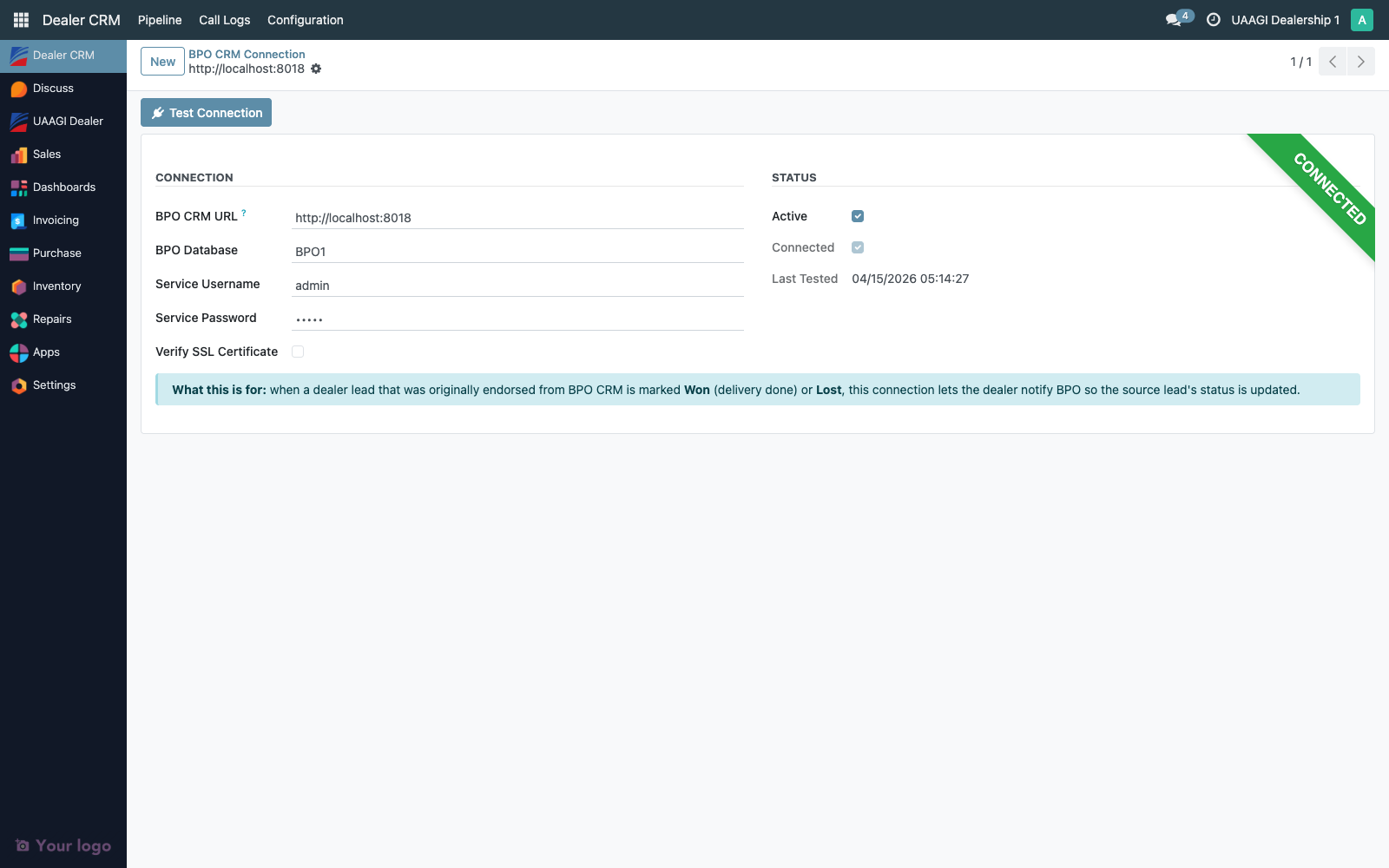
Click New (first-time setup) or open the existing row.
Fields
| Field | Example | Notes |
|---|---|---|
| BPO CRM URL | https://bpo.uaagi-uno.com | Base URL of the BPO instance. No trailing slash. Include the port if needed (:8018 for local dev). |
| BPO Database | BPO1 | Database name on the BPO instance. |
| Service Username | dealer-callback-manila | The service user login created above. |
| Service Password | (masked) | Stored encrypted in Odoo's filestore. |
| Verify SSL Certificate | On | Turn off only for self-signed dev environments. |
| Active | On | Only the first active row is used. |
Test the connection
Click Test Connection in the form header.
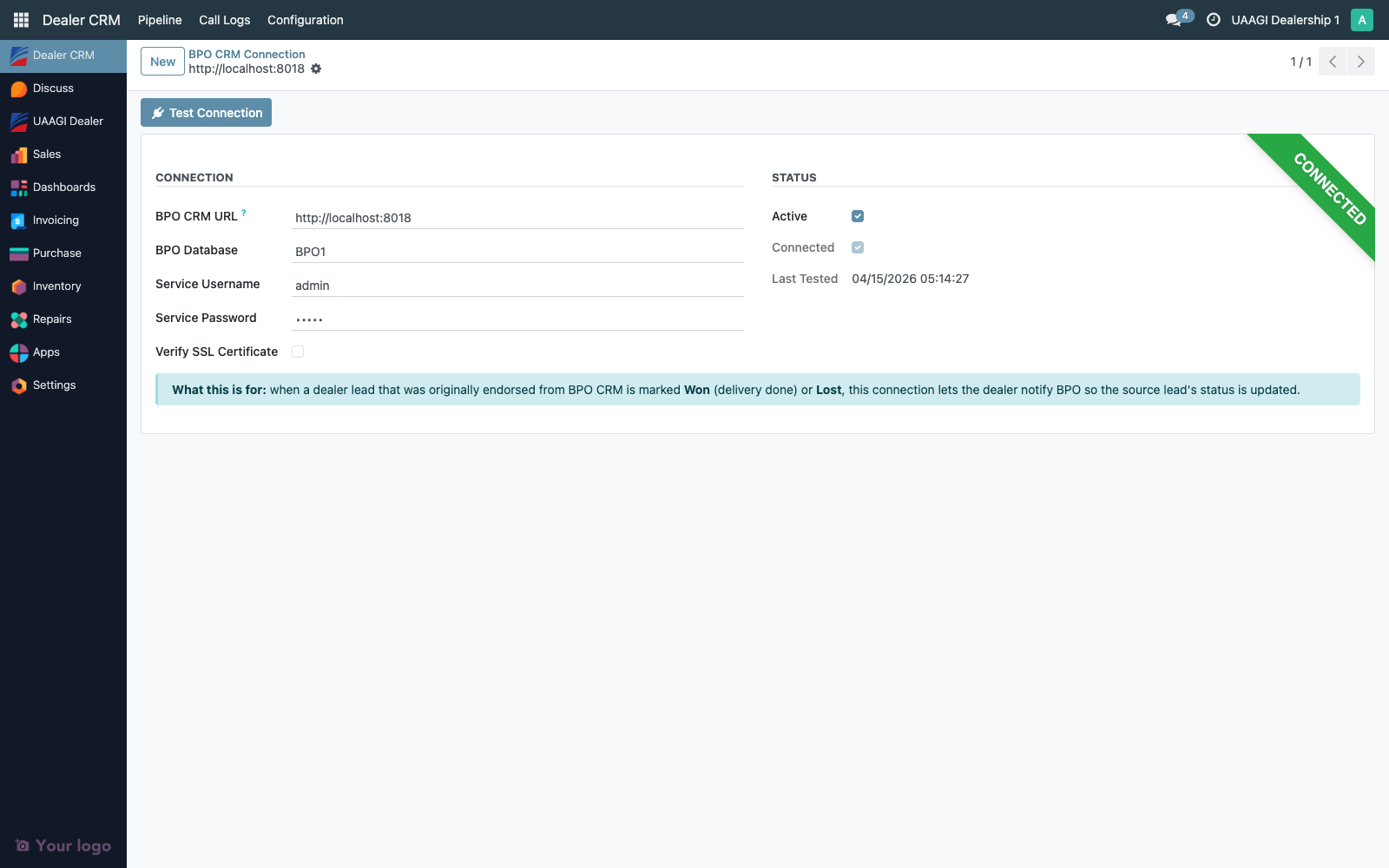
On success a Connected ribbon lights up and the Last Tested timestamp updates.
Common failures:
| Error | Likely cause |
|---|---|
Connection refused / Failed to establish a new connection | Wrong URL or the BPO instance isn't reachable from this dealer's network. |
Database not found | Wrong database name. |
AccessDenied / invalid credentials | Service user login or password is wrong, or the user is archived. |
SSL: CERTIFICATE_VERIFY_FAILED | Self-signed cert — turn off Verify SSL Certificate for dev, keep it on for production. |
What the callback actually does
When this connection is live and the dealer marks an endorsed lead Won or Lost, the dealer side:
- Collects the BPO source lead id, dealer lead id and name, SO reference (if any), lost reason and notes
- Opens a JSON-RPC session to the BPO instance using the stored credentials
- Calls
crm.lead.update_from_dealer_callback(payload)on the BPO side - The BPO lead flips to the matching terminal stage (Won or Lost) and a chatter entry is written describing the dealer action
- Posts a confirmation note into the dealer lead's chatter as well
If any step fails (network hiccup, wrong credentials, BPO down), the failure is logged and written to the dealer lead's chatter, but the local Won / Lost transition is not rolled back. The dealer can still close their side while the connection is being fixed, and a retry can be triggered later by flipping the dealer lead back to Negotiation and forward again (admin shell only — the forward-only rule blocks agents from this).
Multi-BPO instances
Out of the box the dealer supports one active BPO config. If your deployment ever endorses to a single dealer from more than one BPO instance, the first active row wins — there's no routing by source URL today. Track this as a deferred enhancement.