Stages
A Stage (dealer.crm.stage) is a column in the Dealer CRM kanban pipeline. Unlike the BPO CRM — where stages include two is_endorse handoff points — the dealer pipeline is the end of the line: leads close locally with Won or Lost, and the Won flow is what triggers the callback back to BPO.
:::info Who can edit this?
Dealer Admin only. Changes take effect immediately for every agent and manager on this instance. Coordinate before renaming, since agents memorize the column layout, and do not delete or rename the shipped Won / Lost stages — the Mark Won / Mark Lost actions look them up by is_won / is_lost flag.
:::
Default stages
A fresh install ships with five stages:
| Seq | Name | Flags | Purpose |
|---|---|---|---|
| 10 | New | — | Fresh lead, initial contact pending. Endorsed leads skip this. |
| 20 | Qualified | — | Customer interest confirmed |
| 30 | Negotiation | — | Discussing price, unit, delivery timing. Endorsed leads start here. |
| 40 | Won | is_won | Delivery completed. Triggers the dealer→BPO callback if the lead was endorsed. |
| 50 | Lost | is_lost, fold | Deal lost (with reason). Triggers the callback with outcome=lost. |
See Working a Lead for the operational flow and Pipeline Overview for the forward-only transition rules.
Open the Stages list
Navigate to Dealer CRM → Configuration → Stages.
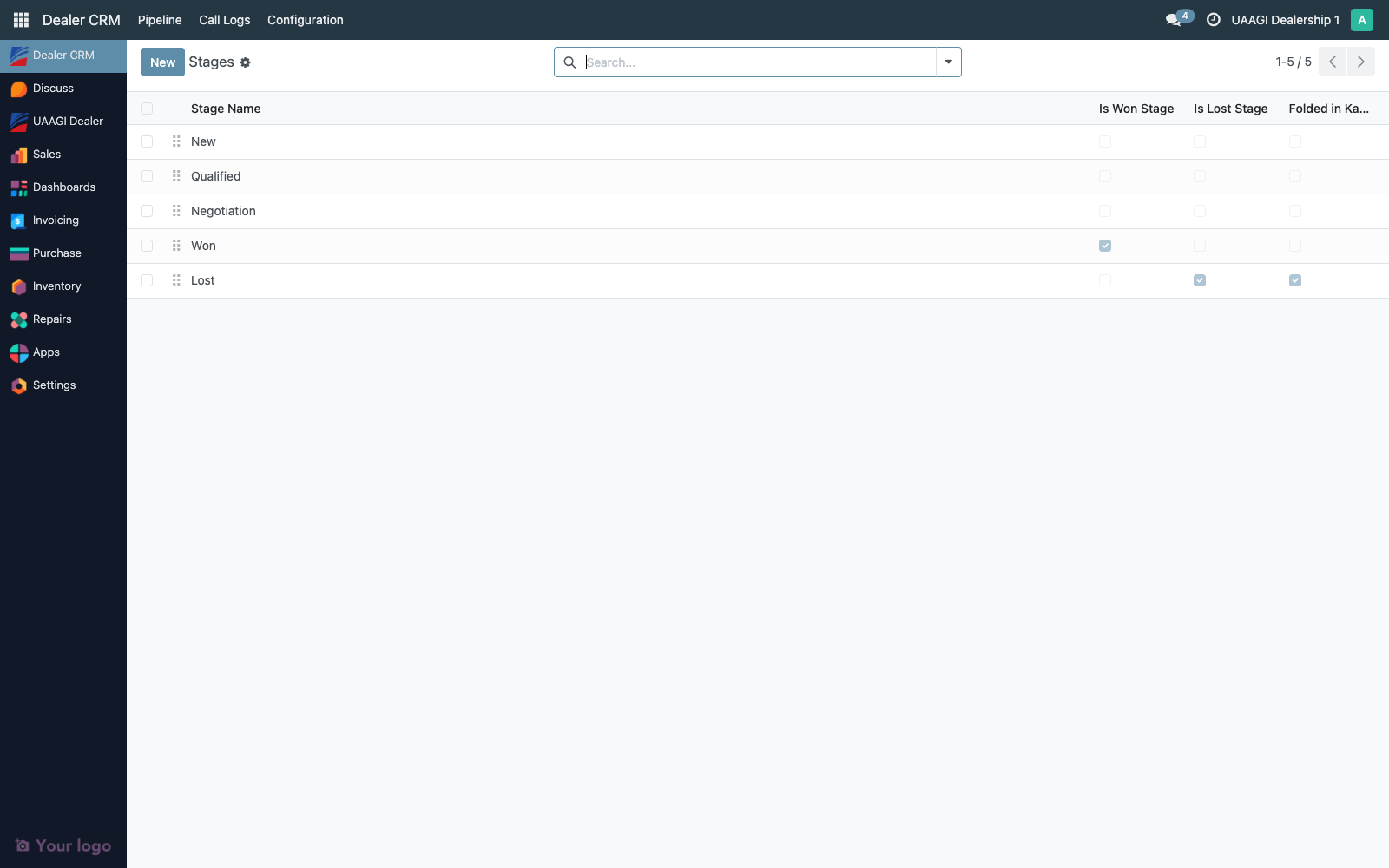
The list is editable inline — click any cell to rename, reorder, or flip flags without opening a separate form.
| Column | Description |
|---|---|
| Sequence | Drag-handle. Controls left-to-right order in the kanban view. |
| Name | Stage label shown to users. Translatable. |
| Is Won Stage | Exactly one stage must carry this. Mark Won writes into this stage and triggers the BPO callback for endorsed leads. |
| Is Lost Stage | Exactly one stage must carry this. Mark Lost wizard writes into this stage. |
| Folded in Kanban | When on, the stage is collapsed by default in the kanban view. Lost is folded by default. |
Create or edit a stage
Click New or double-click an existing row. A minimal form opens in the list or as a modal.
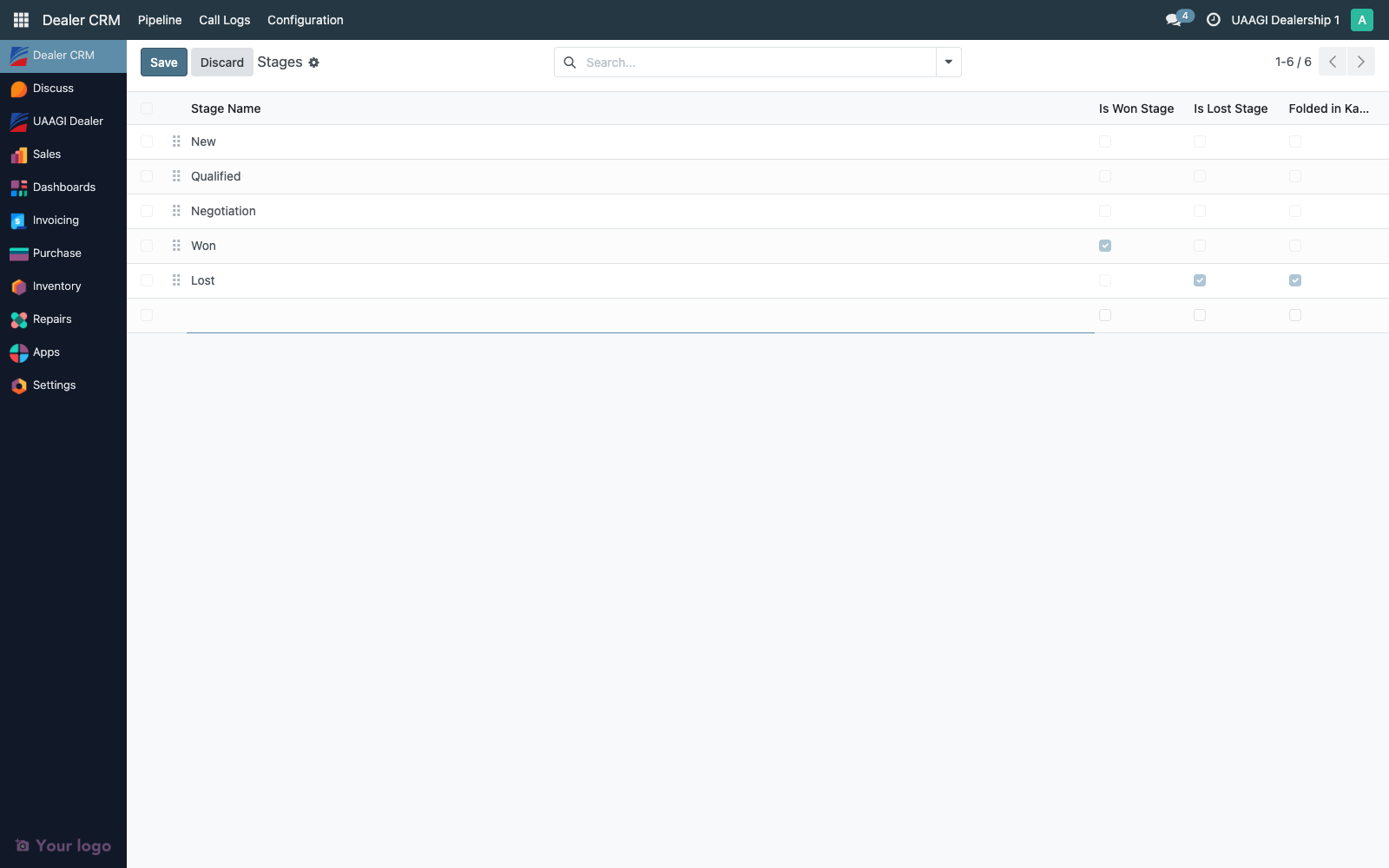
| Field | Notes |
|---|---|
| Stage Name | Required, unique across the dealer CRM. Translatable. |
| Sequence | Lower numbers appear first. Leave gaps (10, 20, 30…) to allow future inserts. |
| Is Won Stage | See Semantics below. |
| Is Lost Stage | See Semantics below. |
| Folded in Kanban | Use for terminal states so the board stays focused on in-flight leads. |
Semantics of is_won / is_lost
These flags are load-bearing — the dealer Won/Lost flow and the BPO callback both query dealer.crm.stage by these booleans.
is_won
When a lead moves into a stage with is_won = True:
- The dealer-side gate check runs: the lead must have a linked
sale.orderin statesaleordone, and all linkedstock.pickingrecords must be in statedone. Any failure raises a clearUserError. date_wonis stamped (unless already set).- If the lead has a
bpo_source_lead_id(i.e. originated from BPO CRM), the dealer callscrm.lead.update_from_dealer_callback(payload)on BPO via JSON-RPC. The BPO source lead flips to its Won stage automatically.
is_lost
Clicking Mark Lost on a dealer lead opens a reason wizard; the write to is_lost happens after the wizard is confirmed.
date_lostis stamped, along withlost_reasonandlost_notesfrom the wizard.- If the lead has a
bpo_source_lead_id, the same callback fires withoutcome='lost', carrying the reason and notes. - The stage is automatically folded in the kanban to keep the board tidy.
:::warning Exactly one Won and one Lost stage
Only one stage may carry is_won = True and one may carry is_lost = True. Having zero breaks Mark Won / Mark Lost with a No Won/Lost stage configured error. Having two causes the dealer-side and BPO-side transitions to land on inconsistent stages. The shipped configuration already satisfies this — do not add more.
:::
Reordering stages
Use the drag handle on the leftmost column to reorder. The order here is the left-to-right column order on the kanban pipeline.
Keep this order: New → Qualified → Negotiation → Won → Lost. The forward-only rule walks dealer.crm.stage by sequence to decide which stage is the next allowed step for a given lead, so an unusual ordering can produce surprising transition errors. Leave gaps of at least 10 between stages.
Renaming or deleting — cautions
| Operation | Impact |
|---|---|
| Rename (display name) | Safe. Leads stay attached to the same dealer.crm.stage.id. Chatter entries and reports continue to work. |
| Delete | Blocked if any lead is currently in that stage. Move leads out first. Avoid deleting shipped stages — the module re-creates them on upgrade. |
Flip is_won / is_lost off on shipped stages | Mark Won / Mark Lost actions break with a No Won/Lost stage configured error. The BPO callback also fails to route incoming won/lost notifications. |
| Add a new intermediate stage between Qualified and Negotiation | Safe, as long as sequence gaps are respected. Leads move through it normally. |
Access matrix
| Group | Read | Create | Update | Delete |
|---|---|---|---|---|
| Dealer User | ✅ | ❌ | ❌ | ❌ |
| Dealer Manager | ✅ | ❌ | ❌ | ❌ |
| Dealer Admin | ✅ | ✅ | ✅ | ✅ |
Stages are read-only for day-to-day dealer users and managers — the shipped five cover every lifecycle state the dealer CRM supports. Only dealer admins can alter the configuration, and they should coordinate with operations + audit before any change.
Audit trail
Stages are configuration records, not transactional data, so they're subject to Odoo's standard config audit:
create_uid/create_date/write_uid/write_date— who last edited this stage definition and when- The Technical → Database Structure → Model Fields admin view shows the full change history on any field, including
is_won/is_lost/foldflag toggles - Because shipped stages are
noupdate=1data records (they can't be recreated from XML on module upgrade once installed), any operational change persists until explicitly reverted — auditors can trust that the state they see in the list is the current-and-binding definition