Lead Intake
Dealer CRM leads come from two places:
- Endorsed from BPO CRM via JSON-RPC push — the most common path
- Manually created by a dealer agent — walk-in, inbound call, showroom visitor
Both produce the same dealer.crm.lead record. Once created, the dealer works them through the same pipeline.
Endorsed leads (from BPO CRM)
When a BPO agent clicks Endorse w/ S.Q. or Endorse w/o S.Q. on their side, the BPO CRM calls dealer.crm.lead.receive_endorsed_lead(payload) on this dealer instance via JSON-RPC. The dealer creates a new lead and (for the w/ S.Q. variant) a draft sale order to go with it.
What gets pre-filled
From the BPO payload:
| Dealer field | From BPO payload |
|---|---|
contact_name | Customer name |
mobile, phone, email | Contact channels |
street, city, zip_code, country_id, state_id | Address (country/state resolved by code, best-effort) |
brand_id | Matched by code against dealer.brand (required — push fails if not found) |
product_id | Matched by default_code first, then fuzzy name within the brand (best-effort, may be empty) |
vehicle_model_text | Raw model name from BPO for fallback display |
preferred_color, quantity, expected_price, budget_min, budget_max | Vehicle and budget details |
customer_notes, internal_notes | Free text from the BPO agent |
has_trade_in + trade-in fields | Trade-in vehicle, if any |
financing_needed, financing_type, down_payment | Financing details |
priority | BPO priority (0–3) |
source_id | endorsed_with_sq or endorsed_without_sq |
stage_id | Negotiation — endorsed leads skip New/Qualified |
bpo_source_lead_id / bpo_source_lead_name / bpo_source_url | Back-pointers for the callback |
Partner matching
receive_endorsed_lead tries to reuse an existing res.partner rather than creating a duplicate:
- First match:
res.partnerwheremobile = payload.mobile - Then:
res.partnerwhereemail = payload.email - Otherwise: create a new
res.partnerwith the payload fields
Idempotency — safe retries
The endorse push is idempotent on (bpo_source_url, bpo_source_lead_id). If BPO retries the same endorsement (network blip, user double-click), the dealer side returns the already-created lead without creating a duplicate. You can verify this on the BPO lead's chatter — it will reference the existing dealer lead name each time.
Why Negotiation, not New?
Endorsed leads arrive already qualified. The BPO agent has spoken to the customer, clarified their needs, and decided they're ready for a sales quotation. Starting them in Negotiation reflects that — the dealer picks up where BPO left off, not from scratch.
Open Dealer Leads
Navigate to Dealer CRM → Pipeline → All Leads.
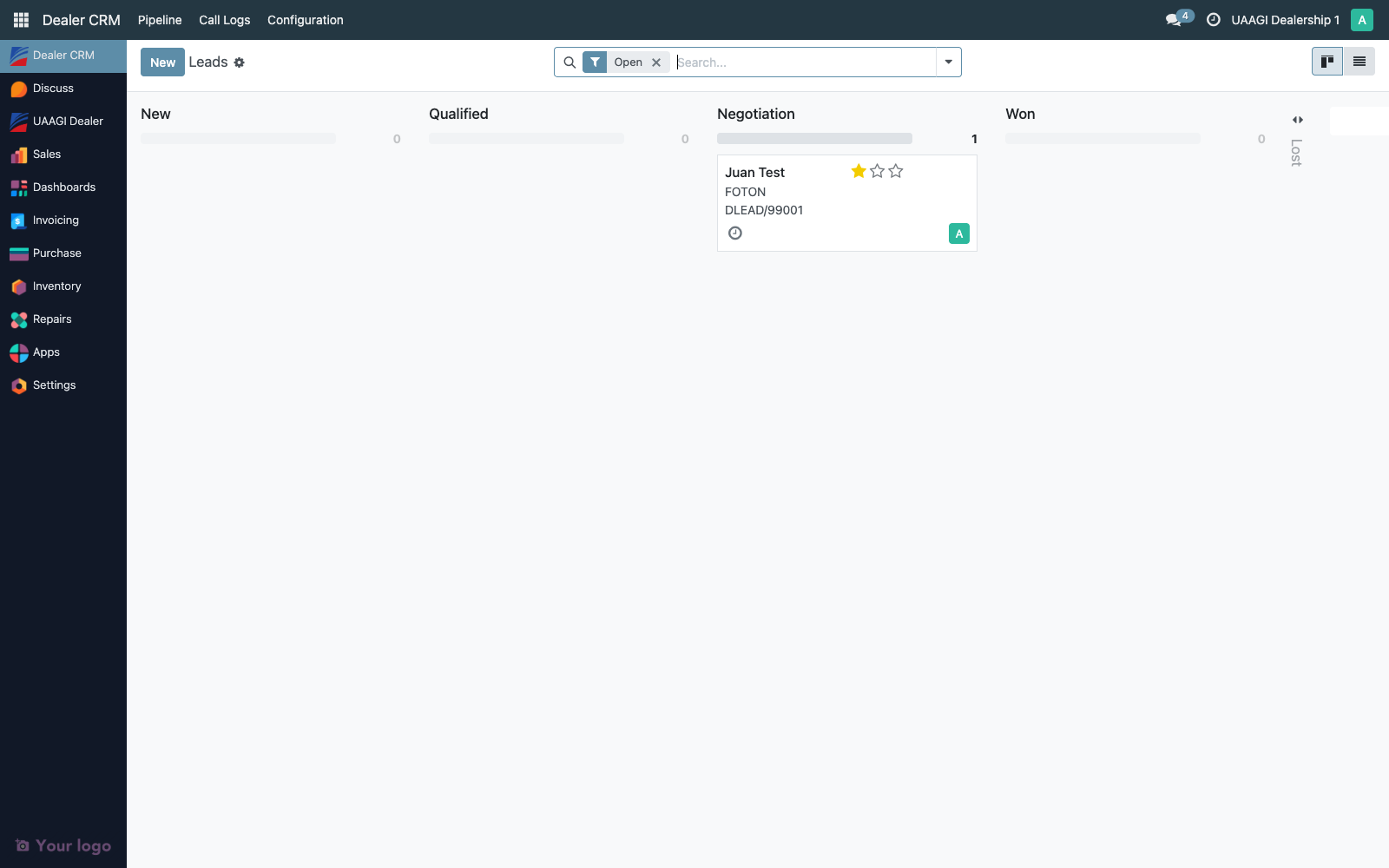
The kanban is grouped by stage. Use the search view's Endorsed from BPO filter to isolate inbound endorsements:
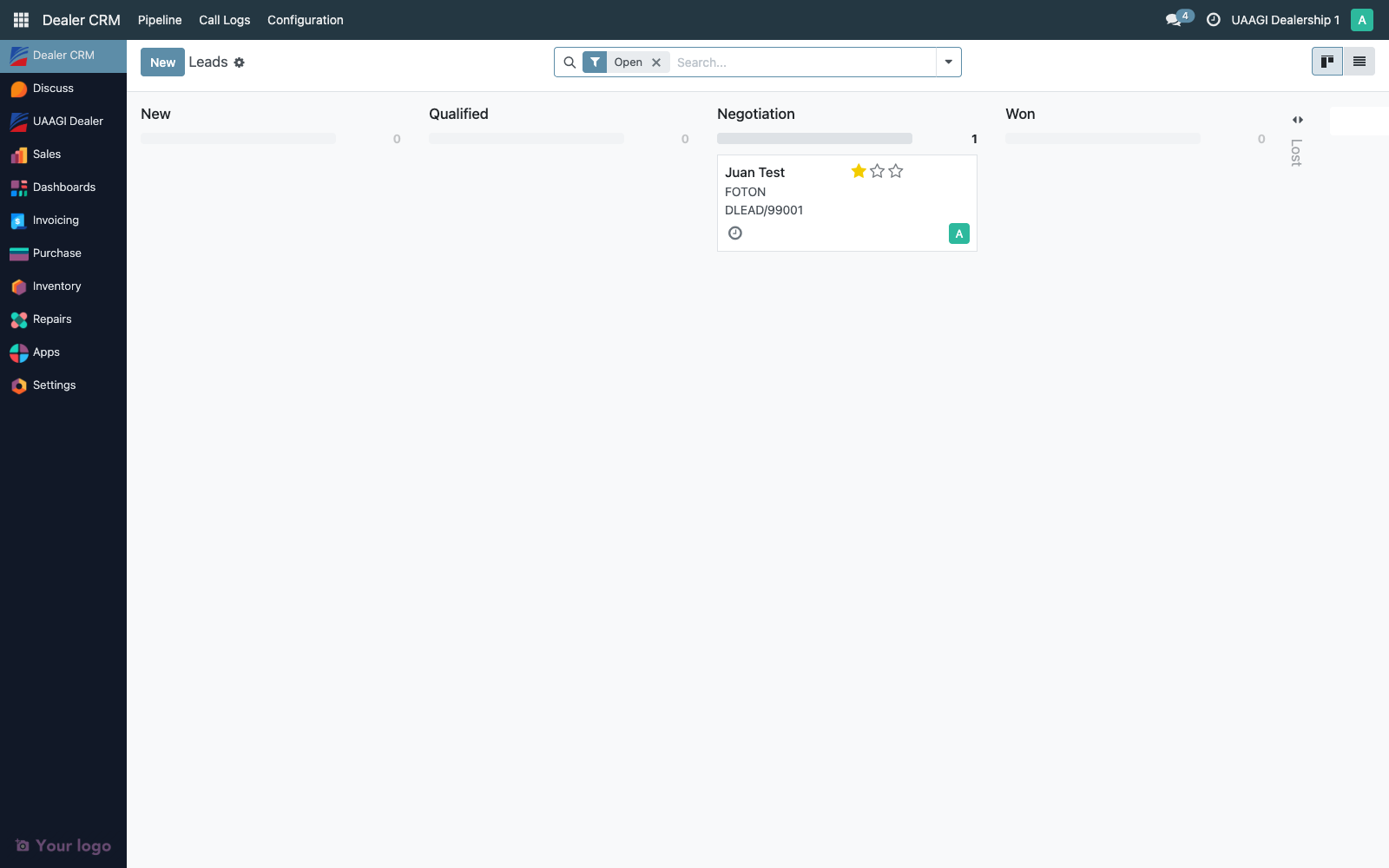
Or My Pipeline for a personal view filtered to the current user.
Manual leads
For customers who walk into a dealership or phone the dealer directly, bypassing the BPO, a dealer agent creates the lead manually:
- Dealer CRM → Pipeline → All Leads → New
- Fill in Customer Name, Mobile, Brand (required), and ideally the specific Vehicle
- Pick a Lead Source —
Walk-In,Inbound Call,Referral, etc. - Save
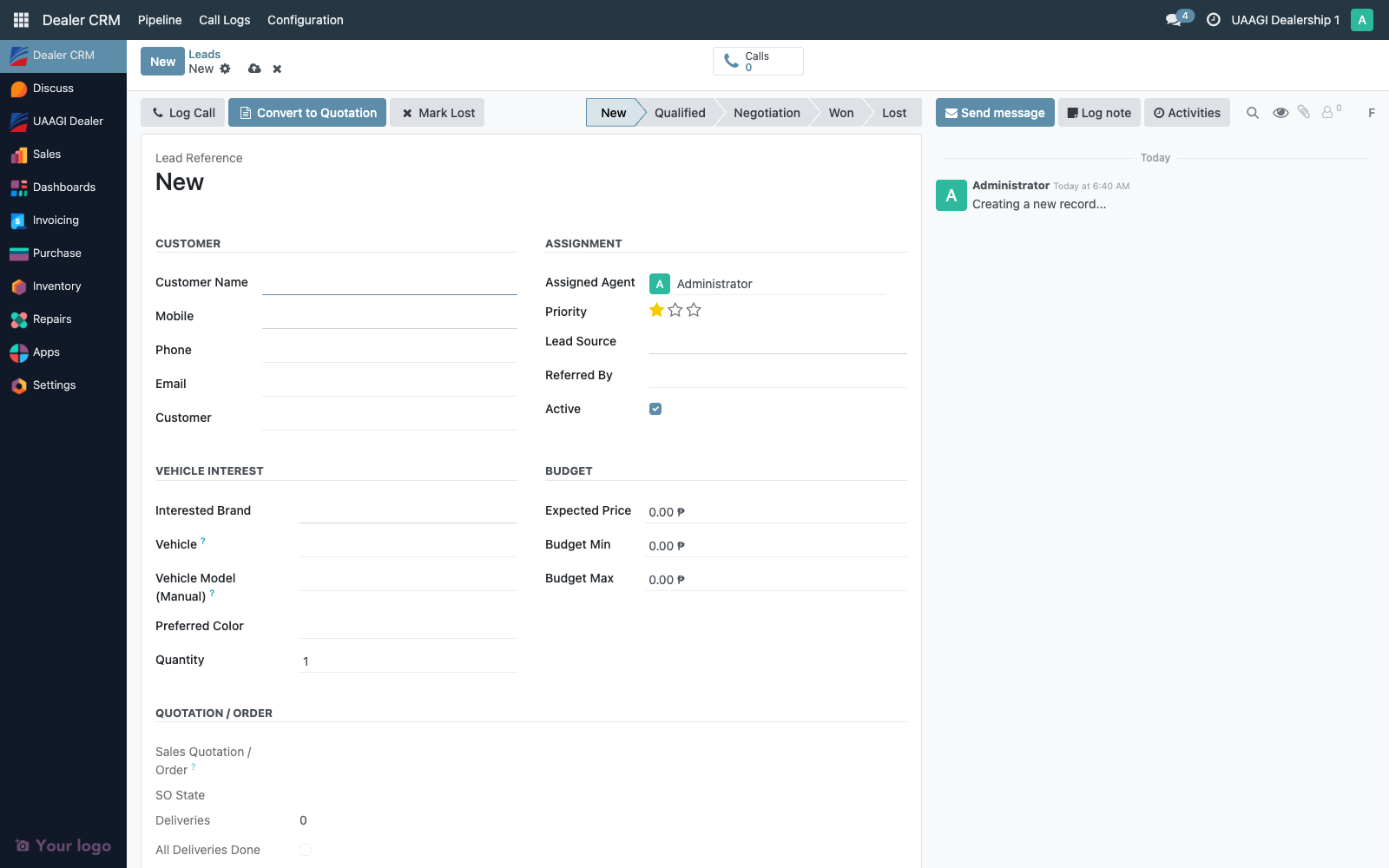
Manual leads start in New and follow the same pipeline onward (New → Qualified → Negotiation → Won/Lost). There's no dealer-side endorsement equivalent — the dealer simply works the lead end-to-end.
Forward-only transitions
| From | Allowed next |
|---|---|
| New | Qualified |
| Qualified | Negotiation |
| Negotiation | Won (only after the linked SO is delivered), Lost (via the wizard) |
| Won | (terminal) |
| Lost | (terminal) |
Skipping stages or going backward raises an error, same as the BPO side. Use the statusbar on the form or drag on the kanban — both are enforced server-side.
Access matrix
| Group | Create manually | Receive endorsed | Edit incoming endorsed |
|---|---|---|---|
| Dealer User | ✅ | ❌ (server only) | ✅ on own leads |
| Dealer Manager | ✅ | ❌ (server only) | ✅ on any lead |
| Dealer Admin | ✅ | ❌ (server only) | ✅ on any lead + config access |
Endorsements from BPO CRM are created by the BPO service account (crm.dealership.odoo_username) via JSON-RPC. No interactive user is involved on the dealer side during the push — the service account needs at least dealer.crm.lead create and res.partner create permissions. By convention this account sits in group_dealer_user.
Audit trail
Every endorsed lead carries its origin evidence on the form itself and in the chatter:
| Where | What it shows |
|---|---|
BPO Origin tab (visible only if bpo_source_lead_id is set) | bpo_source_lead_id, bpo_source_lead_name, bpo_source_url — the original BPO lead's id, reference, and base URL. The URL is rendered as a clickable link so auditors can navigate to the source. |
| First chatter entry | Posted by receive_endorsed_lead on create, naming the BPO source URL, source lead name, and the endorsement type (with S.Q. / without S.Q.) |
| Source field (tracked) | Stamped with endorsed_with_sq or endorsed_without_sq. Any post-create change to this field appears as a source_id: old → new entry in chatter. |
| Stage field (tracked) | Endorsed leads land directly in Negotiation. Every subsequent stage transition is a chatter entry with the triggering user. |
create_uid | The JSON-RPC service user. This is the auditor's evidence that the lead came from the push, not from a manual paste. |
create_date | Server timestamp when the dealer side received the push (may be minutes after the BPO user clicked Endorse, if the dealer was briefly unreachable and BPO retried). |
Typical audit questions for intake
"Show me every lead endorsed from BPO in the last week."
- Pipeline → All Leads → Filter Endorsed from BPO + a date range on
create_date - Export CSV with
name,bpo_source_lead_name,bpo_source_url,source_id,create_date,user_id
"Can you prove this dealer lead DLEAD/00042 came from BPO lead LEAD/01234?"
- Open DLEAD/00042
- Look at the BPO Origin tab —
bpo_source_lead_id = 1234and the URL clicks through to the actual BPO record - Scroll chatter to the bottom — the first entry reads "Lead endorsed from BPO CRM https://bpo.uaagi-uno.com (source lead LEAD/01234, with S.Q.)"
"Were any endorsed leads edited after intake?"
- Open any endorsed lead and scan chatter. Every tracked field change is there with the
write_uidand timestamp. A lead with only the initial endorsement entry and no subsequent edits is unchanged since intake.
Retention
Endorsed leads are dealer.crm.lead records with the same retention as manual ones — never auto-deleted, archivable via active = False, hard-delete blocked if a sale.order is linked. The bpo_source_* fields remain populated for the life of the record. The BPO CRM side keeps its own source lead independently; if the dealer archives DLEAD/00042, the BPO LEAD/01234 is unaffected.
Troubleshooting
| Symptom | Likely cause |
|---|---|
| Endorsement push fails on BPO side with "brand code not configured" | The BPO brand's code doesn't have a matching dealer.brand.code on this instance. Add the brand locally. |
| Endorsed lead arrives with no linked product | Product matching failed — create the product.product under the brand, then dealer can set it on the lead manually. |
| Dealer sees only "My Pipeline" but expected colleagues' leads | Switch to All Leads — My Pipeline is filtered to user_id = current_user. |
| Duplicate endorsement for the same customer | Idempotency is per BPO source lead id, not per customer. If BPO's dedup missed a customer match and creates two BPO leads, both will endorse and land here as two dealer leads. |