Working a Lead
Dealer-side leads go from Negotiation to Won through a real Odoo sales flow: a draft quotation, a confirmed sales order, a validated delivery, and only then Mark Won. This page is the day-to-day dealer agent's reference.
The pipeline
  New ──▶ Qualified ──▶ Negotiation ──▶ Won
                                     └─▶ Lost  (with reason)
Endorsed leads start directly in Negotiation. Manual leads start in New. Both follow the same forward-only, single-step rule enforced on the server.
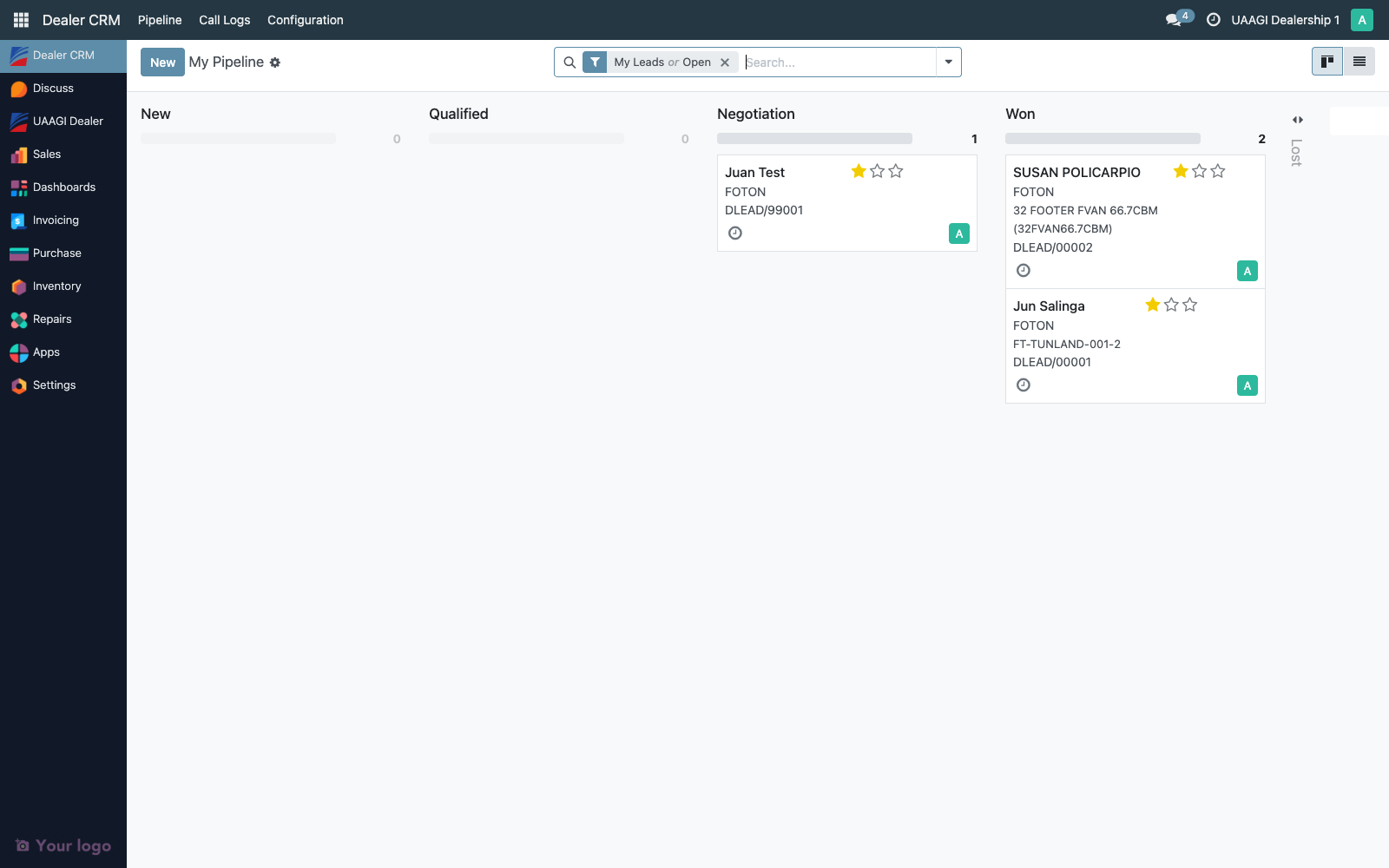
My Pipeline
Dealer CRM → Pipeline → My Pipeline is a personal kanban, filtered to user_id = <self>. To work a lead, open it from either My Pipeline or All Leads.
Lead form header
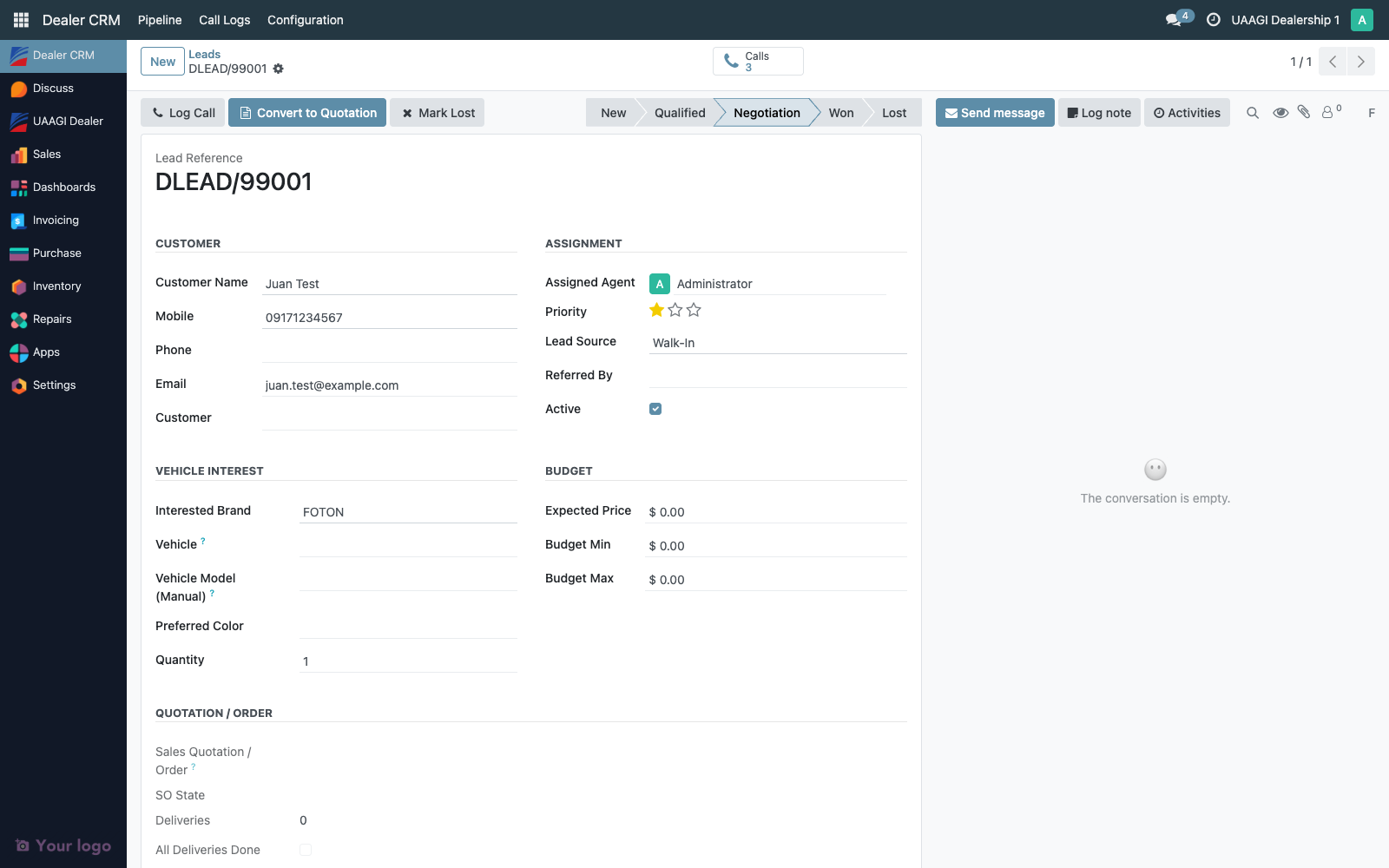
On a claimed dealer lead, the header exposes:
| Button | When visible | What it does |
|---|---|---|
| Log Call | Always (while open) | Opens the call log wizard |
| Convert to Quotation | No linked sale order yet | Creates a draft sale.order pre-filled from the lead and links it both ways |
| Open Quotation | Once a sale order exists | Navigates to the linked SO |
| Mark Won | Linked SO exists and is gated ready (see below) | Moves the lead to Won, and on endorsed leads notifies BPO via callback |
| Mark Lost | Always (while open) | Opens the Lost wizard to capture a reason |
Convert to Quotation
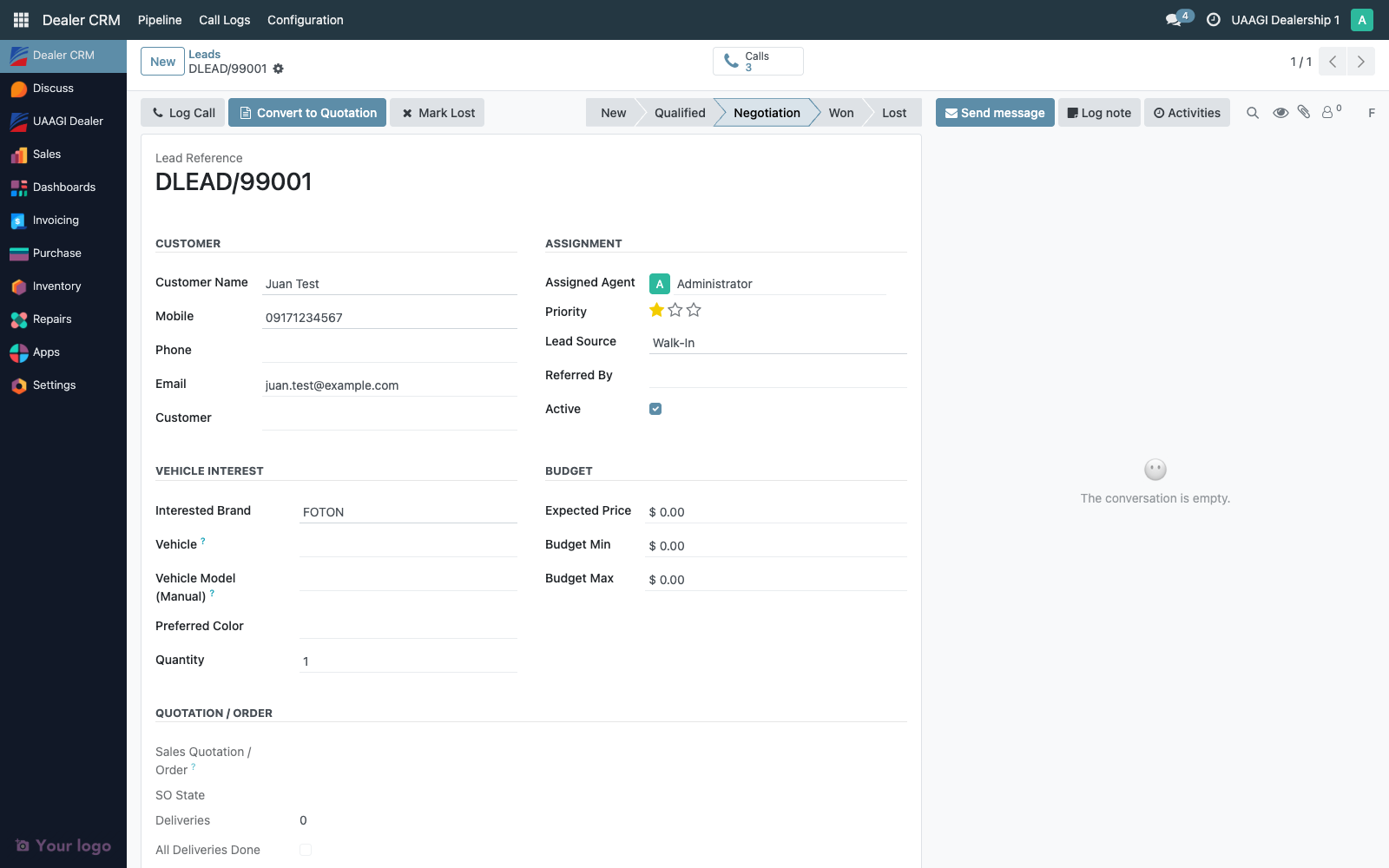
This is how a Negotiation-stage lead turns into something you can actually sell. Click Convert to Quotation on the form header.
What happens:
- Validates the lead has a Brand and a Vehicle (product). A free-text
vehicle_model_textis not enough — the dealer agent has to pick the actualproduct.product. If the product doesn't exist yet, create it under the brand first. - Finds or creates a
res.partnerfor the lead's customer (same matching as the endorsement intake — mobile, then email, then new partner). - Creates a draft
sale.orderwith:partner_id= resolved customerbrand_id= lead's brandorigin= dealer lead reference (DLEAD/...)dealer_crm_lead_id= the lead id (back-link)- One order line: the lead's product,
product_uom_qty = lead.quantity,price_unit = lead.expected_priceor product list price
- Stores the new SO id on
lead.sale_order_id(forward link) - Opens the SO form
From here the flow is standard Odoo: review the lines, adjust pricing, add accessories or trade-in adjustments, Confirm the order to move it from draft to sale, process the delivery picking to done.
:::tip If Convert fails The only thing that can make this fail is missing brand or product on the lead. Set them from the lead form, save, and try again. No clean-up needed — nothing was created yet. :::
Confirming the SO
Standard Odoo. From the draft SO:
- Review and adjust order lines
- Click Confirm → moves the SO to
salestate - Odoo automatically creates a
stock.pickingfor the delivery
Pre-existing dealer workflows (discount approval, manager sign-off, etc.) attach here the same way they do to any other sale.order — Dealer CRM doesn't add or remove anything in this phase.
Delivering the vehicle
Also standard Odoo. Open the SO's delivery from Deliveries on the SO button box, or from Inventory → Transfers, then:
- Check Availability (if units are on hand)
- Validate once the customer has physically taken delivery — move the picking to
done
With the picking done, the dealer can now go back to the lead and click Mark Won.
Mark Won
Click Mark Won on the dealer lead's header.
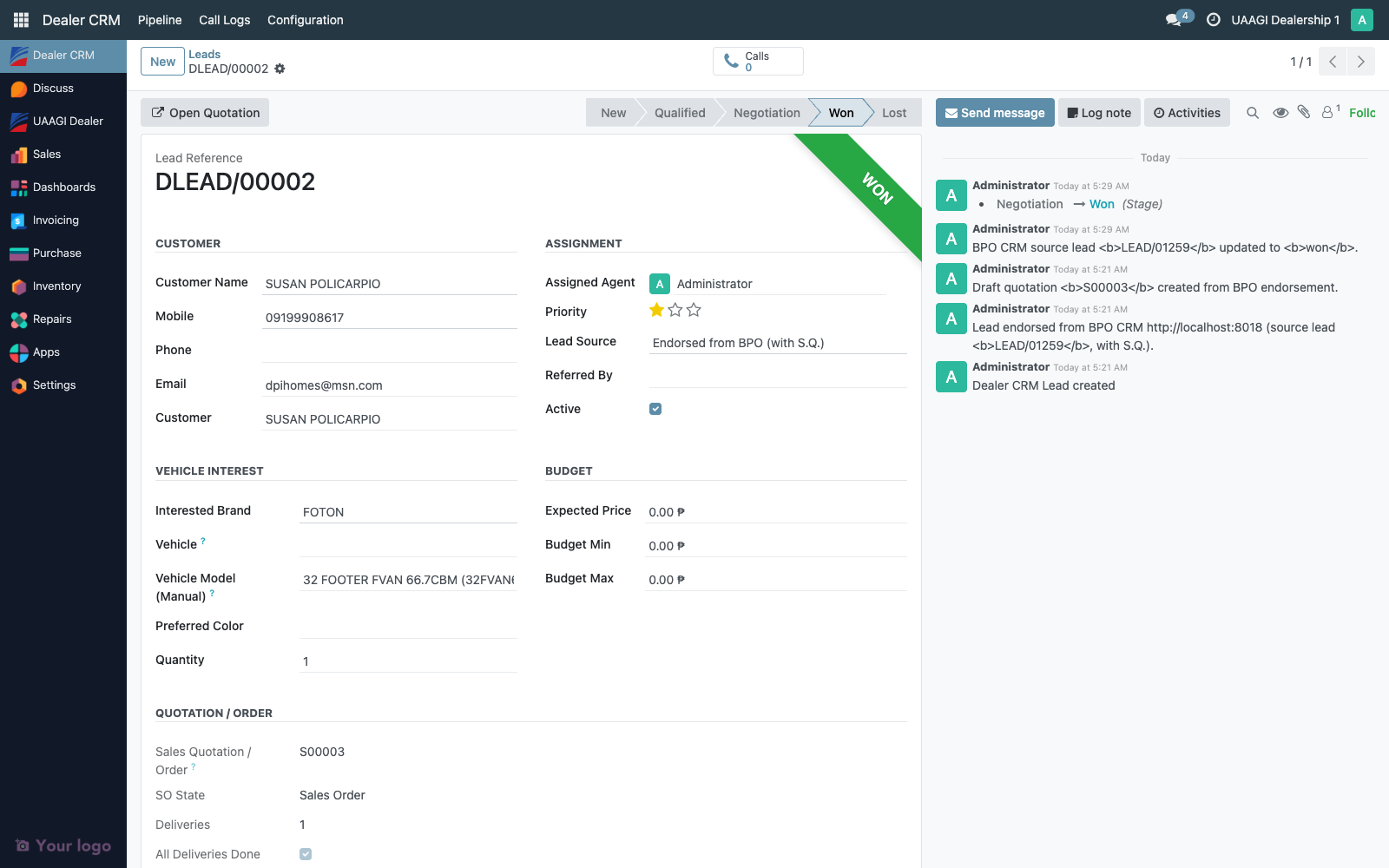
Gate checks (all enforced server-side — no sneaky bypass):
- Linked SO exists —
sale_order_idmust be set. If not, you get "Create a quotation first with the Convert to Quotation button." - SO is confirmed —
statemust besaleordone. A draft quotation can't win — confirm it first. - All deliveries done — every
stock.pickingon the SO must be indonestate. Outstanding pickings list the specific SOs you still need to validate.
Once the gate passes:
- The lead moves to the Won stage
date_wonis stamped- If the lead was originally endorsed from BPO (i.e. it has a
bpo_source_lead_id), the dealer instance opens a JSON-RPC session to BPO CRM and callscrm.lead.update_from_dealer_callback(payload). The BPO source lead flips to Won, stamps its owndate_won, records the dealer SO reference, and writes a chatter entry describing the delivery. - A confirmation chatter entry lands on the dealer lead as well
If the BPO callback fails for any reason (network, wrong creds, BPO down), the dealer lead still transitions to Won locally. The failure is logged and written to the dealer lead's chatter. See BPO CRM Connection for retry guidance.
Mark Lost
Click Mark Lost on the header (no gating — can be clicked from any open stage).
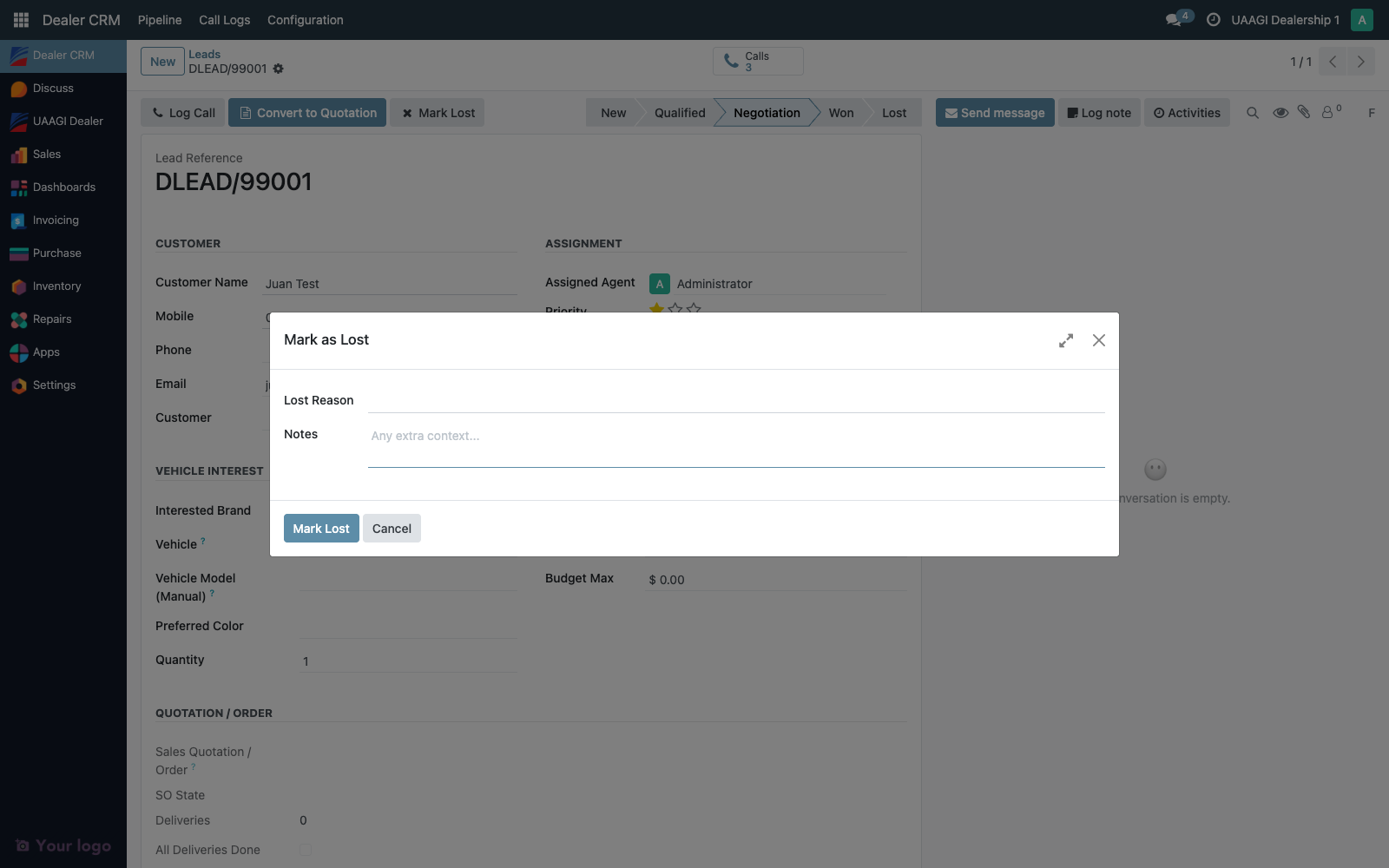
The wizard requires a reason:
| Reason | When to use |
|---|---|
| Price Too High | Couldn't close on price |
| Chose Competitor | Buyer went with another brand |
| Not Ready to Buy | Still shopping, not timing-ready |
| Financing Issues | Loan application failed |
| No Stock Available | Couldn't deliver the unit the buyer wanted |
| Buyer Cancelled | Changed their mind after quotation/confirm |
| Other | Doesn't fit the above — explain in Notes |
Optional Notes — always helpful for post-mortems. Free text.
Confirm the wizard and the lead moves to Lost. Any linked draft SO stays as-is — it's not auto-cancelled because the cancel action has its own approvals and side effects. Cancel it manually from the SO form if needed.
If the lead was originally endorsed from BPO, the Lost callback fires the same way the Won one does: update_from_dealer_callback is called with outcome='lost', carrying the reason and notes. The BPO lead flips to Lost with the same reason (or other if BPO's selection doesn't have a matching code).
Call logging
Standard call history on the lead form — Log Call opens a wizard for duration, result, and a summary. Each call becomes a dealer.crm.call.log record visible under Dealer CRM → Call Logs.
Access matrix
| Group | Claim | Convert to Quotation | Confirm SO | Validate Delivery | Mark Won | Mark Lost | Reassign |
|---|---|---|---|---|---|---|---|
| Dealer User | Own + unassigned | Own leads | Standard Odoo Sales rules | Standard Odoo Stock rules | Own leads | Own leads | ❌ |
| Dealer Manager | Any | Any | Any | Any | Any | Any | ✅ |
| Dealer Admin | Any | Any | Any | Any | Any | Any | ✅ + config |
Dealer users can only touch leads they own or that are unassigned. Managers see and act on everything. The Convert to Quotation action creates a sale.order as the triggering user, so whatever restrictions the Sales module imposes (approval rules, discount caps, etc.) still apply.
Audit trail
Every state change in the work flow leaves a trace:
On the dealer lead chatter:
- Stage transitions (New → Qualified → Negotiation → Won/Lost) — each with the triggering user and timestamp
user_idreassignments — who moved the lead to whom- Tracked field edits — customer info, vehicle interest, budget, trade-in, financing, notes
- The linked
sale_order_idgaining or changing — auditable as a tracked many2one - A message on Convert to Quotation: "Quotation SO003 created from this lead."
- A message on Mark Won: the transition plus, for endorsed leads, a "BPO CRM source lead LEAD/01234 updated to won" confirmation once the callback succeeds
- A message on Mark Lost: reason + notes captured from the wizard
- Failed BPO callbacks are also logged in chatter with the exception text — the local transition is preserved but the auditor can see the mismatch between dealer side and BPO side
On the linked sale.order:
- The full Sales module audit trail: quotation creation, confirmation, lines edited, cancellations
origin = DLEAD/...back-links the SO to the dealer lead for traceabilitydealer_crm_lead_idis an explicit many2one back-link — searchable and filterable
On the stock.picking records:
- Validation date, picker, lines moved, quantities received — standard Odoo Inventory audit
On the BPO side (for endorsed leads):
- The BPO lead's chatter gets a matching entry when the dealer callback succeeds, including the dealer SO reference and the dealer lead name — so BPO managers see their lead's fate without logging into the dealer instance
Typical audit questions
"Walk me through DLEAD/00042 from endorsement to delivered."
- Open DLEAD/00042 and scroll chatter to the bottom — find the initial endorsement entry (who endorsed, when, BPO source URL)
- Scroll up through stage transitions — Negotiation → (Convert to Quotation) → (Mark Won)
- Click the Quotation / Order reference to jump to the SO — verify it was confirmed and delivered
- Click the SO's delivery — verify
date_donematches the Mark Won date - Click BPO Source URL in the BPO Origin tab — verify BPO side is in sync
"Did the BPO callback fire for every won endorsed lead?"
- Filter:
Endorsed from BPO+Won. Open each. The chatter should contain "BPO CRM source lead ... updated to won". If instead you see a failure message, the BPO side is stale — fix the BPO CRM Connection and manually re-trigger.
"Show me every lost reason for Q2."
- Filter:
Lost+ date range ondate_lost. Group byLost Reason. Export.
Retention
- Leads — never auto-deleted. Archive via
active = Falseif you need them out of the active kanban. Hard-delete is blocked ifsale_order_idis set. - Linked sale.order records — retention follows the Sales module. Confirmed SOs become audit records.
- Stock.picking records — same as above; validated pickings are inventory history.
- Call logs — linked via
call_log_ids. See Call Logs for the detail. - Chatter messages — never auto-deleted; each message is a
mail.messagerow with full attribution.
Troubleshooting
| Symptom | Likely cause |
|---|---|
| Mark Won button missing | No linked SO yet. Convert to Quotation first. |
| Mark Won raises "must be confirmed" | SO is still in draft. Confirm the quotation, then try again. |
| Mark Won raises "X delivery order(s) still pending" | Validate the listed pickings in Inventory, then retry. |
| BPO side never updates after Mark Won | BPO CRM Connection is missing, wrong, or the BPO instance is unreachable. Check the dealer lead's chatter for the error, fix the config, manually retry the transition. |
| Convert to Quotation raises "Select a vehicle first" | Lead has vehicle_model_text but no product_id. Create or pick the product. |
| Mark Lost wizard won't close | A Lost Reason is required — not optional. |
| Dragging a lead from New to Negotiation is rejected | Skipping Qualified. Go one step at a time. |