Employee Management
The employee form is the spine of ONe-HR. Every downstream calculation — leave balances, loan deductions, OT rates, payroll — reads from it, and every mobile-app view is rendered from this record.
HR Administrators for day-to-day maintenance; MSD Administrators for onboarding and transfers.
Opening the list
Human Resource ▸ Maintenance ▸ Employees ▸ Non-Executives (or Executives, if you have rights).
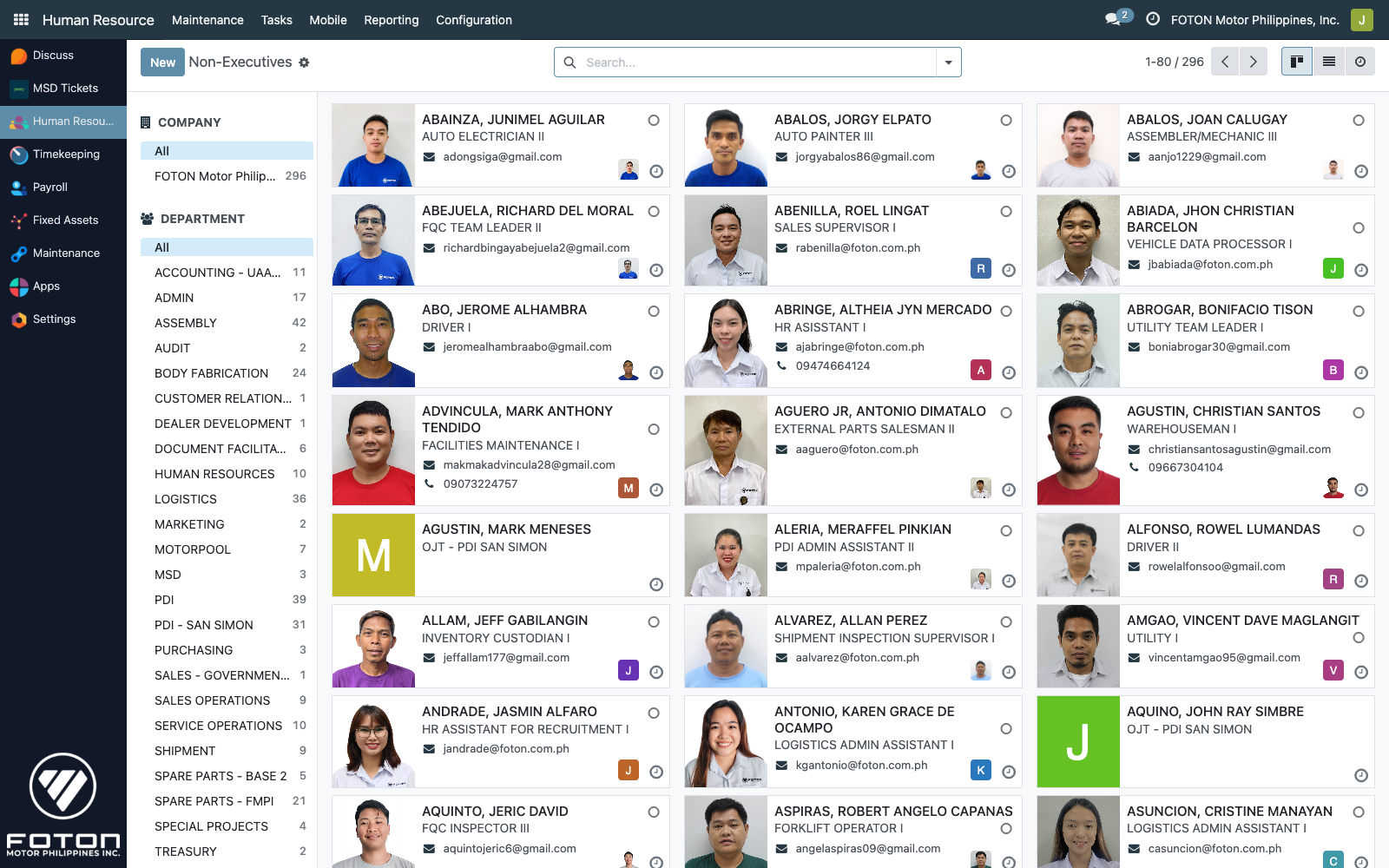
The module ships two filtered action windows built on the same hr.employee model:
| Action | Domain | Visible to |
|---|---|---|
| Non-Executives | executive=False | All HR admins |
| Executives | executive=True | hr_executive_processor, msd_administrators |
The Org Chart menu opens the standard Odoo hr_org_chart view, scoped by the same ir.rule.
Creating an employee
Click New on the list. The form is a heavily extended hr.employee — the tabs you see depend on your groups.
Names and identity
The module enforces a strict naming convention (models/hr_employee.py:16–17, 40–45, 319–328, 345–364):
| Field | Notes |
|---|---|
| First Name | Required. Auto-uppercased on save. |
| Middle Name | Optional. Auto-uppercased. |
| Family Name | Required. Auto-uppercased. |
| Full Name | Computed from the three above as FAMILY, FIRST MIDDLE. |
| Display name | LASTNAME, FIRSTNAME MIDDLENAME, fully uppercased — drives every employee dropdown across the app. |
| Employee ID | The canonical UAAGI employee code. |
| Employee ID tmp | Legacy/staging field — kept for transition migrations. |
When an employee is archived (active=False), the linked res.users is also deactivated and the crosschex_id biometrics link is cleared — protection against stale mobile-app sessions on departure.
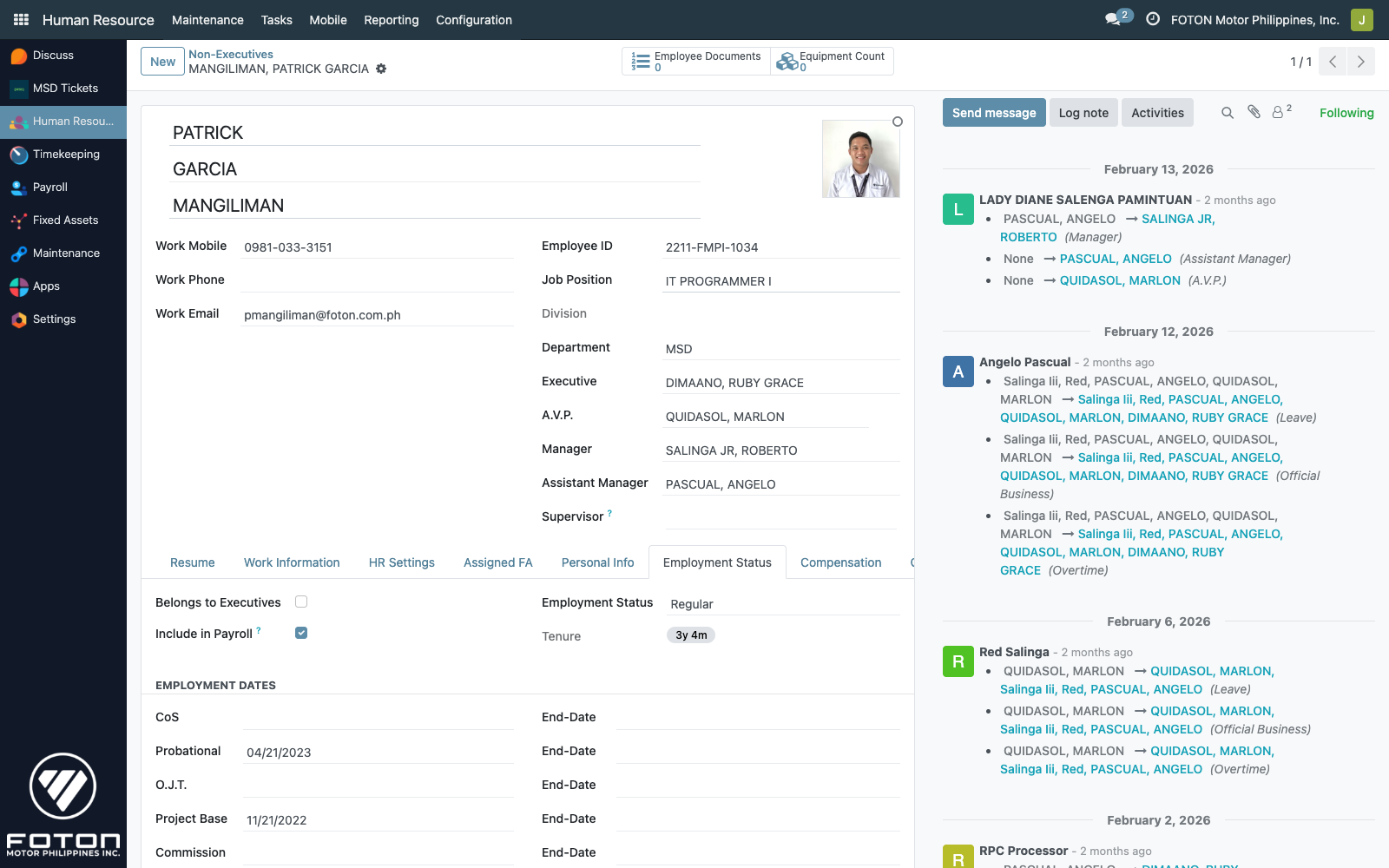
Employment Status
Tracks the contract lifecycle. One of six statuses:
| Value | Label |
|---|---|
cos | Contract of Service |
probi | Probational |
ojt | O.J.T. |
pb | Project Base |
cb | Commission Base |
regular | Regular |
Each status has a matching start date and end date field (cos_date/cos_enddate, probi_date/probi_enddate, etc.), plus date_hired and date_regular. The Tenure badge on the form header is computed from date_hired as a live {years}y {months}m string.
Personal information
Personal details live on their own tab, with tracking enabled on every field (any edit appears in the chatter):
- Address 1 / Address 2 — home and alternate addresses. The Mailing Address selector chooses which is currently active.
- Email (Personal) and Contact Numbers — for HR contact outside work channels.
- Birthday, Place of Birth, Country of Birth.
- Father's Name, Mother's Name.
- Gender, Marital Status, Spouse Name, Spouse Birthdate, Number of Dependent Children.
- Emergency Contact — free-text block.
Every field on the Personal Info tab is PII. Screenshots in these docs have the sensitive ones blurred (addresses, phone, email, family names, birthday). See the note at the top of the Compensation & Benefits page for the full blur convention.
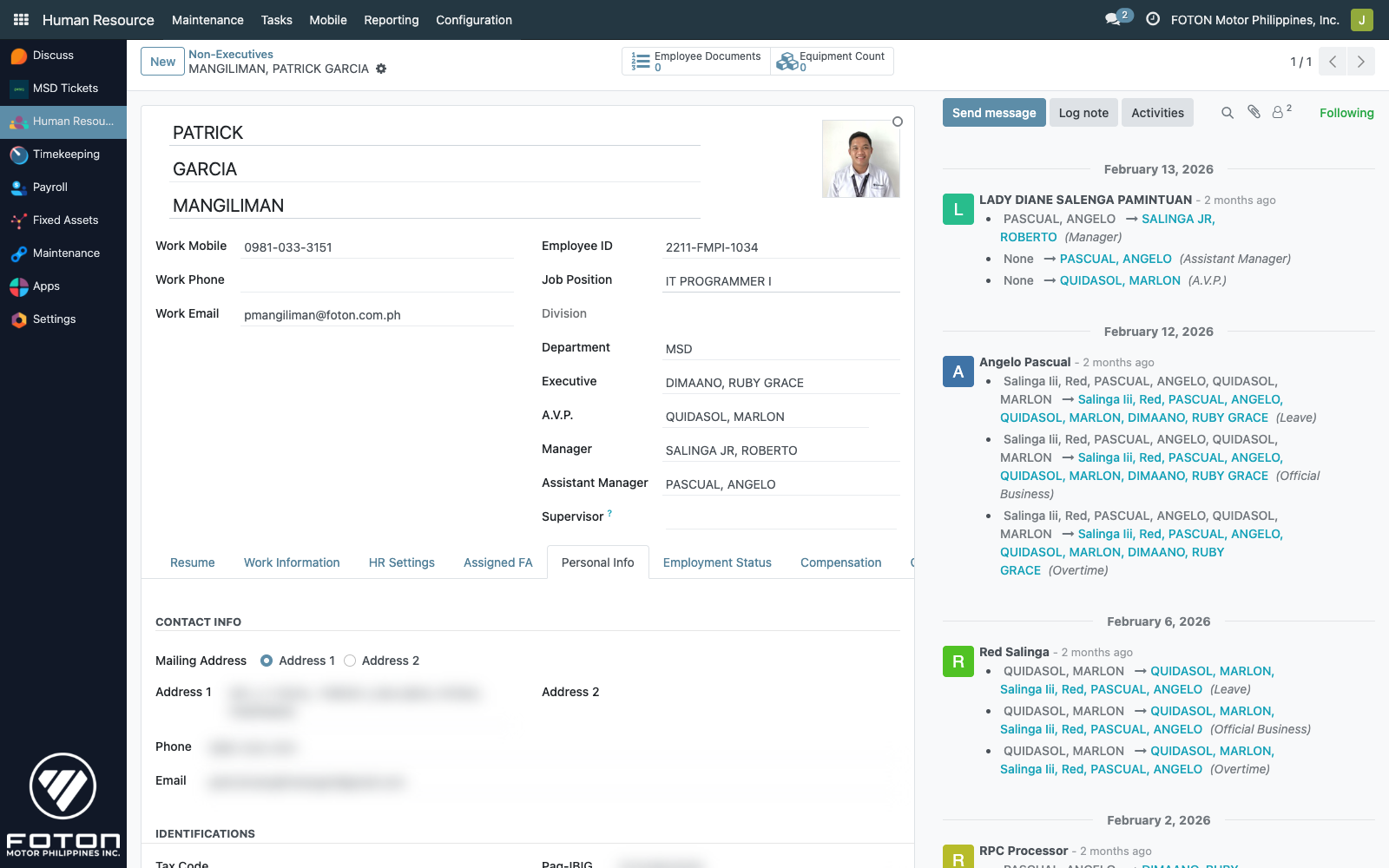
The tab is labeled Personal Info in the UI. Education rows (hr.employee.education) render as a sub-list within this same tab.
Identifications
Separate tab for government-issued numbers and financial details:
| Field | Type |
|---|---|
| Tax Code | Z, S/HF/ME, ME1/HF1 through ME4/HF4 — drives the withholding tax bracket |
| T.I.N. | Tax Identification Number |
| S.S.S.# | Social Security System |
| Pag-IBIG# | HDMF number |
| PhilHealth# | PhilHealth number |
| Bank Account# | For salary crediting |
| MaxiCare / MaxiCare Active | Health insurance number + toggle |
| Signature | Binary image — used on the Authority to Deduct and ID Card reports |
Education
A One2many list of hr.employee.education rows: degree, institution, year graduated, awards. Rendered inline within the Personal Info tab, not as a separate page. Used for HR reporting and future skills-matching.
Documents
The module depends on employee_documents_expiry, so each employee carries a list of scanned documents (IDs, contracts, certifications) with expiry dates that can be tracked and notified on.
Actions on the form
Transfer to another O.B.U.
Header button Transfer Employee launches the hr.employee.transfer wizard. It updates company_id to the target BU and reassigns related records appropriately. This is an MSD-level operation — the button is visible to users with the right group.
Toggle Executive
A header action flips the executive flag. This moves the record from the Non-Executives action window into Executives and grants access to the Subordinates + Team Availability sections (see Organization).
Print ID Card
Two report wizards — Employee ID Card (Front) and Employee ID Card (Back) — generate PDF identity cards via the iNet Crystal Clear integration. The output respects the inet_host/inet_folder settings on the employee's res.company.
Lifecycle hooks
| Hook | Trigger |
|---|---|
create | Auto-uppercases names, builds display_name, and auto-creates one hr.employee.leave.master row per active hr.leave.type — so a new employee immediately has balance records for every leave type, even if those balances are zero. |
write with active=False | Deactivates the linked res.users and clears crosschex_id. |
write on name fields | Rebuilds name on the record in title case. |
onchange department_id | Auto-populates executive_id, avp_id, all_employee_manager_id, assistant_manager_id from the department's defaults — the HR admin rarely sets these manually. |
onchange all_employee_manager_id | Sets parent_id (Odoo's standard manager hierarchy) — keeps the built-in org chart wired up. |
onchange monthly_rate | Cascades the rate through semi-monthly, weekly, daily, hourly — see Compensation & Benefits. |
Read-only mirror models
Three helper models expose employee data without the multi-company ir.rule filter:
hr.all.employeehr.all.departmenthr.all.jobs
These are used in dropdowns where cross-BU visibility is required — most notably the approver, AVP, and Manager pickers. They are read-only and populate from hr.employee with sudo().