Leave Management
Leaves are the most common transaction in ONe-HR. Most leaves are filed from the mobile app and flow through the approval chain without HR admins touching them. The admin backend is where HR configures leave types, maintains balances, and handles the exception paths (reset, cancellation, revocation).
HR Administrators for type/balance maintenance; approvers and MSD administrators for cancellation and reset workflows.
The three related models
| Model | What it is |
|---|---|
hr.leave.type | Leave type master — the menu of available leave categories (e.g. VL, SL, EL). |
hr.employee.leave.master | Per-employee × per-leave-type balance — one row per employee per type. |
hr.employee.leave.transaction | A filed leave — one row per request, with the full approval + cancellation audit trail. |
Leave types
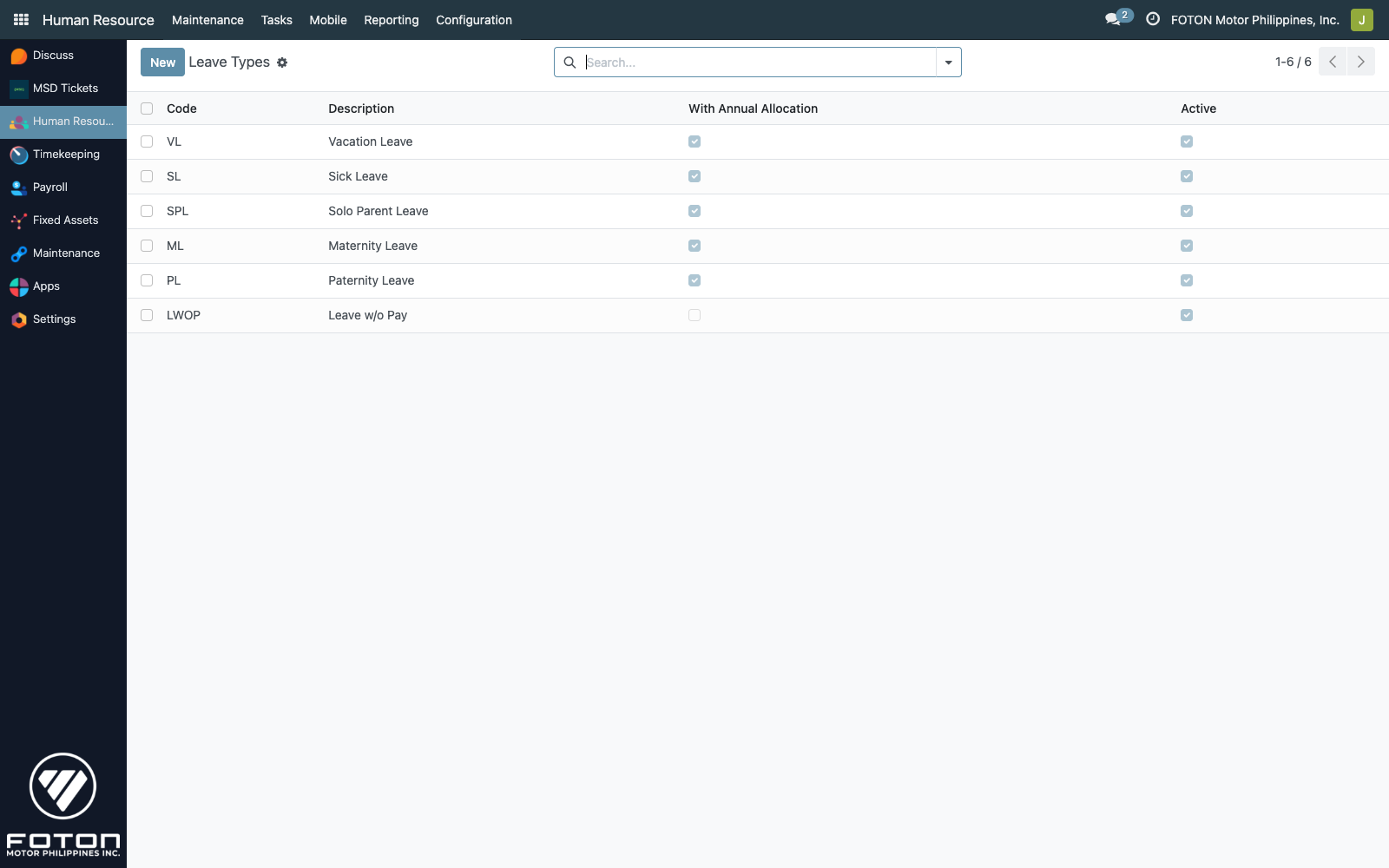
Human Resource ▸ Maintenance ▸ (your menu path) ▸ Leave Types
A leave type has a small, intentional set of fields (models/hr_leave.py):
| Field | Purpose |
|---|---|
| Code | Short alphanumeric (e.g. VL, SL). Appears in every filed leave and in the mobile-app picker. |
| Description | Long name (e.g. "Vacation Leave"). |
| With Annual Allocation | Flag — enables this type for annual balance resets (handled by the reset wizard). |
| Active | Unchecking hides the type from new filings but preserves existing transactions. |
The display format in dropdowns is [CODE] Description.
The shipped types
Default types come from data/hr_leave_type.xml. A typical UAAGI BU includes Vacation Leave (VL), Sick Leave (SL), Emergency Leave (EL), Paternity/Maternity, Bereavement, plus custom types per BU policy.
Leave balances
Balances live on the Leaves tab of the employee form. Each row is an hr.employee.leave.master record.
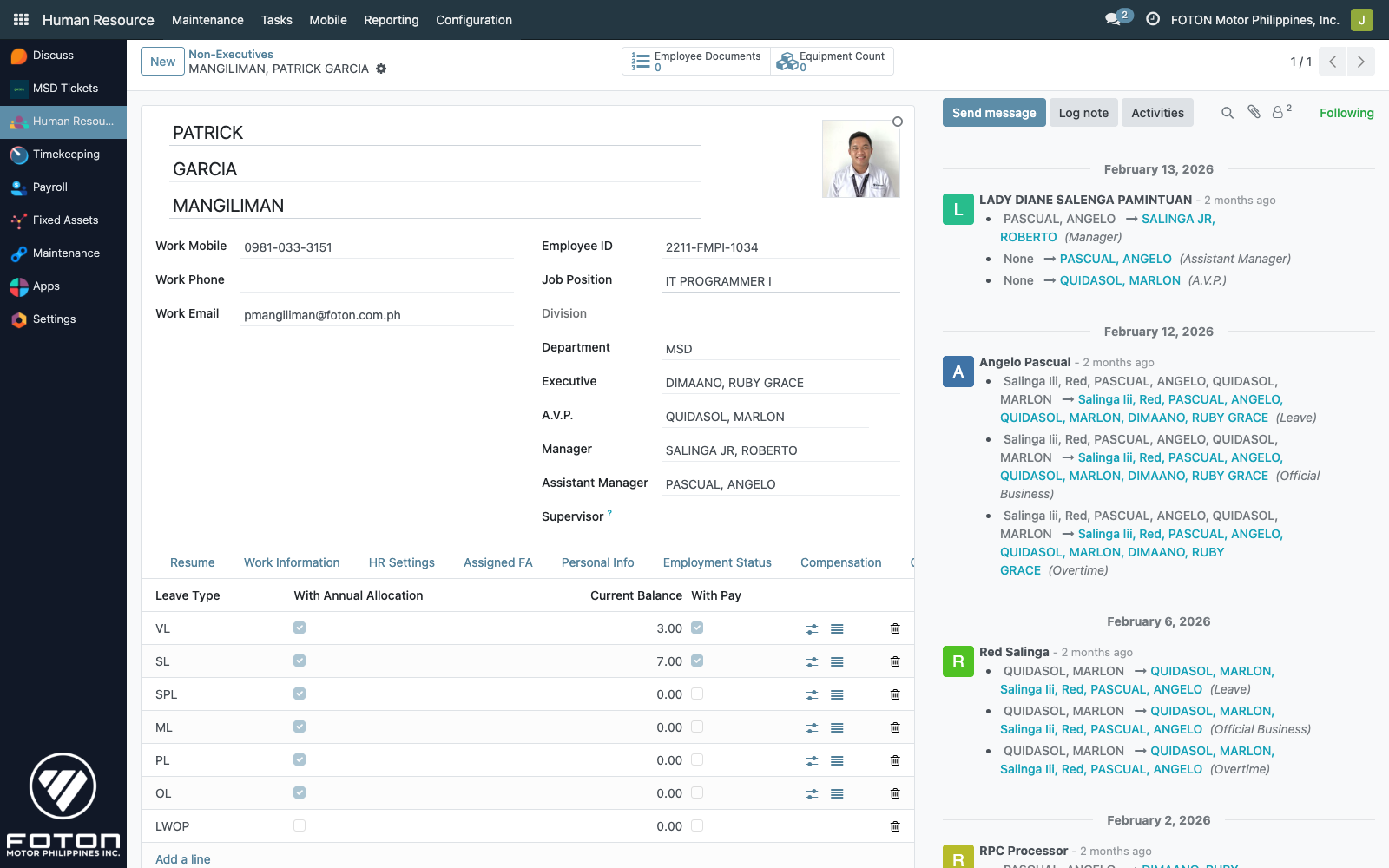
| Column | Purpose |
|---|---|
| Leave Type | Reference to the type. |
| With Annual Allocation | Related field from the type — read-only. |
| Current Balance | Running balance (float — supports half-days). |
| With Pay | Per-employee override — some leave types are paid for some employees (e.g. seniority-based VL). |
Auto-provisioning
Because the employee create hook seeds one balance row per active hr.leave.type, a new employee immediately has zero-balance rows for every leave type — the HR admin fills in the starting balance but never has to add the rows manually.
Effective balance
Filed-but-not-yet-posted leaves are provisional balance reservations. The model exposes a helper that the mobile app calls before letting a user file:
hr.employee.leave.master.get_effective_balance(employee_id, leave_type_id)
# returns: {'effective_balance': current_balance - sum_of_pending_and_approved_leaves_since_last_payroll}
The reservation window is "transactions whose start_date is after the last hr.payroll.master.to_date and whose status is for_approval or approved". This prevents a user from filing two overlapping 5-day leaves when they only have 5 days left.
Filing a leave (from the backend)
HR can file on an employee's behalf via Leaves ▸ Filed Leaves ▸ New. Fields (hr.employee.leave.transaction):
| Field | Notes |
|---|---|
| Employee Name | Required. |
| Leave Type | Required. |
| Start Date / End Date | Inclusive; days computed as (end - start) + 1 unless half-day. |
| Half-day + Day Period | AM / PM — counts 0.5 days against balance. |
| With pay | Per-transaction override, often inherited from the master. |
| Reason | Required — free text. |
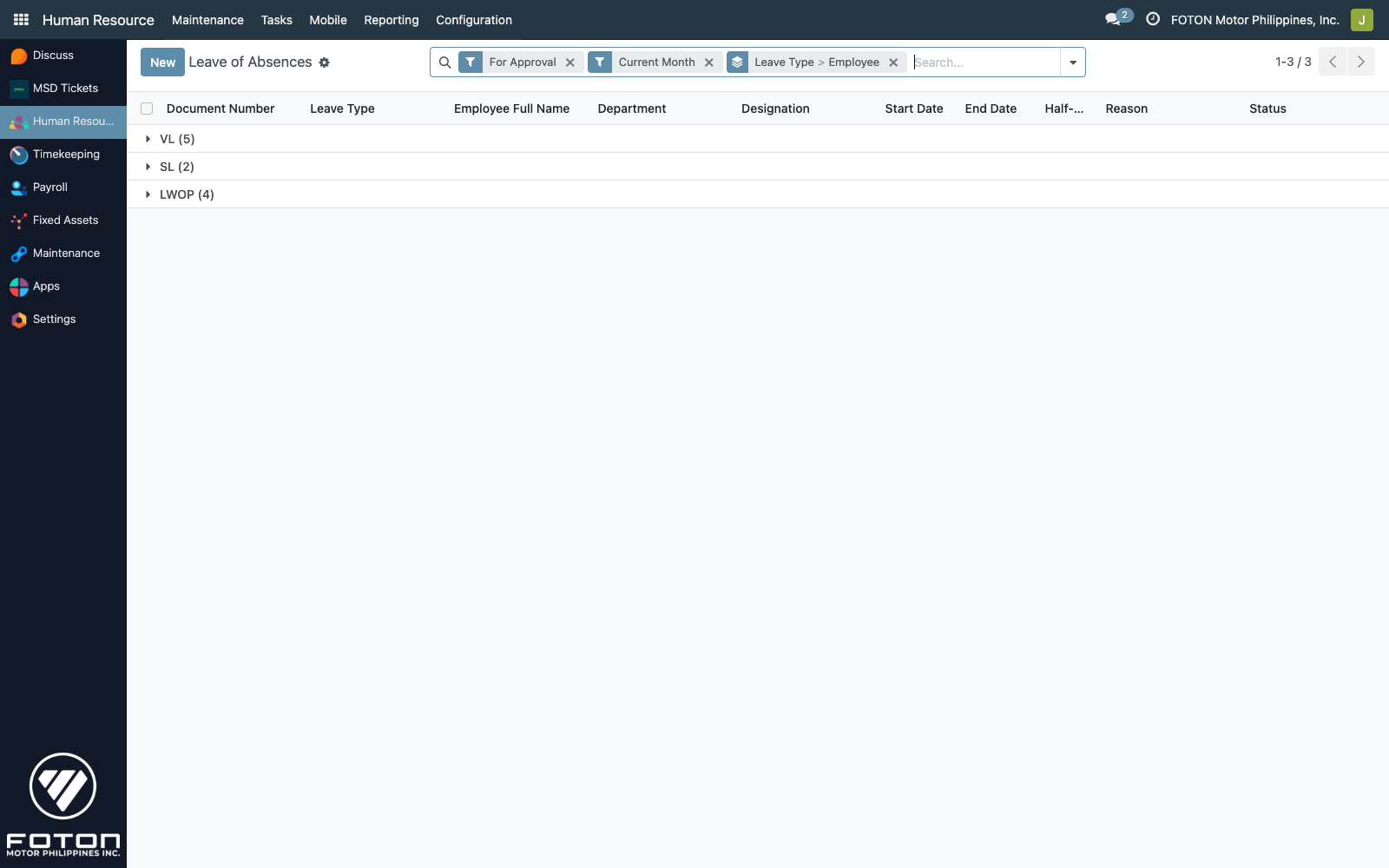
Status transitions
   for_approval ──approve──▶ approved ──posted to payroll──▶ (balance deducted)
        │                       │
        │──disapprove──▶ disapproved
        │                       │
        └──────cancellation_request──▶ pending_cancellation ──approve──▶ cancelled
                                                                │
                                                                └──reject──▶ (back to approved)
The terminal states are disapproved, cancelled, and revoked. Once posted to payroll (the is_payroll_locked flag is computed True), the record can no longer be edited — a locked transaction means the balance deduction has already flowed through payroll.
Approvals
From the mobile app
When an approver taps Approve/Disapprove on the mobile app, the transaction records approved_from_app=True and stamps approved_from_app_by. See the leave mobile flow for the user-side experience.
From email
If the employee has Send Leave Approval via Email checked on their employee form, filings also send an email to the approvers with an email_approval_token. Clicking the Approve / Disapprove link in the email hits the controller at controllers/leave_ceo_approval.py, which validates the token (against email_token_expiry), records the email_approved_by / email_disapproved_by, and renders a confirmation page from views/leave_email_approval_pages.xml. This path is typically used for executives who prefer email.
From the web backend
From the transaction form, the Approve / Disapprove header buttons are available to users in the approver chain. Approvers are the leave_approver_ids Many2many on the employee (set under Organization).
Wizards
Reset wizard
Use this to correct a balance — set it to a specific value with an audit trail.
From a leave balance row, click Reset Leave. The wizard prompts for:
- New Balance — the target value.
- Reason — free text, stored in
hr.employee.leave.reset.
The wizard (wizard/reset_leave.py) writes a new hr.employee.leave.reset row recording old_balance, new_balance, the date, and the operator — then updates current_balance in place. The reset logs are viewable per leave master via Show Reset Logs on the balance row.
Cancellation wizard
Employees can request cancellation of an approved leave from the mobile app. That creates a pending_cancellation status on the transaction. The approver processes it via the Leave Cancellation wizard (wizard/leave_cancellation_wizard.py):
- Approve → transaction moves to
cancelled, the balance is restored. - Reject → transaction moves back to
approved, cancellation fields cleared.
Direct cancel wizard
MSD admins can force-cancel without running the approval flow via hr_direct_cancel_wizard. Used for compliance emergencies (e.g. cancelling duplicate leaves) — the cancellation reason is mandatory and preserved on the record for audit.
Can Revoke Leave
The can_revoke_leave boolean on the employee form gates whether the employee may be subject to leave revocation after approval (not whether they can revoke others'). Revocation is different from cancellation: revoke is initiated by the employer to rescind an already-approved leave, typically when operational needs change. A revoked leave returns the balance but leaves the revoked transaction in the chatter for trail.