Loans & Deductions
ONe-HR tracks employee loans as a running ledger — one record per loan, reduced per payroll period until the remaining balance hits zero. The HR admin creates the loan, configures the deduction schedule, and (optionally) generates the Authority to Deduct legal document.
HR Administrators, payroll officers, MSD administrators.
Loan amounts on screenshots in this section are blurred, same convention as Compensation & Benefits.
The two models
| Model | Purpose |
|---|---|
hr.loan.type | Loan category master (e.g. "Salary Loan", "Emergency Loan", "SSS Loan"). |
hr.employee.loan | One loan record per employee per active loan instance. |
Loan types
Human Resource ▸ Maintenance ▸ (menu path) ▸ Loan Types
A loan type is a simple reference record: Name, Active. It exists so payroll can group deductions by type and so reports can roll up "Total Salary Loan Deductions" cleanly.
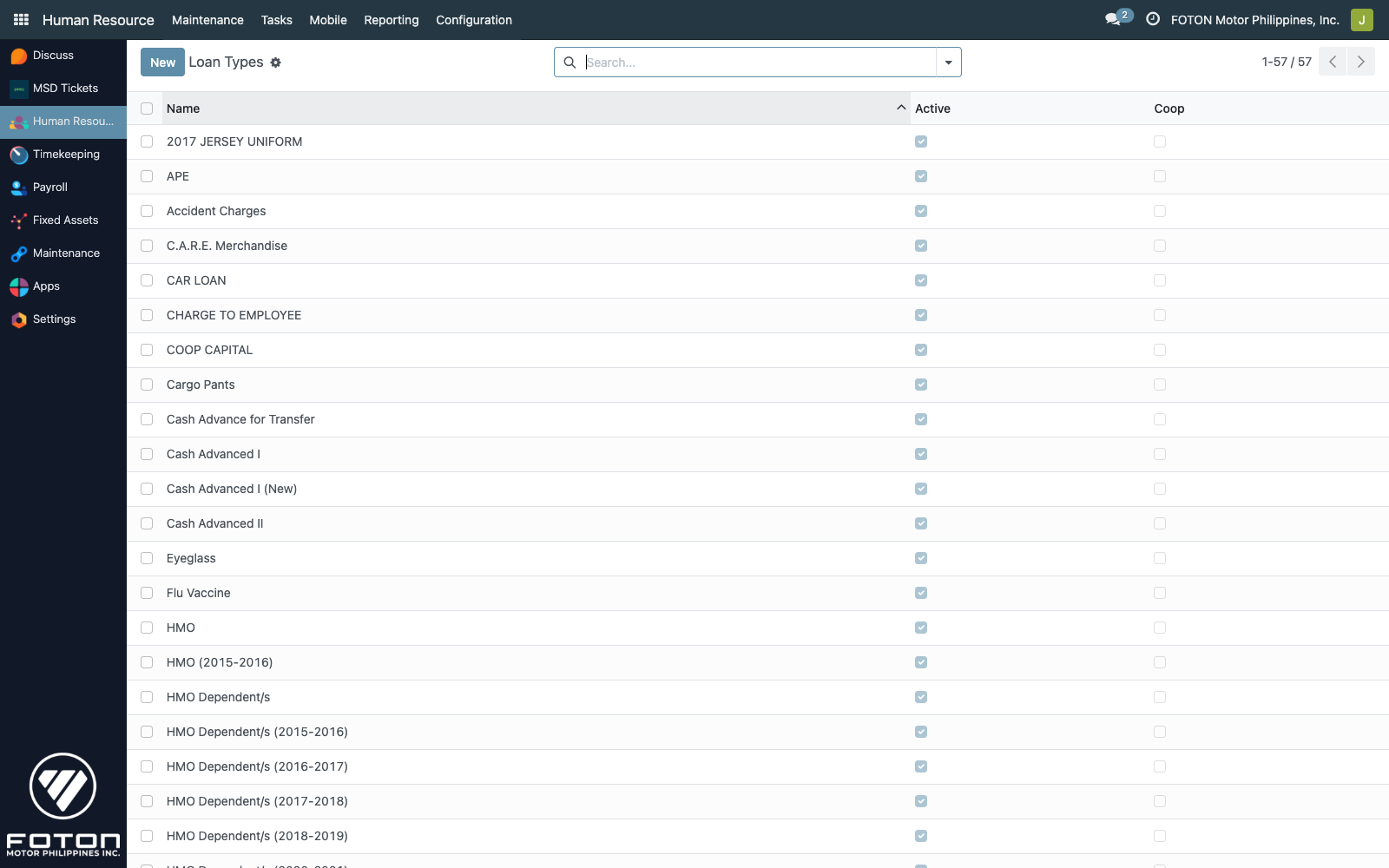
Creating a loan
Open an employee and navigate to the Loans tab, or go to HR ▸ Loans ▸ Employee Loans and create a new record.
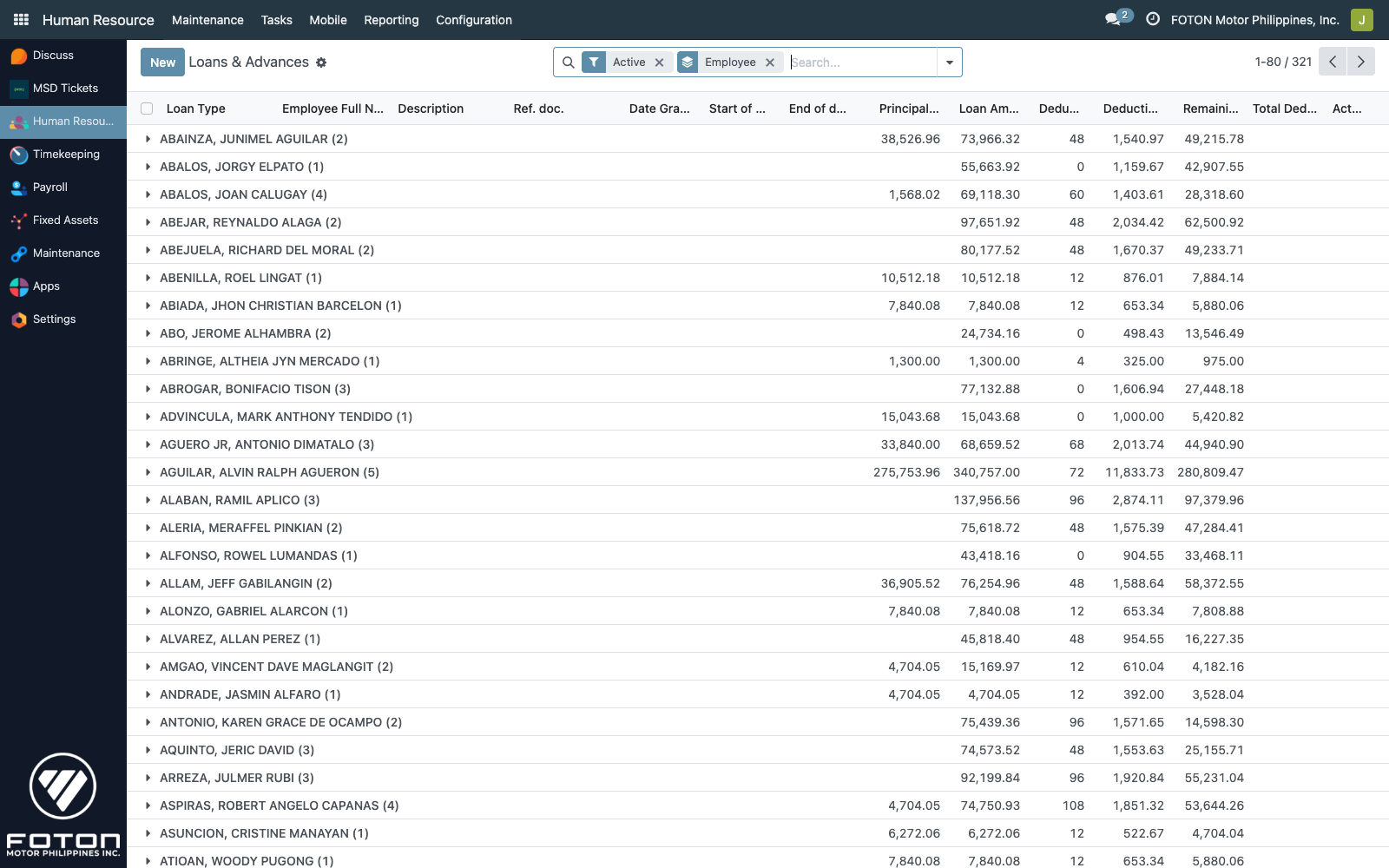
Required fields
| Field | Purpose |
|---|---|
| Loan Type | Reference from the Loan Types master. |
| Employee | The borrower. |
| Date Granted | When the loan was approved. |
| Start of deduction | First payroll period that includes this loan's deduction. |
| End of deduction | Expected end — informational, not enforced. |
| Principal Loan Amount | The original loan amount, without interest. |
| Loan Amount | The total amount to be repaid (principal + interest). |
| Deductions count | The number of payroll periods to spread the loan over. |
| Ref. doc. | The loan's external reference (e.g. a promissory note number). |
Auto-computed fields
- Deduction per payroll (
deductions_per_payroll) — computed asLoan Amount / Deductions count. It is writable, so HR can override for edge cases (uneven splits, final-period adjustments). - Total Deducted — computed as
Loan Amount - Remaining Balance.
Remaining balance
remaining_balance is set to loan_amount on creation (via _loan_change onchange). Each payroll run that includes this loan reduces it by the per-period deduction, with the last period settling to zero. If the HR admin manually overrides remaining_balance, that's respected — useful for mid-course corrections (e.g. employee paid a lump sum off-cycle).
Deductions in payroll
During a payroll run, each active loan on an included employee produces a deduction line equal to deductions_per_payroll, subject to the balance guard described in Payroll Processing:
- If
remaining_balance < deductions_per_payroll, only the remaining amount is deducted. - Once
remaining_balance = 0, the loan is effectively closed (archivingactive=Falseis optional but recommended for tidiness).
Authority to Deduct
Loans against a salary deduction typically require a signed Authority to Deduct from the employee. The module generates this document via the iNet Crystal Clear integration.
The wizard
From a loan record, launch wizard/authority_to_deduct.py. The wizard gathers:
- The employee's signature (from
hr.employee.signature). - Employer/company info (from
res.company.inet_host+inet_folder). - Loan details (amount, deduction schedule, reference doc).
It posts the request to iNet Crystal Clear and renders the returned PDF inside an iframe viewer (views/iframe_controller_view.xml).
Prerequisites
- The employee must have a Signature on file (Personal Info tab).
- The
res.companymust haveinet_hostandinet_folderset under Settings ▸ Companies. - iNet Crystal Clear must be reachable from the ONe-HR server.
If any of these are missing the wizard raises a clear error; it won't silently render an empty form.
Subsidies
Subsidies (hr.subsidy) are a separate, claim-based grant model — unlike loans, an employee does not owe the amount back. A subsidy has:
- A claiming period (start/end dates).
- A list of eligible employees (
hr.subsidy.line). - Per-line claim status (claimed / not claimed).
Subsidies are administered by MSD under HR ▸ Maintenance ▸ Subsidies. The individual claim lines are the auditable record of who received what and when.