Compensation
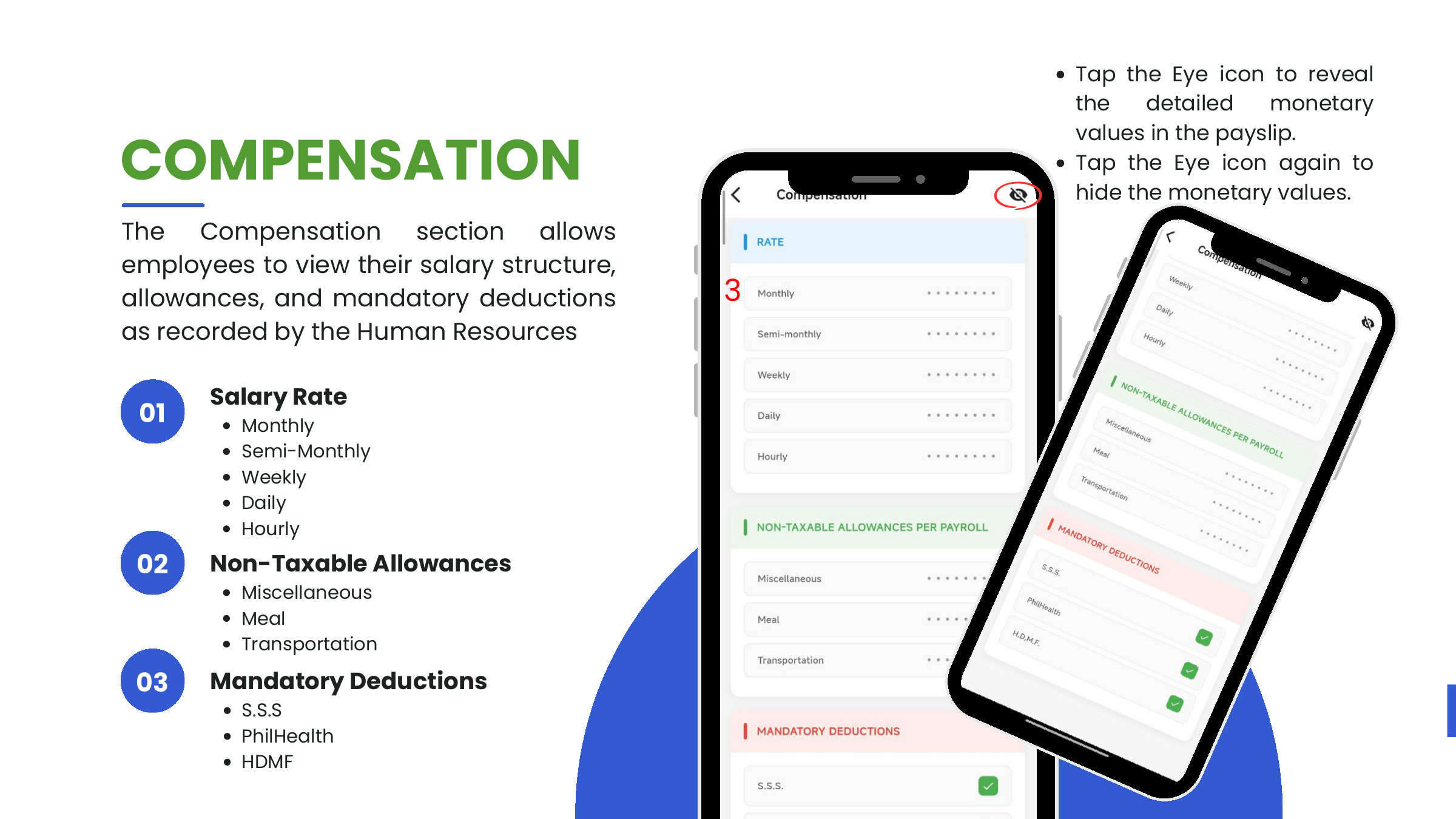
The Compensation screen lets employees review their salary structure, allowances, and mandatory deductions as recorded by HR.
Access
- Tap More from the bottom navigation.
- Tap Compensation.
As with Payslip, monetary values are hidden by default. Tap the eye icon (top right) to reveal; tap again to hide.
Salary Rate
The user's base rate expressed in five denominations (not five separate salaries — they're the same figure shown at different cadences for reference):
| Rate | Denomination |
|---|---|
| Monthly | |
| Semi-monthly | |
| Weekly | |
| Daily | |
| Hourly |
Non-Taxable Allowances (per payroll)
Allowances paid each payroll that are not subject to withholding tax.
| Allowance |
|---|
| Miscellaneous |
| Meal |
| Transportation |
Mandatory Deductions
Government-mandated contributions withheld each payroll. Each row has a checkmark indicating it is active on the employee's profile.
| Deduction |
|---|
| S.S.S (Social Security System) |
| PhilHealth |
| H.D.M.F. (Pag-IBIG) |
Correcting wrong figures
Compensation values are maintained by HR in the Odoo 17 web app. If any figure is wrong, raise it with HR — this screen is read-only.