Requests
The Requests tab is the main dashboard for filing and tracking HR workflows. It surfaces three request types, each with the same four-action card layout.
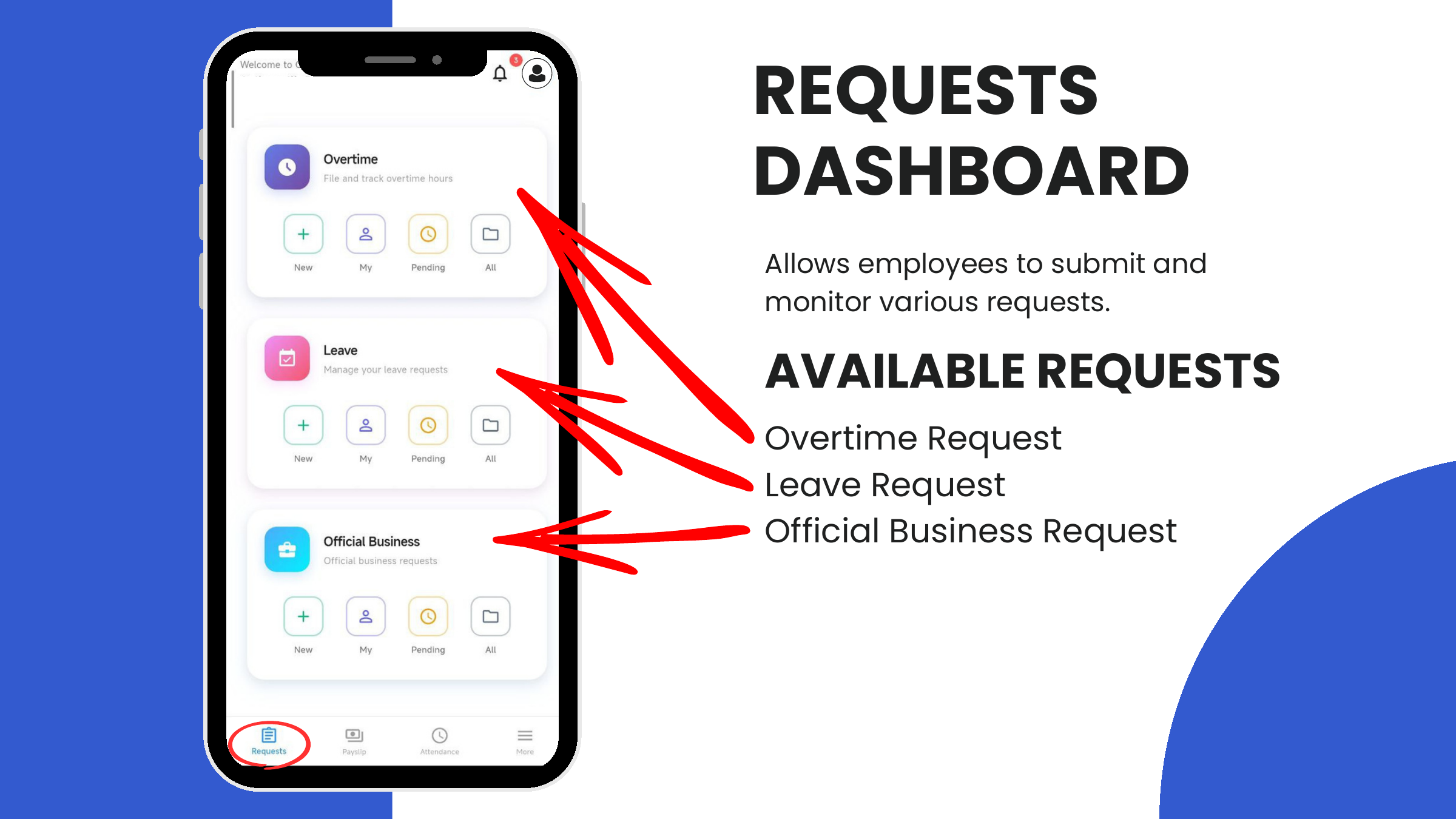
Available requests
| Request | Purpose |
|---|---|
| Overtime | File and track hours worked beyond the regular schedule. |
| Leave | Apply for vacation, sick, parental, and other leave types. |
| Official Business (OB) | Log business-related duties performed outside company premises, with optional QR-code time tracking. |
The four actions
Every request card on the dashboard has the same four buttons:
| Action | Who uses it | What it does |
|---|---|---|
| New | Employee | Opens the form to file a new request. |
| My | Employee | Lists the user's own request history with status (Pending, Approved, Disapproved, Cancelled). |
| Pending | Approver | Lists team submissions awaiting the user's approval. |
| All | Approver | Lists the complete team history across all statuses. |
A numeric badge on Pending indicates how many team requests are waiting on the user.
Status flow
All three request types share the same status lifecycle:
  Pending / For Approval  ─── Approver acts ──▶   Approved
                                              └▶  Disapproved
          │
          └── Employee acts ─── Edit ──▶ stays Pending
                            └── Cancel ──▶ Cancelled
Only requests in Pending / For Approval status can be edited or cancelled by the employee. Once an approver acts, the request is locked.
Which request when
| If the employee… | File a… |
|---|---|
| …worked past shift end | Overtime |
| …will be absent for a day or more | Leave |
| …is taking a half-day off | Leave with Half Day checked |
| …needs to visit a client / vendor / other site during work hours | Official Business |